

• Hello MLAers! We've re-enabled auto-approval for accounts. If you are still waiting on account approval, please check this thread for more information.

TV Monitor (AV Input) software for Mac OS 9.x?

Hey folks, I revived my PMG3 AIO this weekend with the intent of using it as a television for older game consoles, and even as an AirPlay speaker for fun.

The AirPlay part was easy--you can pipe the audio in from the rear to the speakers. I just used an AirPort Express as the AirPlay interface.

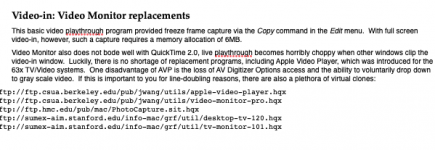
For A/V Input, I've been using Apple Video Player, but full screen playback does not appear to be a feature. I found a document online suggesting a couple programs, but sadly, I cannot find these (picture linked). If anyone has something similar, please let me know.
Screen Shot 2018-10-18 at 2.21.57 PM.png

 
You can only use full-screen playback at 640x480. This is a hardware limitation of the computer, and different software will not, as far as I know, change this.

 
You can only use full-screen playback at 640x480. This is a hardware limitation of the computer, and different software will not, as far as I know, change this.
Ah I figured as much. Is there anyway to scale it up to fill? Or at least allow a seamless fullscreen (i.e. black borders)?

 
I just read up that you have an AIO - if it's not otherwise disruptive (Mac OS 8 and 9 are generally okay about returning icons to their "correct" positions through resolution switches, or if you won't have many icons) I recommend just setting the system's monitor to 640x480.

The AIO's internal display is multisync so this should be in either the Monitors or Monitors and Sound control panel, or on the control strip.

 
Can one write an Apple Script to automate this somewhat?

For example, a script that automatically switches to 640x480, opens whatever the TV viewer application is, and then switches back to whatever your preferred resolution is when the application closes.

c

 
I just read up that you have an AIO - if it's not otherwise disruptive (Mac OS 8 and 9 are generally okay about returning icons to their "correct" positions through resolution switches, or if you won't have many icons) I recommend just setting the system's monitor to 640x480.

The AIO's internal display is multisync so this should be in either the Monitors or Monitors and Sound control panel, or on the control strip.
That worked great. It does not bother me much to run the machine at this resolution.

 
Back
Top
