• Hello MLAers! We've re-enabled auto-approval for accounts. If you are still waiting on account approval, please check this thread for more information.

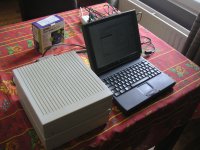
testing 20 SC Hard drives

bibilit

68030
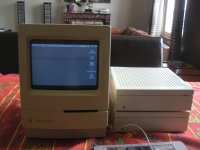
I have been testing today two 20 SC i got for cheap, unfortunately none of them are working properly.

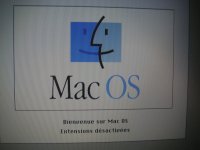
Both show the smiling mac on startup, but one of them goes back to the question mark and the second one stop working at the "welcome to macintosh" sign.

I have tried several scsi cables and terminators and two Macintosh (the SE and the Classic II...by the way this will need new caps as at first didn't work either until i cleaned the logic board twice... but don't have the right caps now)

I know the Miniscribe HD are prone to failure, but any of you was able to fix them ??

Of course, i probably can keep the casings and replace the disks.

 
Last edited by a moderator:
Sounds less like hardware problems and more like bad/incomplete/incorrect System versions for the machines you are testing with.

 
I'm with ScutBoy.  Try Initializing the least working one and a put on a fresh install of System 6.0.8. 

 
The 20 SC was The hard drive of The SE i tested it with (it is a Double 800 k version, so without internal drive)

But this was the reason i used The Classic as well...to be sure Nothing was wrong with the SE.

i tried to format The drives but Did not work.

 
Yeah.  The fact that they're at least partially booting and seeing a system from which to boot is more indicative of bad software versus bad hardware.

Hmm.

 
Last edited by a moderator:
i tried to format The drives but Did not work.
HD SC Setup will fail a drive even if you breathe on it. I just use Apple's later Drive Setup utility as it has more options and is a lot more forgiving about weak sectors and if it still fails there then I consider the drive junk. The drives inside aren't usually anything special. Just something from Quantum with Apple's special firmware but you can disregard that once you patch HD SC setup or Drive Setup.

 
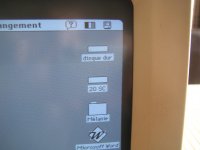
Well, half success, i was able to mount both drives with my 1400, the first one had System 6.07 on it, but failed to format.

The second one, i was asked to format the drive right away... and worked.

The process was done with extensions off.

PICT0771.JPG

PICT0776.JPG

The 1400 worked pretty well, most of my other computers crashed in the process.

PICT0773.JPG

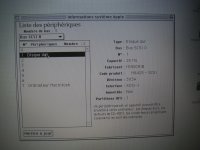
The Miniscribe was properly detected afterwards.

PICT0774.JPG

Will try once again on the faulty one later.

 
Small update,

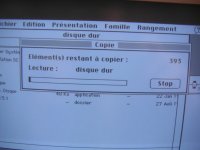
New test with the Classic II, the first 20 SC mounted right away, but failed to copy several files at once, in small amount worked fine.

The second one failed to format, i have an error while trying.

At the same time, i removed and replaced 5 caps (47 and 1 uf ones) on the Classic II LB... expecting the 10 uf ones.

PICT0777.JPG

PICT0778.JPG

PICT0779.JPG

Will try again with the second one, if anybody has an advice.

Never had a Miniscribe before, the sound is closer to a printer.

 
Yes, both of them have Miniscribe hard drives inside.
Like I said. They're Miniscribes. They have an awful reliability record not just in macs but in ANYTHING. Find a copy of Snooper or Norton Disk Doctor and see what a surface test yields.

I bet the drives are toast. A low level format can fix it, but not sure how on those drives.
Drive Setup has a low-level format option.

 
Last edited by a moderator:
Yes, but i dont think its a TRUE low level format, as a true low level format has to be done on a controller level, with stepper motor based drives only. 

But since a SCSI drive has integrated drive electronics/controller, then a special mode would have to be issued to the drive's firmware to perform a low level format, IF its possible. 

there is a small possibility if the drive firmware supports it, is to issue a FORMAT command directly to the SCSI drive, which will tell the drive to format itself without OS intervention. it may fix it? it may not. 

I had MFM drives develop bad sectors, and seek errors, etc and OS formats wouldnt fix it. But if I go into the controller itself, and issue a drive-level format, it fixed everything. 

I think the raw geometry formatting magnetic energy fades/gets weak over time and its having a hard time decoding things. But i could be off the wall here. 

 
Last edited by a moderator:
Actually a low level format on a MFM drive doesn't fix anything, it just marks all the sectors good. What you are supposed to do is input the list of bad sectors printed on the drive label and any new sectors your surface scans found bad so that the low level format will prevent their use.

Macs may be somewhat limited in drive diagnostics tools. I would try the drive in a PC, particularly with a tool like Spin-Rite and see what it says. That being said, those MiniScribes were stiction happy units. Heck my Apple 40SC finally bit the dust and that was a 5.25" Quantum drive. It never got stuck, but it finally went ker-CLUNK for the last time.

 
Yes a low level format did fix my drive. For sure so your statement isnt entirely correct. Sure there is a P-list table, but mine was empty. But the G-list was growing. Surface scans showing problems.

After an LLF, the bad sectors disappeared which is normal, but a full format plus a surface scan reveiled nothing and all my seek errors went bye bye.

The drive is an NEC btw.

 
Last edited by a moderator:
Back
Top