

• Hello MLAers! We've re-enabled auto-approval for accounts. If you are still waiting on account approval, please check this thread for more information.

Struggling with an AsantéTalk box

mactjaap

68000
I recently bought a AsantéTalk box.

It is not so simple to get it working in my network:

a mac SE, Basilisk II emulation, Netatalk on FreeBSD.

I think it has to do with the way you start up everything, but I didn't find the correct way to do it. Sometimes I see the box ( and the Mac SE it is connected to) but most times not.

The only time it really worked was when I started up Netatalk first and then the AsantéTalk box, but I first had pull of the power plug and put it back on..... then I did see them. I attach a picture.

My question is:

- What is happening here?

- How to start up everything so it will work right away?
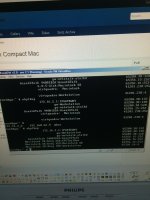
foto 5.JPG

 
The AsanteTalks can be finicky. The best method I've found is to have all the devices on the Localtalk side powered up and connected, and then start/restart the AsanteTalk.

Not sure from the NetAtalk side if the that makes a difference, but it sounds like it might - have everything on both the Localtalk and ethernet side up and connected, and then restart the AsanteTalk. I don't seem to have trouble with devices on the ethernet side coming and going (I have an old SnapServer and one other device doing Ethertalk(?)) but adding something to the Localtalk side "on the fly" seems to require a restart of the AsanteTalk more often than not.

HTH

 
YES! That does the trick!

I first boot the Netatalk instance and then the AsanteTalk. Then of it doesn't show up I power down and power up again the AsanteTalk box.

Then I see it!

Thanks for your advise!

 
I found a better manual today. It has a FAQ with this power up power down problem mentioned.

It can be found on:

http://www.asante.com/downloads/userManuals/ATALK_UM.pdf

AsantéTalk Power-Up Sequence
Q: Is there an approved power-up sequence for the AsantéTalk?
A: Yes. In general, turn on all LocalTalk devices first: printers,
laptops and desktop computers. After these are all functioning, do
EITHER of the following:
 
If the AsantéTalk will be connected to an existing Ethernet network,
connect the silver Ethernet cable to a hub, bridge, or
router, and power up the AsantéTalk. If the AsantéTalk will be
connected to a computer, connect the yellow crossover cable
to both AsantéTalk and computer, power up the AsantéTalk,
THEN power up the computer.
 
Q: All my devices are on the same power strip. When I start up my
computer in the morning, it doesn’t “see” my printer. Why?
A: For each LocalTalk device to be accessible via AsantéTalk, ALL
LocalTalk devices--including the printer and computer systems--
must be powered up first. This will enable the AsantéTalk to see
each LocalTalk node.
 
Q: How long does it take for the AsantéTalk to power up?
A: It takes approximately 15 seconds for AsantéTalk to boot and
become an active node.
 
Q: Why can’t my PowerBook be seen on the LocalTalk network
when I plug it into the network in the morning?
A: During its power-up sequence, the AsantéTalk polls the LocalTalk
network for any available nodes. Nodes that are added after
the AsantéTalk is powered on may not be seen. Power off the
AsantéTalk for 30 seconds, then reconnect power to resolve this
problem. 
 
Q: During the boot process of the computer (when connected
directly to the AsantéTalk), the green LED labeled “LI” (Link Integrity)
on the AsantéTalk will flash repeatedly. What causes this?
A: The AsantéTalk is attempting to auto-negotiate with the computer.
AsantéTalk does not support Ethernet auto-negotiation. Always
power up the AsantéTalk BEFORE booting the computer. 
asantetalk.pdf


Attachments

I have heard about people having issues with their Asante AFP bridges. One feature I like about the Farallon iPrint LT is that it has PhoneNET right on the unit. This makes wiring up other computers to share the bridge effortless. Of course if you use AppleTalk connectors then you'll have to use something else.

In their "AppleTalk and OS X" pdf, I am compelled to disagree with their statement that "OS/10.x and OS/9.2.x do not support AFP (Apple File Protocol) over AppleTalk. OS/10.x and OS/9.2.x use instead AFS (Apple File Services)." I have had System 3.3/Finder 5.4 connect up to Jaguar. Furthermore, as the AppleShare Client 3.7 Manual specifies, you can force a connection over AppleTalk versus AppleTalk over TCP (the default in 3.7 and above) by holding down the Option/alt key when double-clicking a server.

Also I've never heard "OS/10" and "OS/9.2" used before. :) *insert sarcastic remark about OS/2*

EDIT: Forgot to add, the A2SERVER project leaders found out that the famarilar AFP bridges do vary in their internal operation slightly, and this was one of the things they had to account for. As for my iPrint LT, I've never had a single problem with it. If you have only one computer, it could be worth hunting down the fickle-tempered Farallon EtherWave Mac/PB -- unless you have a PPC machine or something with I/O Serial (IIfx, Q900, Q950) or GeoPorts, in which case you should look elsewhere.

 
Last edited by a moderator:
Back
Top