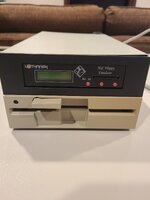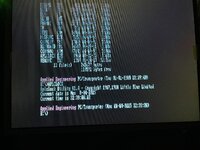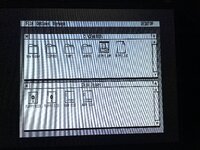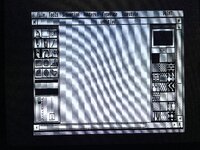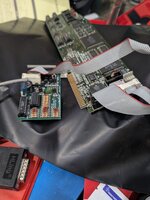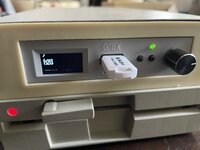
...aaaand done!
Night brings council as they say - I realised I was plugging the TransDrive unit in the IIGS SmartPort, but instead I should have plugged it into the DB19 port provided with the card, which then plugs into the card directly and it is meant exactly for plugging PC drives.
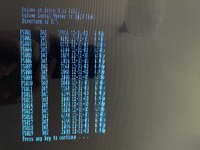
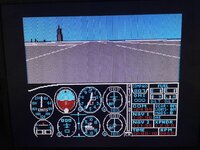
After doing that, everything works, units check disks at boot and react to path change, so if I enter B: at the prompt and then DIR /p (to get keypress and make it to read the whole file list) , this will happen:
BTW, if you want to boot the card from your DOS hard disk / special file on ProDOS volume, be sure to take the USB out of the Gotek or it will boot from there first - as usual, floppies come first in the booting sequence.
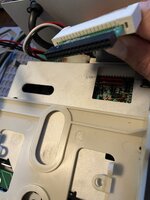
Now since I made it, here are some infos about how I wired the Gotek inside the TransDrive.
As I wrote, a card-edge to 34-pin adapter is needed to plug into the card-edge cable inside the TransDrive:
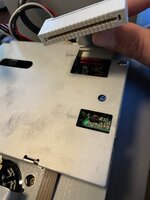
There is a PCB design of the adapter freely available (see previous posts) but for 18€ shipped from the Netherlands to Italy, I decided to get mine from
https://www.gotek-retro.eu (which is the English version of
www.gotek.nl ) . The website shopping system is quite... retro, too, as you will have to fill in a form to request your product(s), and then they will get back at you on email to arrange payment (PayPal only) and shipping. Anyway after a few days, here is the adapter I got:
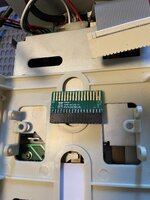
In order to connect everything, I also needed a (female) molex to floppy power connector, and since the card-edge strip inside the TransDrive is quite short, also a 34-pin extension to connect the Gotek. Luckily I already had everything in my stash:
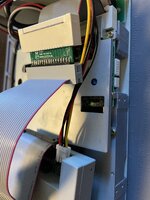
Then as you can see in the first pic, I used a 3d-printed bracket to correctly fit the Gotek inside the TransDrive unit.
Wish I had found a (matching) grey bracket, instead of this ivory one, but I guess there will be time for that.
So another success in the end! I am super happy!





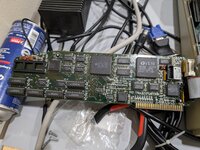
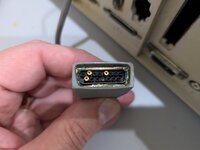
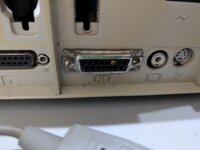
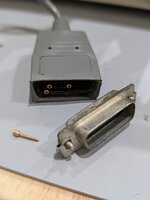
 You can see it embedded in the rear IIgs video connector. Came that way, I didn't do it. But probably made the machine tricky to test for an amateur, which is why I got a smoking deal for it