Follow along with the video below to see how to install our site as a web app on your home screen.
Note: This feature may not be available in some browsers.
Hello MLAers! We've re-enabled auto-approval for accounts. If you are still waiting on account approval, please check this thread for more information.
So you’re telling me there’s a device called a “SCSI sniffer”? And I didn’t know about it until now? Now I’ve gotta have one, that’s the best name ever!

I believe something with the logic board and/or RAM corrupted the hard drive.
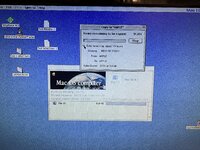
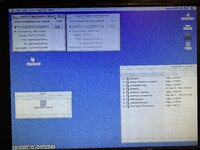
I did try the 128MB EDO in the replaced board, and I started getting some glitches happening (Finder complaining about running out of memory, when nothing was running).
So, I think it was a combination of the logic board corrupted the disk driver on the drive, together with a corrupt OS (due to disk read/write corruption), and Mac OS 8.1 not having enough RAM for what I was trying to do.
I started with Steps 1-4 above one at a time, until the issues were resolved. The 1-4 are the order I went through, while testing in-between.
After a successful afternoon of copying files over the disks that were causing issues before, I think I can confirm I fixed the issue.
Just to see I shut it down and installed the same 128MB EDO SIMM I had before and it seems to be working just fine now.
So the issue is something to do with the prior logic board. Either it’s bad or the overclock is causing it to be unstable when copying between external and internal SCSI disks.
I’ll try and troubleshoot more later. I have a few OC’d 475 boards I can stress test later on.
They come up on eBay now and again. They give you an indication as to what is actually happening on the SCSI bus. I haven't used mine yet but that's my understanding.
Typically yes, but I find them very useful to identify the normal probing patterns of a healthy SCSI chain and work out what's going wrong. When working with (basically undocumented) PDS SCSI cards I could see device activity lights coincide with the visual sequence of probing each ID. In my experience with those when it hardly pauses a device has responded, a quarter-second delay is normal for no device on an ID, and a long delay is helpful in indicating that the probe has found a device on an ID which failed to respond properly (termination failure, ID conflict, etc.)
Edit: also useful to see when the system has locked up due to a hung SCSI device on the bus. In these cases a power-down can be required instead of a soft-reboot.
(but yeah beyond this, essentially just blinkenlights...)
This site uses cookies to help personalise content, tailor your experience and to keep you logged in if you register.
By continuing to use this site, you are consenting to our use of cookies.