I have lots of experience with this.
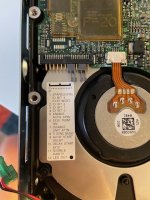
Plug the drive into your SE/30. Boot from a disk that has System software. Use FWB Hard Disk Toolkit version 2.5 or 3.0.
Partition the drive as follows:
10MB Macintosh partition -set it to not auto mount. This is the partition that will hold your SCSI driver.
1.9GB (1900MB) Maximum second partition. Use it for your system folder.
1.9 GB third partition. This will show up as your second partition once booted.
Final partition for remaining size.
The SCSI manager on 68K Macs cannot handle drive sizes over 4GB without doing this, and cannot boot if the disk driver and system software are not contained in the first 2GB of the drive.

 Hello Guest! We're hosting a challenge to welcome vintage Intel macs to the MLA during the month of July! See this thread for more information.