• Hello MLAers! We've re-enabled auto-approval for accounts. If you are still waiting on account approval, please check this thread for more information.

SCSI Doc and a PowerBook 100

mactjaap

68000
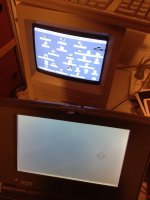
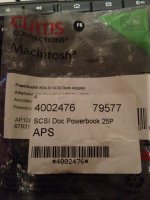
I recently bought a SCSI Doc PowerBook 25 to HDI-30 SCSI adapter. I successfully used it to boot my SE with the disk from the PowerBook. It boots nicely on System 7.5.

Now I would like to boot the SE and use the PowerBook disk as external hard drive.

How to achieve that? I rebooted….booted the SE first and then booted the PowerBook, but no success. Must be some key combination or so.

Help is appreciated! :pb:

scsi-doc-1.jpg

scsi-doc-2.jpg

scsi-doc-3.jpg

 
Leave your connection as-is. By default the SE should be booting off of its internal drive. Double check that you have the SE's drive set as the boot device in the Startup Disk control panel.

 
Just remember even in your setup internal drives are device 0. It's what the Mac uses and understands, especially if battery (pram) is removed or dead. Just saves boot issues and such.

 
Now that this is solved I have another one.....

Is it possible to switch of the PowerBook in this mode, other that just removing the power cable?

 
On a PowerBook 100 is no specific power button.

I tried Ctrl, Option and Command and then as power button the backspace.....

That didn't work.

I can switch of with the programmers and reset switch together, but maybe there is a cleaner solution.

Just for information for other readers. These are the special Apple keys:

Apple_Modifier_Keys.jpg.3abc97605575474ceb99ae88b5c30878.jpg


Back
Top