• Hello MLAers! We've re-enabled auto-approval for accounts. If you are still waiting on account approval, please check this thread for more information.

Schizophrenic StyleWriter

Hi all!

I'm restoring an original StyleWriter V1.

Using original power supply and a BC-01 cartdrige, after first turn-on, I've tried the 2 auto-test modes: (form-feed+power-on and ready+form-feed+power-on) but it behaves strangely, lot of noise, error light and so on.....

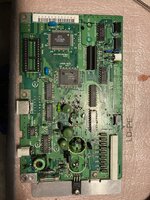
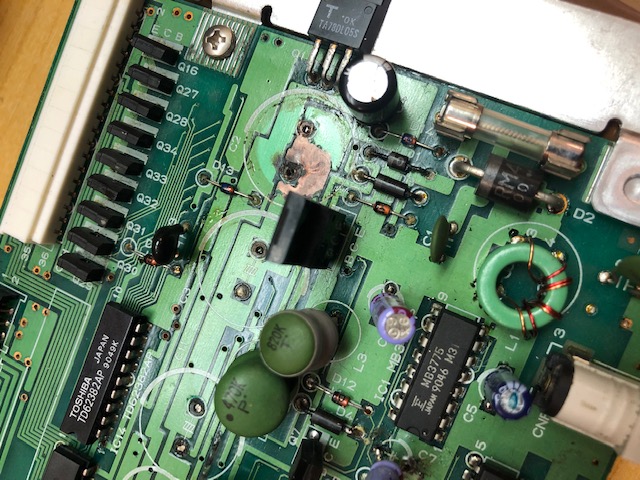
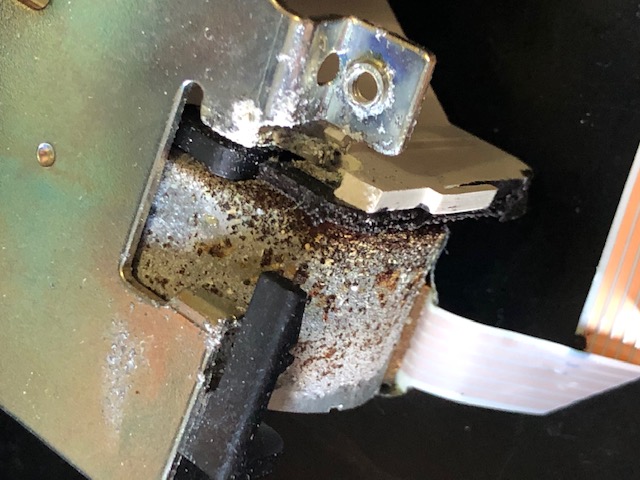
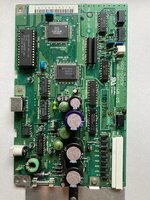
I've opened it, I've soon discovered leaked capacitors and corrosion.
IMG_0642-1.jpg

IMG_0643.jpg

So I've cleaned the main board, fixed corrosion, recapped it, oiled mechanics etc.
Unfortunatly both autotest modes still fail as shown in the video.


I've also tried to print from a PB190cs, after installed appropriate drives, seems that PB and the SW comunicate but no printing, just crazy behaviour with paper back and forth and so on.

I would concentrate in fixing the autotest first, any ideas about what could be causes, 99% is main board, but what?

Thanks a lot
 
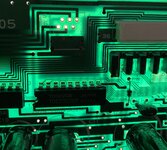
If you hold the board up with light behind it, you should be able to see if any traces are broken. With that much goo, I'm sure you'll find some.
 
If you hold the board up with light behind it, you should be able to see if any traces are broken. With that much goo, I'm sure you'll find some.
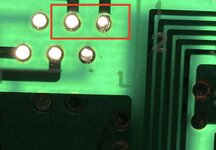
Exactly! As suspected leaky caps have caused some more damage to the logic board. I just found 2 more corrosion under one stepper motor. Once fixed it paper management and printing movements behave correctly but unfortunately no ink is brushed on paper. Need more investigation to understand where is the problem now, but I feel it's coming back to life 🙂

IMG_0680.jpgIMG_0682.jpg
 
I'm sure you already got one, but you are using a new ink cartridge or some sort of refilled one, not an original? No ink smears, nothing? Is there any sort of screen type of thing like newer printers that gets clogged?
 
If you hold the board up with light behind it, you should be able to see if any traces are broken. With that much goo, I'm sure you'll find some.

That's the right thing to do. My board was totally dead (it was a II, but very similar board), rotten bias, etc… Caps even leaked into one motor and killed it.

stylewriter_caps.jpg


stylewriter_rust.jpg


Also check PSU voltage while auto-testing, the PSU may need a recap as well.
 
I'm sure you already got one, but you are using a new ink cartridge or some sort of refilled one, not an original? No ink smears, nothing? Is there any sort of screen type of thing like newer printers that gets clogged?

I'm using a cartridge from ebay that was sealed. I think cartridge is good, does not seems clogged, the ink is not dry. Unfortunately I don't have another working printer to test the cartridge.... but it seems to me like the board does not drive the cartridge. I just mapped and checked connections of flat cable between the logic board and the print head. I will check all signals among them.
 
Last edited:
That's the right thing to do. My board was totally dead (it was a II, but very similar board), rotten bias, etc… Caps even leaked into one motor and killed it.

stylewriter_caps.jpg


stylewriter_rust.jpg


Also check PSU voltage while auto-testing, the PSU may need a recap as well.

Exactly as mine. I disassembled the engine and carefully cleaned it with acid and oiled it, now it is fine.
PSU: interesting point, i has only a capacitor or two and are not leaked, but I measured about 13V while in label reports 9V .....
 
Back
Top