• Hello MLAers! We've re-enabled auto-approval for accounts. If you are still waiting on account approval, please check this thread for more information.

Rom-inator issues

mloret

6502
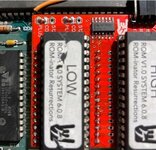
Hello! I spent this evening assembling my first Rom-inator. I got it to work on my Plus! Well sort of. The assembly went well, but I can't seem to get the Flash Tool to work. It also won't let me boot from an HD20 on my Floppy Emu or from my BlueSCSI (I've added the diode to make it work on my Plus). I receive an “Error: Flash ID BFBB, B7BB, B7BB did not match known device ID.” I have no idea what to do. Can anyone make a suggestion?
 
Did you obtain a kit with the roms pre-programmed, or did you program them? Also, what kind of pin sockets are in use to mate to the logic board? Maybe a picture or two of the build/install if you have them could help.
 
hey thanks for the note! I got the kit from Kay Koba. It came with the Roms pre programmed. What kind of pin sockets are on the logic board? Kay said something about not being pin sockets but rather “replaced” sockets. Is that a thing or a typo? It’s whatever was already there. He seemed to focus on the sockets as the potential issue though.

I’ll try to get more pictures. This was my first go at it. It seems to boot up okay, just can’t modify the ROM!
 
I'm actually planning on assembling some kits / rominators since it's open source now, so this is kinda well timed, though I'm sorry you're having issues.

I'll be building one for a Plus, as soon as the PCB's from JLCPCB get here hopefully in 1-2 weeks, as time allows.

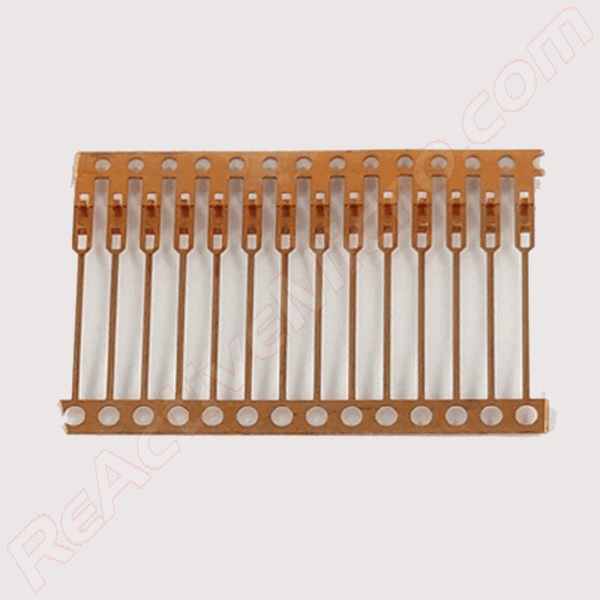
The secondary reason I bring up pins/sockets... the DIP IC's going on the Rominator can go into "double wipe" or machined pin sockets. that to me difference isn't a big deal, though machined is less forgiving on installation and harder to remove IMHO. But if I understand installation correctly, there are then pins sticking downward from the Rominator to mate into the logic board. These could theoretically be machined pin headers, standard .100 jumper style pin headers, or in a perfect world, something like these:


Round or square header pins have been used in the past to create a PCB with IC legs. However these unfortunately all damage dual-wipe sockets once mated. And once removed, an IC is no longer able to be installed in the socket and provide reliable contact. In contrast, the lead frame pins are designed for this application and do not damage sockets in any way.

Those pins are more expensive, but technically, the right ones for the job. The rominator kits I have seen previously used round or square pins which could damage the sockets on the Mac itself.
 
Hmm I’m not sure I follow all of that but I’ll send some pictures and maybe you can help me learn something! :)
 
Sounds good.

Basically what I'm after, are the pins themselves that are mating the Rominator to the Mac square, round, or actually thin like EPROM legs?
 
okay. I’ll get pics. I’m gonna take the Rominator out and try to put it ba k the way it was. I suspect I have a bad joint somewhere.
 
I spent much of my evening messing with this damn thing and nothing changed. I am continuing to get the same Flash error. I did find some mistakes that I resolved including one set of pins was upside down, a couple of pins were bent, and some joints were questionable. But when I connected everything back it would still not let me change the ROM files with Flash Tool. Maybe I should try a different tool? idk. I'm ready to give up on this thing.
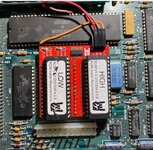
Rominator 1.jpg
 

Attachments

  • Rominator 6.jpg
    Rominator 6.jpg
    80.3 KB · Views: 6
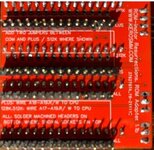
  • Rominator 5.jpg
    Rominator 5.jpg
    67.3 KB · Views: 9
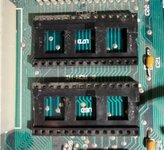
  • Rominator 4.jpg
    Rominator 4.jpg
    64.4 KB · Views: 9
  • Rominator 3.jpg
    Rominator 3.jpg
    76.2 KB · Views: 9
I'll have to look more into it re:the flash error, hopefully I'll have the parts to build mine soon. A device ID error seems like the EEPROMs themselves but again I'm not certain. A new set of those is an easy try though.

The pins mating to the logic board are machine pins, so round pegs are going in square holes. Likely this has expanded the socket contacts [more so than a normal DIP chip] at best... but also I feel like the system wouldn't boot if the connections were that unreliable. At this point though if replacing the EEPROMs didn't fix it, I would replace the sockets on the logic board with proper female machine pin sockets.
 
I have one if these in my Plus. Also purchased from Kay Koba.

It boots fine from the ROMinator when I hold the 'r' key down. Does boot this way?

I haven't tried the Flash Tool yet, unfortunately I won't likely get an opportunity to test it any time soon but I'll report back here when I do if you're still having issues.

I'd double check your ROMinator board is seated correctly (if you've able to boot at all you're probably good there).

Also double check the R/W wire (pin 9 on the CPU) as this would be essential for flashing to work.

One day I hope to replace the machined pins (I made a mistake during assembly), and also the LB ROM sockets with dual wipe type.
 
I have one if these in my Plus. Also purchased from Kay Koba.

It boots fine from the ROMinator when I hold the 'r' key down. Does boot this way?

I haven't tried the Flash Tool yet, unfortunately I won't likely get an opportunity to test it any time soon but I'll report back here when I do if you're still having issues.

I'd double check your ROMinator board is seated correctly (if you've able to boot at all you're probably good there).

Also double check the R/W wire (pin 9 on the CPU) as this would be essential for flashing to work.

One day I hope to replace the machined pins (I made a mistake during assembly), and also the LB ROM sockets with dual wipe type.
Thank you for the ideas! I'll double-check my connection to pin 9, that's a great idea.
 
I recently installed a rom-inator and everything works well except bluescsi. It works with SCSI2SD so I never bothered to trouble shoot why. Have you tried any other scsi emulation?
 
I'm really beginning to hate this thing. After swapping out and resoldering the R/W wire to the Mac Plus CPU, I fiddled with the damn Rom-inator some more. I thought it was finally updating the ROM using the Flash Tool and then...the computer froze. I powered down, restarted, and it started throwing an 0F000A sad Mac error. And that's as far as it will go. If I put the original ROM chips back in, the Mac Plus is fine, but the ROM-inator only flashes this error. I don't seem to be able to boot from any disk. Any ideas?

Yes, I cleaned the sockets.
 
If it froze during writing the EEPROMS are probably corrupted.

I can probably send you a new set if you do not have an EPROM programmer that can re-flash them to the stock ROMinator images.
 
Back
Top