• Hello MLAers! We've re-enabled auto-approval for accounts. If you are still waiting on account approval, please check this thread for more information.

Restoring a Power Mac G3 Beige Mini Tower

Irinikus

6502
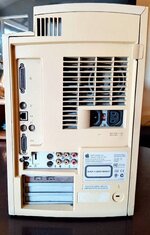
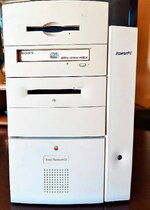
I recently purchased this beige G3.
483957087_1335542840984522_4741827549459618978_n.jpg

484547154_997516708446889_8428845677602505376_n.jpg

It was sold to me as being fully functional, but became my first retrobright project, as it was way too yellowed to be looked at and not be annoyed.

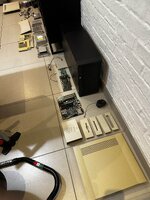
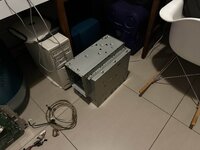
Here are some pics of the machine when I disassembled it completely to give it a thorough cleaning before getting to retrobrighting the plastics: (This happened within hours of me acquiring the machine!)
E6549BA7-2E24-48DE-A089-D64E5804614D.jpg

E603C482-2562-474E-879D-F96EA1160BFC.jpg

This gives you some idea as to how yelled this machine was.

I chose to follow this example to redrobright the machine, as I didn't want to use the submersion method, as it would have damaged the metal screening on the inside of some of the case parts:


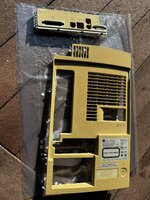
The back panel was the first panel I started with, as it was the most yellowed
IMG_0095_copy.jpg

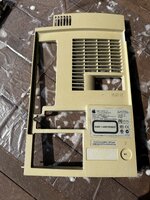
Here's how it originally looked and here it is after 1 hour and 48 minutes:
IMG_0106_copy.jpg

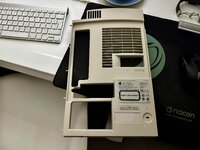
Here's how it looked after the first redrobright session:
23146CAD-2E59-4722-A4FC-FE1A4E4FD4B2.jpg

Now it was on to the main case plastics:
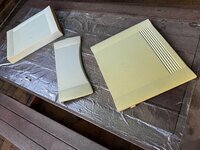
05525F4F-B16D-4AB4-B6F4-CB41C3B97829.jpg

This is how they looked at the end of the day:
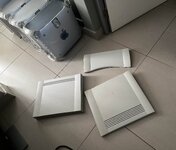
57314BD8-0782-4C5A-933F-15FE761CDDB5.jpg

I took this pic when I started the last stretch of this exercise: (The final redrobright session)
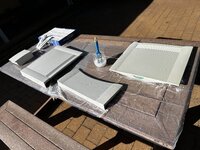
4950E65A-D536-45BB-B4EB-ADCB93E66275.jpg

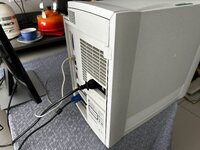
This is how the machine looks now after reassembly: (It's not 100% perfect, but it's 99% better than it was, and best of all it's no longer an annoyance to look at!)
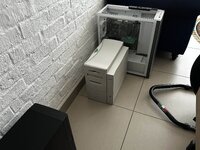
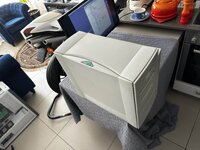
4967BE34-2B0B-4142-AC62-1A77E22A4902.jpg

4A8A45E4-8B73-4A91-80D2-304B6068E69D.jpg

D8D29A98-698F-4C1A-8BEC-EEF6A710A4F2.jpg

I've fitted the ATI Rage 128 allowing me to run a standard monitor, it also has a dual USB card fitted.
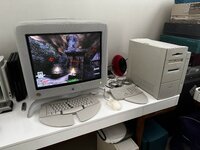
 
Here's the latest on this system:

AC4ECEC5-A374-493E-A579-661499542C1A.jpg

The system now has its ADB Adjustable Keyboard. I still need to acquire an ADB mouse to complement the keyboard, but the Microsoft Natural, running through the USB hub on the 21" Studio Display will do for now.

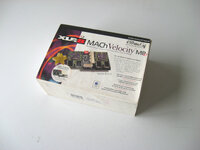
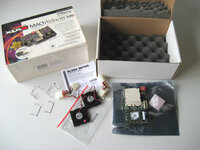
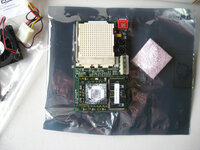
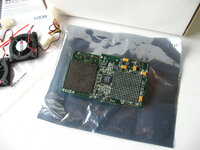
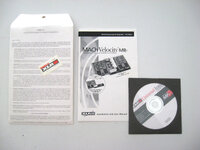
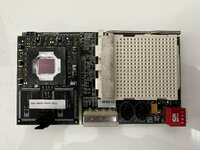
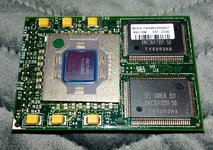
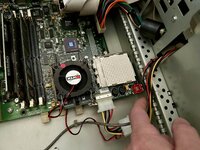
I'm currently in the process of purchasing this XLR8 MACh Velocity MPe G4 450MHz ZIF Dual CPU Upgrade for this machine, which will ultimately allow me to run this machine with dual CPU's! (DUAL CPU'S IN A BEIGE!!!)

s-l1600-393.jpg

s-l1600-394.jpg

s-l1600-396.jpg

s-l1600-397.jpg

s-l1600-398.jpg

This will convert this machine into something pretty interesting!

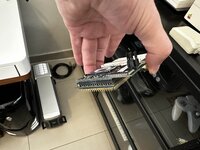
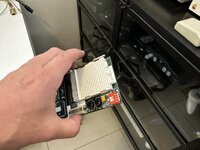
My XLR-8 MACh Velocity MPe CPU card arrived today! 🙂

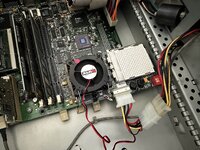
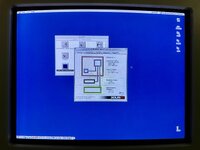
After quite a bit of struggling I've got it up and running! (ended up repartitioning my OS9 disk when I didn't have to.)

This little toy has cost me a hell of allot of money so far ,and it still needs its second CPU! (This is pretty much the only one of these cards pictured on the internet, so they're damn rare!)

01F87255-1044-4FC0-BF30-A5C105F5ACE8.jpg

315AF32C-7A0F-454F-9B89-764BA78DB3F8.jpg

D83CC56B-B03C-453E-9040-7ABA2DA54894.jpg

5BD1EFBD-C26E-405F-8453-E15D1CF3AB1B.jpg

C726CDF0-0BF8-4755-AFAB-984303F0C129.jpg

EC5E1896-7402-4932-A97D-E34FF157A88B.jpg

32B95F52-A542-4907-89EB-522143128682.jpg

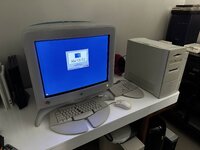
The new startup screen!

3A6BB63F-AA44-4513-924B-85E963753217.jpg

145723EE-07AD-4CFA-9A88-B14A93DA92B9.jpg
 
Now I'm just looking for a secondary XLR8 MAChSpeed G4 ZIF CPU module @ 450MHz to complete the business end of this machine and make it a DUAL!
 
Great job!
Can you share what configuration under 9 are you using to make the ATi video board work with the G4 CPU? I have a 7000 and I have a bunch of issues. As can be seen here anyway:
r7000 and beige G3 issues

Thanks! 😀

I’m using the standard drivers in this setup. As OS9 has native support for this card.

If y want to run a 7000 you more than likely need to boot the OS with extensions disabled and then install a newer ATI driver which will work with that card.

I have a 9200 Mac edition in my G3 B&W, and that’s the procedure I had to follow in order to stop it from freezing as OS9 came up.
 
On the Beige you also need a driver for the G4 CPU too, as the PROM cannot be updated as it can on the later G3 B&W and G4 machines.
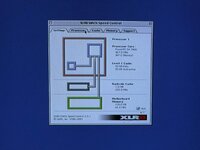
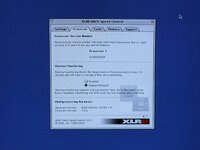
If the driver such as Mach Speed Control is not installed, then the system will also freeze just as the desktop comes up. (I learned this the hard way, as I initially installed the driver while the G3 CPU was installed and then proceeded to uninstall it by mistake while the G4 CPU was installed.)
 
Would be interesting to see how your dual G4 400s compare to my single G4 1000 in the beige. OS 9 use of multiprocessing is limited but there might be cool use cases.
 
Let's see if I can get it up and running, by either reducing the speed of the already installed CPU down to 400MHz to match this one, or overclock this one to 466MHz to match the one that's already installed.

This CPU's coming in from Germany, so it's going to take at least a month to get here!
 
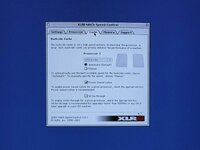
In the mean time I've reduced the speed of the XLR8 Mach Speed MPe CPU to 400MHz, and I've set the dip switches on the Mach Velocity card to hopefully give me 400MHz on the secondary CPU. (I think that the system would be more stable if I clocked it at 400MHz, as I don't know how stable the yikes CPU would be with a 66MHz overclock)

80BECA7A-6281-419F-9DB3-20B75E5E5388.jpg

DDCCE0AA-1A7B-47FE-B180-B7CBC59027F7.jpg

400MHz is fast enough for OS9.2! (All I'm wanting here are two CPUs running in a Beige, I'm not looking to set any speed records.)
 
Back
Top