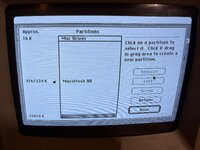
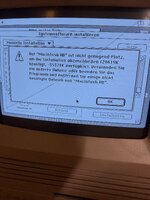
So the problem was that you booted the Mac SE/30 with Mac OS 7.1 to do a Mac OS 7.5.3 Install. The good thing is that Mac OS 7.1 doesn't need the ROM Hack when using an upgraded ROM. The bad thing is Mac OS 7.1 won't use a Mac OS partition larger than 2GBs which is what you want to accomplish.
Mac OS 7.5 will use volumes larger than 2 GBs.
You must perform the Mac OS 7.5.3 Install while booted with a patched Mac OS 7.5 system folder if you're performing the install with an upgraded ROM.
A Mac OS 7.5 system with the ROM Hack either on a floppy disk or some other disk to boot the Mac from to run the Mac OS 7.5.3. Installer. You could either use the Disk Tools floppy disk which is part of the Mac OS 7.5.x Installer set, or the Network Access Disk. Both need the hack. Trying to squeeze Mac OS 7.5 onto a floppy isn't easy.
Because I don't like using floppies, I used an 120 MB External SCSI as a utilities disk to perform the same function. This utilities drive has more room than a floppy so I included all the tools necessary to perform the task even the Mac OS 7.5.3 Install disk image(s). If you boot the Mac with the hacked Network Access Disk, then you'll have access to an AppleTalk share from another Mac on your local network where you could have a Utilities folder with the tools needed just like the external SCSI drive that I use or you'll need access to the utilities needed from another disk and they won't all fit on one floppy.
Since a Mac running Mac OS 7.5 or higher with an upgraded ROM needs this hack
ROM Hack Instructions done to it, some of these are the tools needed to perform this Hack.
Note: Once the ROM Hack has been done to a Mac OS system with an upgraded ROM it will freeze a Mac at boot if you remove the upgraded ROM and revert back to the stock ROM. You'll need separate system folders for the two types. One with the hack and one without.
Note: By formatting the Internal HDD larger than 2 GBs you will not be able to access it from a different drive later that has a Mac OS version lower than Mac OS 7.5. So the suggestions of keeping 2GBs partitions are wise. You can split the drive in two and have multiple system folders where you can switch between the OSes using system picker.
Disk Copy
Apple HD SC Setup
Apple HD SC Setup the Hacked version to support non Apple SCSI drives optional
Wish I Were
CD-Sunrise v2.2c optional
ResEdit
System folder Uniquely named, with Mac OS System 7.5, with custom Install for every Mac, with ResEdit hack to boot the Mac with an upgraded ROM
System folder Uniquely named, with Mac OS System 7.5, with custom Install for every Mac, without ResEdit hack to boot the Mac with a stock ROM
Mac OS 7.5.3 Install disk Image(s) to do the install with to another drive
ROM Hacking Instructions.txt
Simple Text
System_Picker 1.1a3 For choosing between the two different Mac OS System 7.5 system folders to boot from. For instances when you're installing to a Mac without an updated ROM.
When it comes to your Mac Classic II you probably didn't use Mac OS 7.1 to boot the Mac Classic II to do a Mac OS 7.5.3 Install to it. Most likely you used a Mac OS 7.5 boot disk to perform the Installation so there wasn't an issue with it using 4 GB Mac OS volumes at all.