

• Hello MLAers! We've re-enabled auto-approval for accounts. If you are still waiting on account approval, please check this thread for more information.

Radius TPD/SE up and running . . . on an LCD no less!

Looks like the setup will survive a bit longer in a new form. Signed off on the last post with a WAG and grab at the last straw. Came up with a slightly tarnished brass ring!
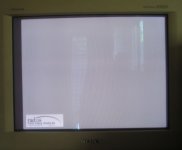
RR-17in-Sony-C-00.JPG

The 17" Trinitron I bought for the brand spanking new Quadra 630 for the rug rat's room syncs up with the Soldered RGB cable and sharp image that's almost centered. [:D]

I'll call the barrel distorted banding a Moire pattern for lack of a better term, but  I'll call this a usable image on what will hopefully be a dedicated CRT display with some adjustment a/o a bit of hacking. Thinking in terms of trying to tie R&B to Sync/Green with an analog hack somewhere on the board, in the cable to the neck board or on the neck board itself. Dunno if the banding will be gone, better or morphed into a more annoyingly refinedset of vertical, parallel lines.

Sync isn't established every time, but almost reliably, so suddenly hope again springs eternal.

I'll take a pic tonight sans ambient lighting complications and post it full res.

 
hinking in terms of trying to tie R&B to Sync/Green with an analog hack somewhere on the board, in the cable to the neck board or on the neck board itself. Dunno if the banding will be gone, better or morphed into a more annoyingly refinedset of vertical, parallel lines.
Are you talking about hacking the multisync monitor? Honestly, that's a terrible idea.

At this point I think most of what you're seeing on that monitor are a consequence of the age of the monitor and the fact that it's not really a high-end unit (no 17" CRT is) putting out a resolution that's probably technically higher than what the dot pitch of the monitor is really cut out for. It's definitely not right to think about cutting into the monitor circuitry without even looking at the output signal you're getting from the card to make sure that it's not technically out of whack for a VGA monitor in terms of levels and polarity. As mentioned, you might be able to clean up and correctly-level the R&B lines against the green with some combination of diodes and resistors (and maybe an amp to compensate for the resulting signal drop, if you need it), and there are also off-the-shelf ICs for doing sync separation that you might be able to use to dispense with the sync-on-green entirely.

Seriously you're just flinging **** at the wall without at least putting an oscilloscope on it and getting an idea what you're dealing with.

 
Last edited by a moderator:
FWIW, the monitor you have there, the CPD-200ES, is actually a really low-end monitor. It officially maxes out at 1280x1024@60hz, which despite its higher resolution is a slightly lower hsync frequency than the 1152x870@71hz you're asking it to deal with. (It's really designed to be a cheap-and-cheerful 1024x768 machine.) The Moire patterns you're seeing have to do with the limitations of the CRT, not anything to do with the signal.

The thing to remember is, again, the half-gray desktop dot pattern you're staring at is absolutely, 100% the worst case scenario for both LCD and color CRTs to deal with. If you were actually doing something for real on that card other than staring at the background it'd look cleaner. If you insist on a 100% clean display then you need to either clean up the signal so it doesn't tweak out your much larger CRTs (or find a larger CRT it doesn't tweak out), find an LCD with a scaler that'll do 1:1 dot registration, or get yourself a monochrome CRT like what the card was designed for.

 
Are you talking about hacking the multisync monitor? Honestly, that's a terrible idea.
Just floating the notion, crazy or not. [;)]

.  .  .  there are also off-the-shelf ICs for doing sync separation that you might be able to use to dispense with the sync-on-green entirely.
That sounds interesting.

Seriously you're just flinging **** at the wall without at least putting an oscilloscope on it and getting an idea what you're dealing with.
Duly noted. Are USB thingamajigs worth playing around with as a learning tool for applications like this?

Digital USB Oscilloscope 2 ch + Logic Analyser 4 ch, FFT, I2C, SPI, UART, 1-WIRE

Birthday and Father's Day approacheth.

 
FWIW, the monitor you have there, the CPD-200ES, is actually a really low-end monitor. It officially maxes out at 1280x1024@60hz, which despite its higher resolution is a slightly lower hsync frequency than the 1152x870@71hz you're asking it to deal with. (It's really designed to be a cheap-and-cheerful 1024x768 machine.) The Moire patterns you're seeing have to do with the limitations of the CRT, not anything to do with the signal.
Makes sense. Looks like screen printing/half-toning screen terminology for such patterns translates directly into CRT interference pattern terms. Cool, didn't know about that, thanks. I knew it was a mid-range display (price-wise) when I bought it new. IIRC it's handled everything I've thrown at it despite that.

The thing to remember is, again, the half-gray desktop dot pattern you're staring at is absolutely, 100% the worst case scenario for both LCD and color CRTs to deal with. If you were actually doing something for real on that card other than staring at the background it'd look cleaner.
Yep, once I fix up the SE Video and get the whole system set up, wallpaper will pretty much cure all.

If you insist on a 100% clean display then you need to either clean up the signal so it doesn't tweak out your much larger CRTs (or find a larger CRT it doesn't tweak out), find an LCD with a scaler that'll do 1:1 dot registration, or get yourself a monochrome CRT like what the card was designed for.
Like I said, I'd call this one usable as is. I've got another 21" CRT that's a pro grade ViewSonic and a 22" Dell monster of a CRT to test drive, but I really don't want to keep them around.

 
Last edited by a moderator:
Duly noted. Are USB thingamajigs worth playing around with as a learning tool for applications like this?

Digital USB Oscilloscope 2 ch + Logic Analyser 4 ch, FFT, I2C, SPI, UART, 1-WIRE

Birthday and Father's Day approacheth.
Unfortunately I don't think that's going to be a lot of use for video work. It only has a 1M sample rate and an analog bandwidth up to 280Khz. You could probably work out the polarity of the vsync pulses with it but very likely not the hsync. (The hsync frequency of this mode is around 64khz, which means the hsync pulse length would have to be around a quarter of the whole line width to have fair confidence in it catching it.) "Baby" scopes like this are mostly useful for things like protocol analysis of fairly low speed single-wire busses. (That's why it mentions I2C, SPI, UART, etc.)

If you're looking at new digital scopes you're probably going to be getting to the $300 ballpark for a cheap but mostly workable self-contained made-in-China unit with enough bandwidth to really be of much use. Depending on how much money the kids have to throw around here's a cheapy-cheapy $225 model that gets relatively decent marks:

https://www.amazon.com/Hantek-DSO5072P-Digital-Oscilloscope-Bandwidth/dp/B00RJPXB6Y

Any USB scope that sells for less than $100 probably isn't worth your time. Almost all of them are based on a few different Cypress Semiconductor microcontrollers, and even though they'll claim sample rates of 20mhz or better they usually start spitting out trashy gibberish-y waveforms well under that, and the software included with them is usually dreadful. (There are open-source projects out there that may or may not be compatible with a given scope that are sometimes better than what the manufacturer wraps around them, but ultimately you're deep in silk purse != sow's ear territory.)

 
.  .  .  but ultimately you're deep in silk purse != sow's ear territory.)

More like a tobacco pouch out of a buffalo's scro  .  .  .  whatever. Sillyscopes have always been out of my price range and will remain so it would seem, thanks.

I'm not complaining about anything that's happened in this iteration of the process at all. Glad to have the screen come up with mouse movement, no matter color weirdness or artifacts. Never really expected to get this far. Feels good to have made some progress with a card I didn't think would ever have anything wrung out of it without the matching Radus TPD! :approve:

 
Last edited by a moderator:
Gave in and did one last test with the 21" ViewSonic Graphics Series G810.  No go, no sync which is good, I need to get rid of it anyway along with the 22" Beast from Dell. The SE and its box of goodies are stored away, the parts of two or three Compacts are mixed and mismatched. When I get a chance I'll try to get all of the SE's bits together in the same shell and swap out the Magic Bus card for the Radius 16. [:D]

 
This series of tweets from @pinot is interesting - he seems to have an SE with a Lapis card talking to a monitor through some sort of breakout box:


Pinot W. Ichwandardi (‪@pinot‬)


31/5/19, 11:21 am

MacroMind Director 3.0 has second monitor feature. Imagine making giant video mapping with VGA or composite projector, directly from Macintsoh SE. It was possible in the 80s. pic.twitter.com/HQzQP9cL0k


Pinot W. Ichwandardi (‪@pinot‬)


31/5/19, 11:17 am

Mobius MultiScreen > db-9 cable > XVGA converter box > VGA output. pic.twitter.com/VzDwWKfwVy


Pinot W. Ichwandardi (‪@pinot‬)


31/5/19, 11:14 am

I was right! The Mobius MultiScreen shares the same spec with Lapis DisplayServer for Macintosh SE. Using Lapis driver, now the Mobius send the video out from Macintosh SE! pic.twitter.com/qpu36XOIMT


Pinot W. Ichwandardi (‪@pinot‬)


30/5/19, 3:36 am

Correction: Gemini 030


Pinot W. Ichwandardi (‪@pinot‬)


30/5/19, 3:08 am

Another card from Total Systems Genesis 030 (?). Mobius driver seems to work, but still trying to figure out the signal & pin configuration. pic.twitter.com/HqPTvR0vyH


Pinot W. Ichwandardi (‪@pinot‬)


30/5/19, 2:53 am

Found an old publication from 1991. pic.twitter.com/UNSu2UK3ns


Pinot W. Ichwandardi (‪@pinot‬)


30/5/19, 2:52 am

The Lapis DisplayServer board looks identical with Mobius' board, though the processor & ICs are different. Think the Lapis driver also works for Mobius? pic.twitter.com/JnTQJTM9ww


Pinot W. Ichwandardi (‪@pinot‬)


30/5/19, 2:48 am

I'm still looking the right video cards for my Macintosh SE. Got this Mobius MultiScreen year ago, but couldn't find the right driver (the one available online only works for Total Systems Genesis 030). pic.twitter.com/gb6BxGeNzR


At the risk of flogging a dead horse, does anyone know if the card listed Here is one of the pivot ones that’ll also run a Mac Portrait Display? I can’t find that model number in the radius archives. 

 
Just thought this might be relevant in this topic as it does a pretty good job in explaining how VGA video works.  In any event, it is interesting. 


Back
Top

