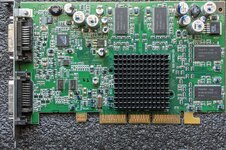
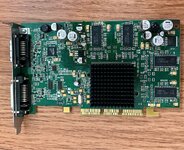
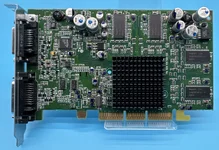
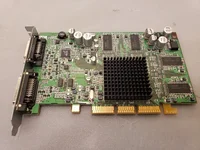
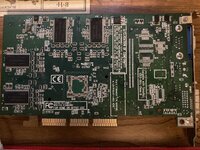
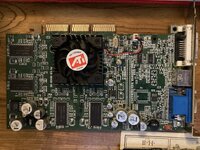
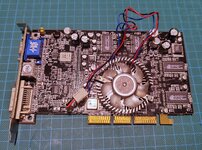
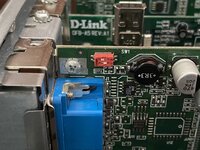
I was buying stuff from Japan a while back and threw in a cheap Radeon 9000 Pro AGP card. My half-baked plan was to steal its 3.3ns RAM and try to build the world's fastest Radeon 8500. I'm not up for that tedious (and probably pointless) of a project right now, but I wanted to do something with it, so I decided to flash it to Mac and see how it performs.
I gave it a basic check in a PC first and it seemed good, so I flashed it with the OEM 9000 Pro ROM from The Mac Elite and got a screen full of garbage. There's information out there about needing to move resistors for the Radeon 9000 non-Pro, which has a different board layout, but I thought the Pro was supposed to just work.
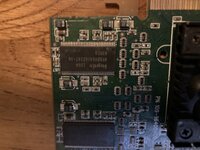
Like the 9200/9250, the 9000 Pro has a bunch of 10k ohm strap resistors scattered around the board. After some poking around, I found the ones that needed to be moved in order for the card to work. Funny enough, it was the same as a Radeon 9250, which shows just how similar these designs are. R227 and R229 needed to move to R228 and R230. They're under the heatsink to the left of the GPU:
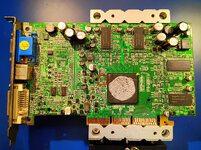
In the picture above, you can see I've already moved them. I'm not aware that this has been documented anywhere else, so now it's here.
Unfortunately, the card is only mostly working for me; I get some scattered artifacts even at modest (275MHz GPU, 250MHz RAM) clock speeds. Maybe the card is actually defective? Its PC ROM was clocked at 275/275, so I'm not pushing it hard at all. I think it'll go back in the "projects for later" box for a while.
I gave it a basic check in a PC first and it seemed good, so I flashed it with the OEM 9000 Pro ROM from The Mac Elite and got a screen full of garbage. There's information out there about needing to move resistors for the Radeon 9000 non-Pro, which has a different board layout, but I thought the Pro was supposed to just work.
Like the 9200/9250, the 9000 Pro has a bunch of 10k ohm strap resistors scattered around the board. After some poking around, I found the ones that needed to be moved in order for the card to work. Funny enough, it was the same as a Radeon 9250, which shows just how similar these designs are. R227 and R229 needed to move to R228 and R230. They're under the heatsink to the left of the GPU:
In the picture above, you can see I've already moved them. I'm not aware that this has been documented anywhere else, so now it's here.
Unfortunately, the card is only mostly working for me; I get some scattered artifacts even at modest (275MHz GPU, 250MHz RAM) clock speeds. Maybe the card is actually defective? Its PC ROM was clocked at 275/275, so I'm not pushing it hard at all. I think it'll go back in the "projects for later" box for a while.