

Good thing they stack nicely.




I don’t think it’s the zebra strips…I am thinking about replacing the layers of sticky polarizing film on the 180's LCD as is being discussed here: https://68kmla.org/bb/index.php?thr...book-145b-screen-polarizer.40533/#post-508082
Meanwhile, I bought another 180 off eBay for a good price, so I'll have another screen to play with. This will be my 5th 100-series PowerBook purchase.
Sorry what do you mean?I don’t think it’s the zebra strips…
The white rubber conductive strips on the lcd glassSorry what do you mean?
Ah, but I was talking about the polarizing film that covers the whole display. It's been damaged during baking.The white rubber conductive strips on the lcd glass

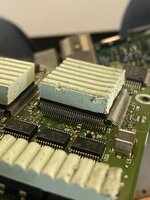
Someone pressed down with their thumb when inside of it doing something at some point, crazy..View attachment 65229
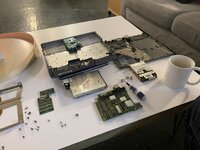
I got my 180 and have been taking it apart to inspect. I love this part.
Only very minimal corrosion from the battery this time. Almost negligible.
Clean, not too many broken standoffs. Just the usual amount.
4MB RAM card, 80MB HD. Nice - if they work.
Wait, what’s happened to the CPU?
View attachment 65230
Yep, it must be this, but wouldn’t that take an insane amount of force?Someone pressed down with their thumb when inside of it doing something at some point, crazy..
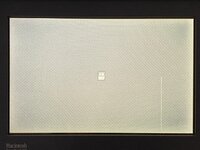
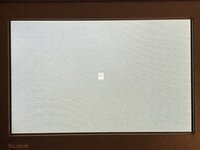
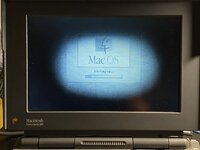
Sweet. I have two untouched 180 displays that have tunnel vision. I just dont want to take apart a laptop to test them afterwards lol.. tempted thoughSo this was the first LCD after I finished baking it. I have been using it on and off a fair bit:
View attachment 83161
This photo was taken just after baking in Oct 2023 and at exactly 1 hour’s run time.
Now look at this:
View attachment 83160
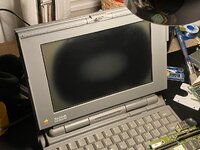
Same screen, last night; run for an hour (actually 1:04) and no signs of darkening.
Seems like this screen has continued to heal after baking.






