• Hello MLAers! We've re-enabled auto-approval for accounts. If you are still waiting on account approval, please check this thread for more information.

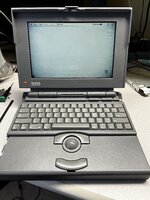
Powerbook 180 No Boot

Alright so my parts board from eBay came and I was very excited to get a good connector for the battery. I figured first I’d just try the new board and see if it worked nope not that easy screen just shows garbage and I didn’t get any boot chime.
So I switched back to the original board and verified it still booted to the flashing folder. It did so first step is to remove the old broken connector.
View attachment 36170

Then I grabbed the connector off the donor board.
View attachment 36171
View attachment 36172
And soldered it onto my old board.

View attachment 36173
Beautiful that’s how it should look!
Then decided to epoxy a few broken standoffs while I was in there.
View attachment 36174
View attachment 36175
Buttoned it all back up and!!!
View attachment 36176
Now I have no boot chime and garbage on the screen. :(
I had this exact behavior on my 180, and believe I traced it to a finicky ribbon cable connection between the display board and the CPU card. Wiggling at the exact right angle got me a floppy disk and flashing question mark. Interesting how these computers can't boot "headless" i.e. with no display board connected.
 
For Ethernet on the PB180, you are limited to SCSI to Ethernet devices or to one of the LocalTalk to Ethernet adapters (“Etherwave” is one name that springs to mind: https://archive.org/details/farallon-etherwave-mac-powerbook-adapter-manual-guide-book/mode/2up ). Throughput of the former was comparable to Ethernet speeds of the day, and throughput of the latter was better than LocalTalk by a factor of 2x or 3x or some such, but slower than Ethernet. You could also opt for a software bridge running on a different machine as well.

If I were you with that machine, I’d let it run for an hour or so to see whether there is any screen tunnelling before spending much more money….
B34413ED-CCDA-4774-97BB-8D4665423417.jpeg
It does have some tunneling. Not sure how to change the sleep so it stops shutting down and I can see how bad it really gets.
 
I changed the background to all white just to make it more noticable, but so far it doesn't seem awful but not perfect either.
 
Too bad about the tunneling. It's definitely better than a dead one though, good work on all those fixes! One more 68k Mac saved.
 
There was a thread on here a year or so ago that documented an attempted tunnelling fix. It might be helpful to dig up if possible, ideally to revive so as to check on longevity.
 
I had this exact behavior on my 180, and believe I traced it to a finicky ribbon cable connection between the display board and the CPU card. Wiggling at the exact right angle got me a floppy disk and flashing question mark. Interesting how these computers can't boot "headless" i.e. with no display board connected.

This is interesting. I have a 180 which doesn't boot - at first. There's a startup chime, but the screen is mostly black with a few lines across it, no backlight (or very dim if any), and no other apparent system activity - though the drive is very quiet when working. If left alone for a few minutes, the screen backlight comes up, and the screen clears to a blank. Rebooting then results in an apparently normal startup.

Any ideas?!
 
Back
Top