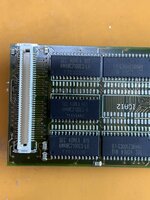
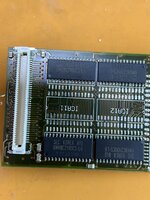
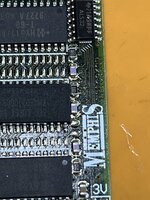
I have to admit that I'm still kind of confused by your explanation. Are you saying that some 16MB RAM cards are made up of only 4x4MB chips? Because I'm pretty sure that the 16MB RAM cards which use 28-pin TSOP chips, like
@surfer150 's, are all composed of 8x2MB chips. I have never seen a 4MB chip in this form factor.
It would help a lot if I read things properly. I thought 4MB x 8 was possible, because 2M x 8 is possible, but the developer note only says that it supports 2M x 8 and 4M x 4. These are also 2MB chips. Nevertheless, it takes 8 x 4Mb x 4 to make 32-bit wide memory, and this also leads to a single bank of 16MB of RAM. Adding another 4 x 4M x 4 wouldn't work.
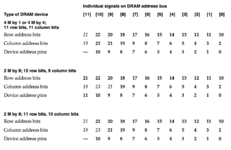
Hmm, a bit below, it says the PB 1400 also supports 1M x 16 chips, which again are 2MB chips, but only need 2 to provide 4MB of RAM.
2M x 8 is different. We still need 4 of them to create 32-bit memory, giving 8MB, so a 16MB card containing these chips will be organised as 2 banks, and another 4 chips give another bank making it up to 24MB.
Ultimately, it's the number of address pins on a chip which determines if 16MB is 1 bank or 2: any 4M x
anything leads to a single 16MB bank and 24MB isn't possible on the same card. 2M x
anything leads to a multiple of 8MB banks.
Sorry about my lack of experience with actual memory cards (which might not ever use 4M x
anything DRAM); I was just going from the
developer notes. And I misread it, but I think my conclusion still holds even if real memory cards never used 4M x
anything chips.


 Hello Guest! We're hosting a challenge to welcome vintage Intel macs to the MLA during the month of July! See this thread for more information.