• Hello MLAers! We've re-enabled auto-approval for accounts. If you are still waiting on account approval, please check this thread for more information.

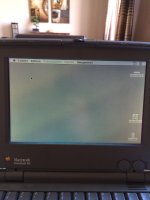
Powerbook 100

bibilit

68030
I am the new owner of a Powerbook 100 thanks to Galgot.

For 10 euros he was able to bid and collect it for me while i was in holidays, and the whole sum included post and packing (which was more expensive than the powerbook itself)

The palm rest was broken, the hidden screws were not found by the previous owner, the battery missing, no PSU nor floppy drive.

Galgot was kind enough to give those two last items, both non working, thanks again mate.

The PSU was repaired and Logic Board given new capacitors :
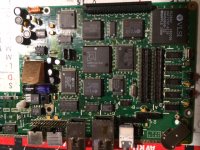
IMG_0335.JPG

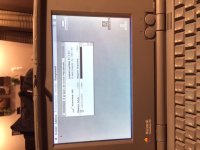
the hard drive was given the "glue in the square hole" treatment, everything was put together again and i fired the little Powerbook tonight:
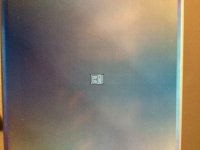
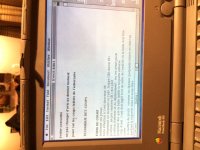
IMG_0336.JPG

IMG_0338.JPG

Most of files are Word or Claris, all where deleted.
IMG_0339.JPG

the Powerbook is 4 Mb and the Hard drive is 20 Mb, System is 7.01.

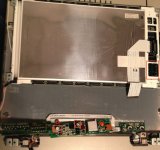
The Powerbook is not finished yet, i should reccap the screen, as i had some crashes when the screen started to fade, but not bad at all.

 
Last edited by a moderator:
Nice! What does this mean "glue in the square hole" treatment. A common fix for common PB 100 ailment?

 
Yes, the Hard drive was a non-worker before, both 20 MB and 40 Mb drives have a small hole where the HD arm is resting, filling this hole with hot glue is the fix.

 
Yes, the Hard drive was a non-worker before, both 20 MB and 40 Mb drives have a small hole where the HD arm is resting, filling this hole with hot glue is the fix.
I'm not familiar with this- do you have more info or some links?

 
Congrats! "Hot Glue in the Square Hole..." That is great to know! I will need to research that!

EDIT: I forget - the PB 100 is a 68K or a '030 PB?

 
Last edited by a moderator:
68k (68HC000) is a Macintosh Portable with new clothes indeed.

Now we have to find a good palm-rest 
yes and a rear battery  holder which was also broken, in the other hand i have the rear port latch, so can't complain... the palm rest has been glued back for the time being.

 
Last edited by a moderator:
If you want, I now have a PB100 'shell' spare. Its rear battery holder is also broken, but it's just the part that "overlaps", so you'd end up with a small gap when the door is closed.

I'm in the US, though, so shipping would end up being rather high.

 
I'm in the US, though, so shipping would end up being rather high
Yes, probably, don't worry i will probably find a spare someday locally.

Thanks anyway.

 
Last edited by a moderator:
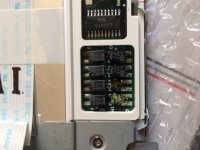
Here is a good map of the caps in the display... I use a little sewing needle and gently lift up the soft screw cover caps so I can put them back on undamaged... Then you need to pop off the center plastic piece before removing the front of the display.. The display plastic slides down.. I usually push from the bottom corners and slide downwards unsnapping the hinge area pieces.. There is a center clip but it usually pops off.. I think it is all explained in the take apart guide from Apple..

There are 8 little 3.3 uf 35v caps disguised as tantalum but really electrolytic canisters in a little black case... wiggle back and fourth and they come off easily.. Don't forget to use a qtip with 90% alcohol and get up all the electrolytic goo.. but don't use too much soaked alcohol as it will seep into the display plastics to the side... so use a DAMP qtip. I have always used small radial tantalums cut very short and layed flat.. it's a delicate job..

BTW I have never repaired a display where those 8 little caps haven't leaked... they leak bad... the solder is a pain in the @#@%( to get flowing as electrolytic fluid has been sitting on it for a while...

pb100lcd.jpg

 
Last edited by a moderator:
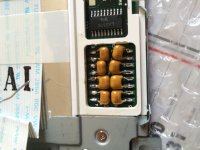
I want to see the screen's output after you recap it.
Not a huge difference, but caps were shot anyway, not for the faint hearted, caps are tiny are very close one from another.

IMG_0428.JPG

IMG_0429.JPG

IMG_0430.JPG

 
Back
Top