Follow along with the video below to see how to install our site as a web app on your home screen.
Note: This feature may not be available in some browsers.
Hello MLAers! We've re-enabled auto-approval for accounts. If you are still waiting on account approval, please check this thread for more information.
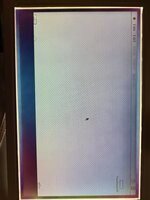
I reflowed the ribbon cable right under those lcd caps but that didn't seem to make a difference. I noticed that usually if it's a ribbon issue I should lose 1/4 of the bottom screen right and they'll show up yellowish?
The row driver has either failed, or the traces inside that ribbon cable have been corroded by the leaking capacitors. This bottom row going out on PB100 screens is now very common due to the corrosion, and unfortunately there really isn't a way to fix it.
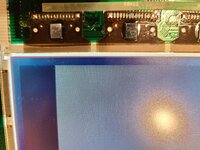
Well, it’s still the row driver, just half of it. Bad line somewhere. If you're lucky, maybe there's a bad trace that isn't inside the ribbon. Take a close up photo of that bottom ribbon and look for any black spots (corrosion).
It's difficult to see but likely something inside the ribbon then. All exposed pins outside of the ribbon are connected between the 3rd and the 4th cable.
This site uses cookies to help personalise content, tailor your experience and to keep you logged in if you register.
By continuing to use this site, you are consenting to our use of cookies.