• Hello MLAers! We've re-enabled auto-approval for accounts. If you are still waiting on account approval, please check this thread for more information.

Non-FW Graphite, Indigo iBooks, AlBook G4 12"

CC_333

68040
Hi,

I just got my first "conquest" worth posting here!

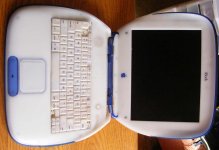
Indigo iBook (Model M6411)

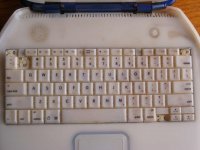
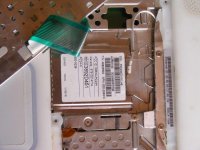
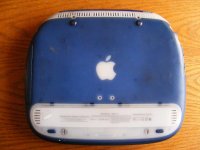
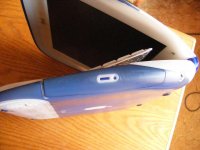
This one is in pretty terrible shape, and probably needs a complete overhaul. The plastics are faded so badly in parts that it almost looks like Blueberry. The keyboard is also in bad shape, and will probably need replacing. It has an AirPort card installed, which I may transfer over to the Graphite. It doesn't power on, so the DC-In Jack is probably bad too. The display looks to be intact, but I won't be able to tell until I can power it on.

Non-FW Graphite iBook (Model M2453)

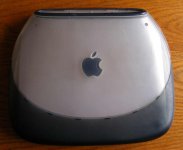
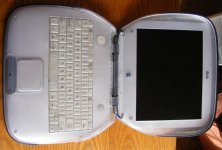
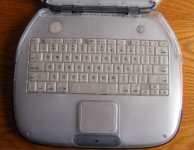
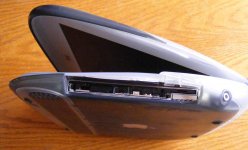
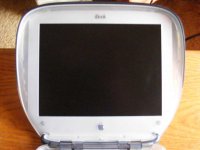
This one powered up to OS 9.0.4 with 576 MB of RAM and probably stock hard drive. The plastics are in OK condition, but the CD drive bezel is missing. The keyboard's in good shape, and the display looks OK. It doesn't have an AirPort card at present.

PowerBook G4 12" (Model A1104)

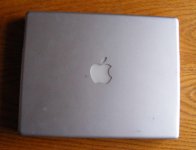
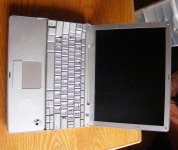
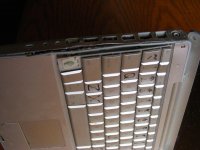
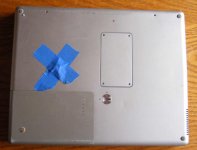
This one looks like it was subjected not only to a drop (the screen is broken), but it looks as though someone tried prying it open to remove the hard drive which, coupled with being dropped, pretty much ruined the case. It will need a complete overhaul as a result. It powered on though, so that's a good sign. It probably made it to a blinking '?', but I couldn't see with the bad screen.

Now I need to hunt for parts!!

I will post pictures later.

c

 
Here's a minor update:

Indigo iBook: Status on this one is unchanged for the time being.

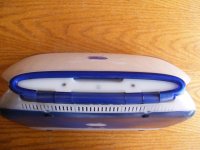
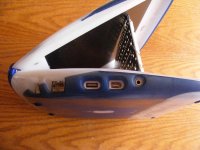
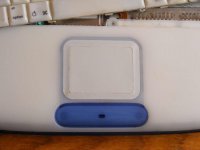
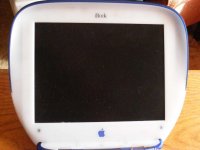
Graphite iBook: OS has been restored, battery is usable (it reports about 1 1/2 hours of run time, which is pretty good for a 13 year old battery!) All this one needs is a good keyboard cleaning (the keys along the left side are sticky for some reason) and a CD-ROM bezel.

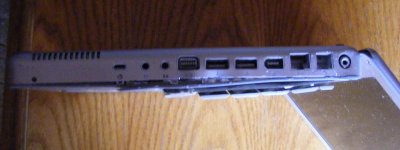
PowerBook: I tore it down, only to find that the connector for the LCD backlight inverter got torn off > :( . So even tough the logic board is otherwise fully functional, I'm going to have to replace it. Other than that, everything seems to be in working order, although the case over by the ports is still quite ugly, I have at least bent it back so that it's functional. I will probably replace it.
I've been slow getting to the pictures, but I will post them up here eventually.

c

 
I was thoroughly surprised how easy it was to install the LCD panel. Even tearing down the machine to get the hinge screws wasn't that hard. I was going to upgrade the HDD to a 20GB pulled from a Snow G3, but for whatever reason the stand off behind the optical wouldn't come off, so it ruined the HDD upgrade.

Anyway, what OS does the iBook have?

 
Well, the Indigo iBook doesn't have a hard drive, so no OS.

The Graphite one has OS 9.0.4 on it's (quite whiny) stock hard drive.

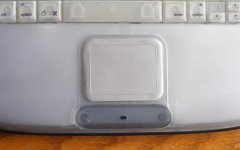
Speaking of which, here's the Graphite:

DSCF4036.jpeg

DSCF4037.jpeg

DSCF4038.jpeg

DSCF4040.jpeg

DSCF4041.jpeg

 
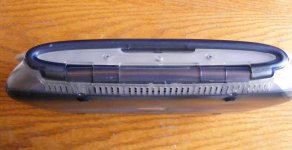
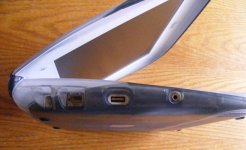
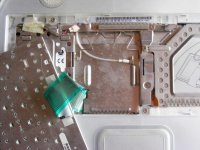
And now for the PowerBook. I have torn it down and it is awaiting a new screen and logic board (which has some sort of weird problem where it likes to burn out the backlight inverter; I think there is a short somewhere).

Here's some pictures of before the tear down:

DSCF4045.jpeg

DSCF4046.jpeg

DSCF4049.jpeg

DSCF4051.jpeg

DSCF4052.jpeg

c

 
Nice the original non-FireWire graphite and ice iBook! I always liked the light gray of the shielding on that model. It just looks so simple!

Are you going to replace the top case on the PowerBook? It looks like that machine has had a hard life.

 
Yes, I will be replacing pretty much everything (top case, bottom case, display, logic board, etc.); It'll be brand new when I'm done with it! :lol:

I will also be getting an 80 GB hard drive for it (I ordered one from somebody on LEM Swap for $45 shipped).

I did something similar with a 17" PowerBook last summer, and the end result was quite satisfying, I must say! :D

When I'm done with the PowerBook (probably by next weekend), I will begin working on the Indigo iBook (it'll probably receive the same treatment).

c

 
The iBook can be a PITA to repair, depending on the part that needs to be replaced. I can't speak for the AlBook, but probably the same story.

 
The iBook can be a PITA to repair, depending on the part that needs to be replaced. I can't speak for the AlBook, but probably the same story.
I've had enough experience with the clamshell iBooks that they're not too bad. The Powerbook, on the other hand...
vent.gif
. It's gotten that I know that thing (and other models related to it) inside and out. I must've taken apart that other PowerBook (12" 867 MHz) a thousand times at least!
Anyway, I am anticipating that this will be uneventful; I will replace the lower case and logic board, and all will be well.

The iBook is different because the parts seem to be a tad harder to find, for some reason, Since it appears to be working, I will repair the DC jack, clean it up as best I can, throw in a hard drive, and keep an eye out for a better looking example to put on display:

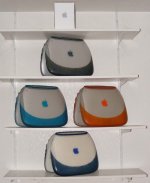
iBook Clamshell Display.jpg

Besides a more presentable looking Indigo, I only have to get the other Graphite (with FireWire), and a Key Lime to complete my collection.

c

 
Well, the PowerBook lives!

It's still a bit rough around the edges, but it's functional.

After toiling for like 5 years, I FINALLY have a working 12" PowerBook!!!

I think it may need a new DC-in port and hard drive bracket (the little rubber things are missing), but it's working fine for now.

I'll get pictures up here soon.

c

 
If you need the bracket, I have a spare set from a later G3 Snow iBook. I don't know if it would work with the PB though.

 
Hi,

Thank you for the offer, TheMacGuy, but I do have the bracket itself I just need the four rubber spacers and associated screws so I can put the drive in it.

As is, it works just fine, although I used a slow hard drive, so it''s not as zippy as it could be (I'm using it to type this, in fact), but it works.

I have installed right now Mac OS X 10.4.11. I will probably upgrade to Leopard when I get a better hard drive (and mount it properly; the current arrangement is a bit precarious, and I've heard the drive rattle about inside if moved too sharply, so the sooner I properly mount it, the better).

Pictures to come...

c

 
The bracket has the rubber stoppers and I have a set of HDD screws pulled from the same iBook. You are looking for the screws that rest in the rubber stopper right?

 
Back
Top