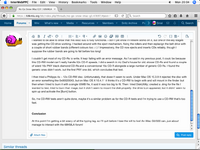
Next update: I've managed to get the iMac G3/600 to write to a CD-R (but my CD-RWs still fail). Also, I'm finally adding a post using this iMac G3/600. I wanted to originally use Mac OS X 10.3.9, but couldn't find a browser new enough. So, then I initially tried to use OpenBSD in a dual-boot configuration. I got as far as being able to install a 2022 release and then install Dillo, but as it doesn't support Javascript, the 68kmla's screen was quite messed up.
Then I tried to install Debian 11 (which I think is Bullseye, which I've also used on my PI-3), but it wasn't able to install the Grub bootloader, because it couldn't create a New World Apple Bootloader partition. Then I had the idea of installing Xubuntu Lucid Lynx, which is a really old installation from about 2012, which I knew I could install, because I'd previously installed it on my iBook 600. The advantage then is that I can certainly generate the New World Apple Bootloader partition.
The problem there was that (a) I don't think I'd be able to run a browser new enough to use the 68KMLA website and (b) despite trying different xorg.confs I couldn't get it to recognise the actual ATI Rage 128 Ultra (AGP2X) (I think) graphics card: it wasn't able to find the frame buffer and kept regressing to a completely non-accelerated OF driver.
Now that I had a valid Bootloader partition, however, I was able to then go back to Debian 11 and install it. I got further this time as it could install Grub, but it couldn't find a valid mirror to install packages, so even if I was able to complete an installation I wouldn't have been able to run a browser on it.
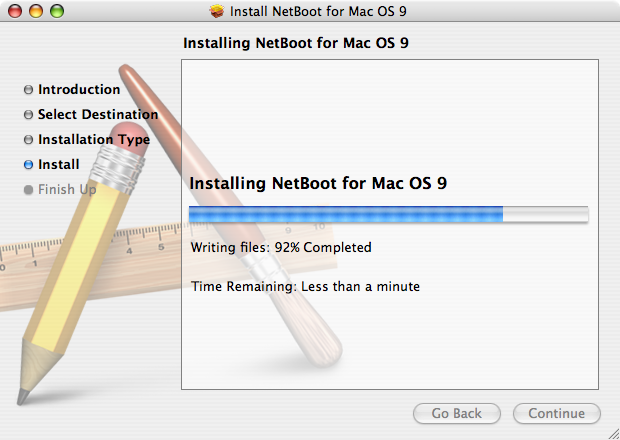
At that point I gave up and downloaded Mac OS 10.4 from the Macintosh Garden; installed it. The first time it got stuck when optimising the OS, near the end of the installation, so, not knowing exactly why and having googled for possible reasons, I figured I'd have to re-attempt an installation, so I reformatted the HD in 2 partitions, one for a Mac OS X and the other for a future bootable Mac OS 9. This time I was able to complete an installation, followed by all the updates to Mac OS 10.4.11
and the 2009 security update (nothing could ever improve on that ;-) ).
Then I installed InterWeb PPC RR3 for the G3, which is what I'm using now. The good news is that it works! The bad news is that, unlike the G4 eMac and mac mini at 1.25GHz or above, the iMac G3/600 isn't fast enough to keep up with my touch-typing. Basically, there's a lag of a second or so. It's like using a 300 baud modem from the early 1980s!!! But it is basically usable. I type a few words at a time and then wait for it to catch up. Of course, I could just type the whole thing in using TextEdit and then paste it into the post, but I really did want to see how usable it was by itself. It's... sufferable! OTOH, this is a 22 year old machine with about 1/16th of the power of my 1012 Mac mini i5, so I think actually getting it to work at all is a win!
CD-R
I wanted to be able to show that this iMac 600 is fully functional. I don't yet know if Firewire works on it, but one of the key stages was getting the CD drive working. I hacked around with the eject mechanism, fixing the rollers and then replacign the belt drive with a couple of short rubber bands (different colours too ;-) ) ! Impressively, the CD now ejects and inserts CDs reliably, though I suppose the rubber bands are going to fail before too long!
I couldn't get most of my CD-Rs to write. It kept failing with an error message. As I've said in my previous post, it could be because this CD-RW model can't really handle 52x CD-R speeds. I did a search in my Dad's house for old, slower CD-Rs and found a couple of wierd 16x PNY black diamond CD-Rs and a conventional 16x CD-R alongside a large number of generic CD-Rs. I found the generic ones didn't work, but the first PNY one did, which concludes that test.
I then tried a Philipps 4x ~ 12x CD-RW disc. Unfortunately, that doesn't seem to work. Under Mac OS 10.3.9 it rejected the disc with an error something like 0x80020043, but on Mac OS X 10.4.11 it thinks it's a CD-RW to begin with and will mount in the finder, but then when I tried to burn it with a single 55MB file, it said it was too big to fit. Then I tried DiskUtility; created a .dmg for the file I wanted to test; tried to burn that image, but it didn't seem to mount the disk properly: the drive icon appeared, but it didnt' seem to spin up and activate the [Burn] button.
So, the CD-RW tests aren't quite done, maybe it's a similar problem as for the CD-R tests and I'm trying to use a CD-RW that's too fast.
Conclusion
At this point I'm getting a bit weary of all the typing lag, so I'll quit before I lose the will to live! An iMac G3/600 can,
just about manage to interact with the 68KMLA forum!