• Hello MLAers! We've re-enabled auto-approval for accounts. If you are still waiting on account approval, please check this thread for more information.

No Go Snow iMac G3!

Snial

68000
Along with the overclocked eMac, I acquired a 500MHz, Snow iMac G3, CD/RW kindly supplied from @CircuitBored.

He did say it didn't work properly, or intermittently. I think he did some recapping or work on the PSU, but it still kept failing.

I've been testing it recently and there are issues. I boots to the desktop in Mac OS X then a dialog pops up saying the time and date is wrong, then it hangs with a spinning rainbow cursor. I thought it might be a corrupt file on the HD, so I tried from a Mac OS X Panther install, but the same thing happened.

I thought it might be a RAM problem. I tried both 256MB DIMMs individually in either slot (i.e. so the iMac only had 256MB), it still had the same problem. It's certainly not a warming up issue, because I can go into Open Firmware; then set it executing a simple loop printing out an incrementing value - that works indefinitely.

So, it's something the iMac is doing after it's booted up. Does anyone have any ideas? Maybe I could boot into Mac OS 9? Hmm.
 
Trying and failing to connect to a network service can seem to take forever before it times out. Maybe something like that is going on
 
Trying and failing to connect to a network service can seem to take forever before it times out. Maybe something like that is going on
Thanks for the quick reply! Yes, it hung around like that for ages, but eventually it started working (Mac OS 10.4). Is it possible then to figure out which network service is causing the problem and disable it? I did notice that once it had booted up it seems to have VPN installed and on the menu bar, but not connected. Is that a possible cause? Interestingly, I ran About This Mac. It's actually running at 600MHz.

Of course, it also thinks the date is in 1970s, so perhaps that's a possible cause. I corrected the date and restarted the iMac. It came up with the date and time immediately then. OK, and of course, when it was hanging earlier, it didn't display the date and time on the menu bar until it had stopped hanging.
 
Could be that trying to connect to the VPN which is no longer valid is causing the hang, and also preventing a normal internet connection. I'd reset all the network configuration and find whether there's an app or extension for the VPN and disable it. I've never dealt with a VPN and don't have more than rudimentary knowledge of networking so I'm afraid I won't be much help with that aspect.
 
Could be that trying to connect to the VPN which is no longer valid is causing the hang, and also preventing a normal internet connection. I'd reset all the network configuration and find whether there's an app or extension for the VPN and disable it. I've never dealt with a VPN and don't have more than rudimentary knowledge of networking so I'm afraid I won't be much help with that aspect.
OK, I made some real progress. I installed Mac OS X Panther 10.3 from scratch, erasing the HD (but with 2 partitions, one for a bootable Mac OS 9). Then I upgraded it to Mac OS 10.3.9 via the 1Gb upgrade download from Macintosh Garden (I did this all from the eMac, burning the 10.3.9 combo upgrade onto a CD-R). Then I found I was able to boot into Mac OS X even if the date was back in 1970.

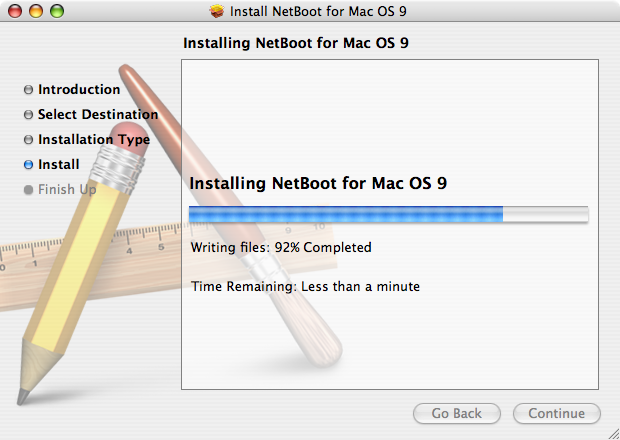
Then I used the NetBoot9.img method for installing classic on the iMac:


I could then run classic apps. In fact it almost boots properly, except that it tried to boot into the network manager and I couldn't get past its setup control panel type thing. I removed some extensions I thought might cause the problem, and when that failed I tried booting without extensions on, but neither works. If someone knows how to get past that, that'd be great.

I then tried installing Mac OS 9 on the second partition (the HD is 40GB, so it should easily boot from that partition). I then upgraded it to Mac OS 9.1. However, this Snow iMac (actually 600MHz) is a summer 2001 model, slightly after 9.1 came out, so it doesn't recognise it as a bootable image.

Conclusion: it's turning into a usable iMac G3 that boots quickly into Mac OS X and I can run Classic Mac OS 9.2.2 under Mac OS X. There's a drive eject problem (I'm usually having to use a spudger to get CDs out, but I'll tackle that later). If someone knows how to fix the NetBoot issue that prevents it from properly booting, that'd be great!
 
So, update on the iMac G3. I managed to get it on the net (PI 3 set up as a Wifi to Ethernet bridge). I wondered if I could log onto the 68KMLA using it, but couldn't find a web browser that works under Mac OS X 10.3.9. I don't want to install a pirate copy of Mac OS X Tiger, so I can't use InterWeb PPC and the best X 10.3.9 browser I understand is Classica - is that right, as TenFourFox is Tiger+. But Classica can't handle 68KMLA encryption.

So, I think my two major choices are:
  1. Is it possible to somehow use the individual packages to Restore CD from a Mac OS 10.4 from an PowerBook G4 onto the G3? I might have to set up the eMac in target disk mode as the iMac G3 only has CD-RW.
  2. Debian, whatever it can run (cf https://68kmla.org/bb/index.php?threads/linux-on-1-42-ibook.47707/). I have used Xubuntu on my iBook 600, way back in the Jaunty Jackalope era. I'd have to boot from CD, repartition the HD into 4 partitions: Mac OS X 10.3.9 , Mac OS 9, blank, blank then restore the Mac OS 9 onto partition 4 and Mac OS X 10.3.9 onto partition 3, then the first two can be: BootX & Debian. That's feasible isn't it (it might take multiple partition juggling steps).
Does anyone have an opinion on this?
 
OK, slight update: I've managed to get the slot-loading CD drive to eject. I took the CD drive apart. I found the rollers were loose, so I first tried to glue them to the metal bar with superglue, but it didn't seem to work very well. Later I used rubber glue from a puncture repair kit, which seemed to be better. Neither is particularly easy, because pushing the rubber roller back onto the metal bar tends to push the glue out of the way, so I spun the roller as I pushed it on: I squeezed each roller to the bar for 5 minutes as I would with a normal puncture repair.

I then put the iMac back together, but found that the CD wouldn't insert at all. That was because one of the two catches that move apart when you insert the CD was itself caught on some of the mechanism on the lower part of the drive.

Also I found that the bar, which should rotate, was actually a bit too tight. I put a tiny amount of bicycle oil on that part. I then found that the inject/eject belt was too loose to actually drag it out (manually, even though it had been injecting CDs OK), so I replaced it with a couple of ordinary, and fairly short rubber bands.

Now I can inject and eject CDs, though I have to launch a CD into the drive or it doesn't quite make it. So, that's a major achievement! There's still a problem though, I haven't managed to get it to burn a CD-R yet. At least, not using the Finder. I might try using Disk Utilities to burn an image or a file onto it.

In fact, it never burns anything at all, because I was able to take one of the CD-Rs that I'd failed to burn 44MB on (it stopped at 7.6% and failed); inserted it into the eMac and I was then able to burn about 170MB (at 4x) completely OK.

I wonder what's wrong with the CD burning <puzzled>?

-cheers from Julz
 
OK, I think I found the answer to why the CD-Rs won't burn. It's because early iMac G3 CD-RWs can't burn 52x CD-Rs or possibly that the laser lens is dirty. At least not from the finder and not from Disk Utility.


I think I need to find some CD-Rs that are <52x! Or try the method they describe here where it was possible to somehow burn from iPhoto even if data couldn't be burned a different way. No, it didn't work from iPhoto either. Console log says it was trying to burn at 8x, but failed with:

"Power calibration area error"

I have tried to burn a CD-R at 1x using the Finder. Does anyone else have an iMac 600 CD-RW with a MATSHITA CD-RW CW-7121? @CircuitBored, do you know if you were able to burn 52x CD-Rs?

-cheers from Julz
 
Last edited:
Next update: I tried to clean the laser head, but it still doesn't work, so I think the next stop is to try a 24x CD-R if I can find one.
 
Next update: I've managed to get the iMac G3/600 to write to a CD-R (but my CD-RWs still fail). Also, I'm finally adding a post using this iMac G3/600. I wanted to originally use Mac OS X 10.3.9, but couldn't find a browser new enough. So, then I initially tried to use OpenBSD in a dual-boot configuration. I got as far as being able to install a 2022 release and then install Dillo, but as it doesn't support Javascript, the 68kmla's screen was quite messed up.

Then I tried to install Debian 11 (which I think is Bullseye, which I've also used on my PI-3), but it wasn't able to install the Grub bootloader, because it couldn't create a New World Apple Bootloader partition. Then I had the idea of installing Xubuntu Lucid Lynx, which is a really old installation from about 2012, which I knew I could install, because I'd previously installed it on my iBook 600. The advantage then is that I can certainly generate the New World Apple Bootloader partition.

The problem there was that (a) I don't think I'd be able to run a browser new enough to use the 68KMLA website and (b) despite trying different xorg.confs I couldn't get it to recognise the actual ATI Rage 128 Ultra (AGP2X) (I think) graphics card: it wasn't able to find the frame buffer and kept regressing to a completely non-accelerated OF driver.

Now that I had a valid Bootloader partition, however, I was able to then go back to Debian 11 and install it. I got further this time as it could install Grub, but it couldn't find a valid mirror to install packages, so even if I was able to complete an installation I wouldn't have been able to run a browser on it.

At that point I gave up and downloaded Mac OS 10.4 from the Macintosh Garden; installed it. The first time it got stuck when optimising the OS, near the end of the installation, so, not knowing exactly why and having googled for possible reasons, I figured I'd have to re-attempt an installation, so I reformatted the HD in 2 partitions, one for a Mac OS X and the other for a future bootable Mac OS 9. This time I was able to complete an installation, followed by all the updates to Mac OS 10.4.11 and the 2009 security update (nothing could ever improve on that ;-) ).

Then I installed InterWeb PPC RR3 for the G3, which is what I'm using now. The good news is that it works! The bad news is that, unlike the G4 eMac and mac mini at 1.25GHz or above, the iMac G3/600 isn't fast enough to keep up with my touch-typing. Basically, there's a lag of a second or so. It's like using a 300 baud modem from the early 1980s!!! But it is basically usable. I type a few words at a time and then wait for it to catch up. Of course, I could just type the whole thing in using TextEdit and then paste it into the post, but I really did want to see how usable it was by itself. It's... sufferable! OTOH, this is a 22 year old machine with about 1/16th of the power of my 1012 Mac mini i5, so I think actually getting it to work at all is a win!

CD-R

I wanted to be able to show that this iMac 600 is fully functional. I don't yet know if Firewire works on it, but one of the key stages was getting the CD drive working. I hacked around with the eject mechanism, fixing the rollers and then replacign the belt drive with a couple of short rubber bands (different colours too ;-) ) ! Impressively, the CD now ejects and inserts CDs reliably, though I suppose the rubber bands are going to fail before too long!

I couldn't get most of my CD-Rs to write. It kept failing with an error message. As I've said in my previous post, it could be because this CD-RW model can't really handle 52x CD-R speeds. I did a search in my Dad's house for old, slower CD-Rs and found a couple of wierd 16x PNY black diamond CD-Rs and a conventional 16x CD-R alongside a large number of generic CD-Rs. I found the generic ones didn't work, but the first PNY one did, which concludes that test.

I then tried a Philipps 4x ~ 12x CD-RW disc. Unfortunately, that doesn't seem to work. Under Mac OS 10.3.9 it rejected the disc with an error something like 0x80020043, but on Mac OS X 10.4.11 it thinks it's a CD-RW to begin with and will mount in the finder, but then when I tried to burn it with a single 55MB file, it said it was too big to fit. Then I tried DiskUtility; created a .dmg for the file I wanted to test; tried to burn that image, but it didn't seem to mount the disk properly: the drive icon appeared, but it didnt' seem to spin up and activate the [Burn] button.

So, the CD-RW tests aren't quite done, maybe it's a similar problem as for the CD-R tests and I'm trying to use a CD-RW that's too fast.


Conclusion

At this point I'm getting a bit weary of all the typing lag, so I'll quit before I lose the will to live! An iMac G3/600 can, just about manage to interact with the 68KMLA forum!
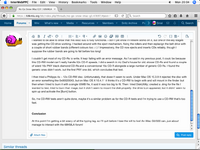
Picture 2.png
 
Back
Top