• Hello MLAers! We've re-enabled auto-approval for accounts. If you are still waiting on account approval, please check this thread for more information.

Need advice on software for a Macintosh LC original

Verault

6502
Through a painstakingly thorough process, I have restored a battered and bruised Macintosh LC from a school to its former glory. All rust from RF shields removed. Floppy drive completely cleaned and re lubricated. All Metals painted. Every surface cleaned, case and parts retrobrighted. I washed the board and replaced every leaky capacitor. Added two 4MB Ram modules to get the system up to 8MB total. Still has a working 40MB SCSI HDD that passes tests.

I have it working with an Apple 300e CD-ROM drive and the 1999 legacy restore CD.

Here is my problem. I want to load it up for someone to play some classic games, the MAC-venture series, maybe the Scott Adams series. Original Simcity and Civilization, Ultima, etc. I have tried OS 7 (7.1 and 7.53 runs a bit slow but I have support of modern tool like disk copy and stuffit expander), but some of the games crash the machine. I loaded OS 6.0.8 from the cdrom and when I reboot the cdrom doesn't work anymore, regardless of which CD I put in the drive.

Do you guys have advice for what to load and why the cdrom doesn't work under mac os 6?

Ill get some photos out soon.

 
I'd be inclined to dual-boot 6.0.8 and 7.1, personally (7.1 is my favourite system, though, so I may be biased).

I'm guessing you will probably need to specifically install a CD-ROM driver extension on System 6.  I don't know what the system requirements are for the Apple CD extensions; you might also try the CD Sunrise driver, which is a free driver that works with data CDs in every CD-ROM drive I've ever thrown at it, but which doesn't support music CDs etc.

All here: https://vintageapple.org/macdrivers/disk.shtml

 
Oh and I forgot to mention, I have no idea how to dual boot the old mac os'. Can you point me in the right direction to get some info on it? Also would that even make sense on a 40mb hard drive?

 
Oh and I forgot to mention, I have no idea how to dual boot the old mac os'. Can you point me in the right direction to get some info on it? Also would that even make sense on a 40mb hard drive?
Two options:

  1. Partition the hard disc as you would on a PC then use the control panel to switch between them.  A bit of a pain.
  2. Install two versions of MacOS on the same partition.  More on this below...

The trick here is to note that although Apple's manuals tell you not to rename the System Folder, actually it doesn't really matter: in theory, it can confuse badly-written applications (which would probably also break on international installations of the OS!), but in practice it just isn't really an issue.  Since pretty much everything important to the OS is in the System Folder, this means you can actually have two (or more) completely parallel copies of the system installed at once.  One, and only one of these System Folders per volume will be "blessed" and have the System Folder icon, and this is the System Folder that the machine will boot from if you boot from this volume.

So, by having two System Folders with different names, you can switch between two versions of the OS by blessing the system folder you want to boot from on next reboot.  There are various Finder tricks you can do to do this, but it's probably easiest to download a utility that's specifically designed to do it.  Try https://macintoshgarden.org/apps/system-picker.  There are some notes on there, too, about how to get the Installer to install a fresh version of the OS rather than to update the old one.

(In fact, there's nothing "magical" about the System Folder itself at all, it's just a folder.  Roughly: the currently active system folder is specified by the boot block at the beginning of the disc, and any other system folders are then irrelevant to the boot process.  If you're more familiar with Linux or UNIX, you can think of this as being comparable with having multiple kernels/initrds available on your boot partition and being able to swap between them by fiddling with the configuration of the bootloader; it's just in this case, the bootloader is much simpler and the configuration of it is happening "behind the scenes".)

 
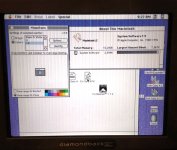
So I have made some progress loading the machine but I have a question. I know on one of my earlier attempts (forget what version of OS) I had 256 colors available. Now I only have 16! See photo, games are loading a bit glitchy. I would like to at least have the option to toggle betwen b/w ,16, and 256 colors. IS there a driver I need to get 256 colors back in os 7.5? Excuse the blurry and grainy image, its just a bench lcd I use for testing.

20200420_092615_resized.jpg

 
Last edited by a moderator:
It's probably because you're running at a higher screen resolution and so there's not enough VRAM (?).  If your monitor adapter has DIP switches, check them: another option would be to try to get hold of more VRAM, which can be installed as a SIMM (but it's not the same kind of SIMM as main memory, be warned)

 
I had heard there was 256KB 512KB and 1MB vram simms but I dont know which to buy and dont want to make the wrong purchase. I have the standard one that came with the machine (1mb I suspect) I think I had one that came out of another Lc or LC III that was unmarked. Where in the OS can I check how much VRAM is installed? I have only two video adapters, one with dip switches one without. They both seem to out put the same resolution no matter what. (to show the complete screen that is)

 
Last edited by a moderator:
From Lowendmac.com [https://lowendmac.com/1990/mac-lc/]


Graphics


  • video: 256 KB VRAM SIMM, expandable to 512 KB; supports 512 x 384 and 640 x 480 resolutions (must have 512 KB VRAM for 8 bits at 640 x 480, 16 bits at 512 x 384)
  • VRAM: accepts one 100ns VRAM SIMM, 256 KB standard, can be upgraded with single 512 KB VRAM SIMM, other specs unknown, VRAM SIMM appears to be specific to early Macs.
  • video port: DA-15

We had LCs when I was an undergrad in uni. They were a step up from the SEs and it was nice to have colour and a bigger monitor.

Here are the following thoughts I have on your system:

 1. Get 2x 256KB SIMMs and bring your LC up to 640x480 at 256 colours. They shouldn't be too hard to find. I have some spare ones in a box in a drawer somewhere.

 2. Investigate using a RAM disk. 10MB is a massive amount of RAM for an LC. With 5-6MB spare you can do a lot. Download RAMDisk 3.23 and have it copy the System Folder into the RAM Disk on restart. Your system will be faster.

 3. As was suggested before, make two partitions for 6.0.8 (or 6.0.7) and 7.1. I would investigate System 6 as your primary OS. the LC is quite nifty in System 6.

 4. If you can afford it, invest in a SCSI2SD. It will make your LC quieter and faster as well as giving you disk space that users in 1990 could only dream of. As a reference point, the server that held student shares in our university was 2GB in size for the entire student body.

 5. Investigate Jag's House and a site which may have died, System6lives.

 6. I played Prince Of Persia, Civilization & Armor Alley on our LCs in college.

 7. Maybe an LC PDS network card, if you have other macs.

 
Thanks AmorAlley. I thought about the network card. One point you made I need clarification on. You said get 2x 256KB simms for vram. The LC only has one 72 pin vram slot though.

 
Thanks AmorAlley. I thought about the network card. One point you made I need clarification on. You said get 2x 256KB simms for vram. The LC only has one 72 pin vram slot though.
You are right. I read it too quickly. It seems that you need a 512KB SIMM and these are harder to find.

 
So it was the VRAM! I went to look in my other LC's and found that unlabeled VRAM stick (acutally in tiny print it has 820-0605-A) I looked it up and it is 512KB VRAM! Man these things sell for $35.00 on ebay that is crazy. I shut the machine down, swapped out the 256KB stick for this one and when I go under monitor in control panel I have 256 Colors! Problem is when I select it the video adapter only outputs garbage! I do have the correct monitor but I will be restrobrighting it soon. I will use the 256KB VRAM until I get the monitor finished. This is good news anyway.

EDIT:: What do you guys think of disk doubler software? 40mb is not much and its almost full already.

 
Last edited by a moderator:
Funny you should say that. I just bought one of these a few days ago (waiting for it to arrive): https://store.inertialcomputing.com/SCSI2SD-V5-1-p/scsi2sd-v5.1.htm

Problem is While restoring this machine I went through at least 8 of my old scsi hard drives from various power macs, MAC SE's, and LCS. 95% of them had failed. I think I am down to the 40mb one in the LC, the one in my IIsi, and maybe another one in an SE. all the rest died. That is why I bought the sdtoscsi. I own to many old computers though. Its more for testing. For instance I fully recapped a broken colour classic and had the thing up and running a couple weeks ago. The original HDD worked fine and was still full of software. A few days ago I fire it up and the HDD is dead!

So disk doubler is just a bad idea huh? This machine is going to a friend so I wont be giving away a scsi to SD and he is stuck with the 40MB. Ill just tell him he needs to buy one

 
Funny you should say that. I just bought one of these a few days ago
I've always found my scsi2sds very good - I know some people have found edge cases and have found them difficult, but I haven't.  I assume they're just as temperamental as just about any other SCSI peripheral :-) .  But yeah, that would be my standard recourse, especially if it was a machine I was expecting to use.

So disk doubler is just a bad idea huh
Well, it's just disc-wide compression.  No magic to it.  Which is another way of saying you're trading off disc space for CPU time.  But the LC doesn't have very much CPU to start with, and it will depend what you are storing how effective Disc Doubler actually is.  Personally I've never got anything much out of it but a slower computer, but other people's experiences may vary :-) .

 
Thats a shame. Maybe when I restore the LC III I can try running it as its got a much faster processor.

I told my friend I would give him the mac venture games, but they seem to crash. Can I run them on my LC with system 7.5? Id love to get shawdowgate on there.

 
 What do you guys think of disk doubler software? 40mb is not much and its almost full already.
When I was a student and carried around my software stash on 40 floppies because Iomega zip-drives, MO-drives or external hard-drives were too expensive to a student too proud to ask his parents for money (well, they did pay for my college tuition and I am very thankful for that), I swore by (and occasionally at) DiskDoubler. I far preferred it to StuffIt. I saved my files as SEA (self-extracting archives). Now, storage is not really a problem and you may be waiting quite a while for your LC's 68020 processor to unpack files.

A suggestion for you is a 32-bit mac or Windows machine and the emulator Basilisk II. Make up the volumes you need in 700MB chunks and then burn them with Toast 3.52 onto a CD-ROM on said 32-bit Windows or Mac. It may work with Linux. CD-ROMs could barely be filled when they first came out as computer storage media and you can fit a lot of 1984-1994 era software for your LC onto a couple of LCs.

Shadowgate will run on System 6. Look into the Macintosh Garden for software before 1994 and you'll see all things you can run on your LC. It's not a bad machine. Think of it as the mac IIs little brother.

 
Last edited by a moderator:
IT is crazy how long it takes to unpack a 2mb file! The first few times I thought the machine had crashed. I guess I had no idea how similar the LC is to a compact MAC, I just assumed it was in a faster league.. but other than color, its really not.

Dont get me wrong I like emulators. But I prefer the original machines, they are fun and bring me back to a time when I thought anything was possible. I will choose to stay within the limitations of the machine (unless someone makes modern upgrades to change that that is :)

I am including an Apple 300e CD-ROM with the LC. I told him he could use it with his IIgs if he ever buys a SCSI card for it. It is how I am loading files now anyway.

 
IT is crazy how long it takes to unpack a 2mb file! The first few times I thought the machine had crashed. I guess I had no idea how similar the LC is to a compact MAC, I just assumed it was in a faster league.. but other than color, its really not.

Dont get me wrong I like emulators. But I prefer the original machines, they are fun and bring me back to a time when I thought anything was possible. I will choose to stay within the limitations of the machine (unless someone makes modern upgrades to change that that is :)

I am including an Apple 300e CD-ROM with the LC. I told him he could use it with his IIgs if he ever buys a SCSI card for it. It is how I am loading files now anyway.
The emulators are a means to an end. Sure, if you a have G4 mac mini, that would work too. Install Mac OS 9.2.2 onto it, download software on it with Classilla or TenFourFox from the Mac Garden or other good sites and burn them onto a CD for your LC.

You might understand why I talked about performance at the very beginning. The LC was quite a fast machine back in 1990. Our student machines had 4MB RAM. It was a real upgrade from our 1MB SEs *and* it had a hard-drive. You have to think of it as a System 6 machine (or maybe System 7.0). With so much RAM, a system running from a RAMDisk makes everything the system does faster. With a SCSi2SD, everything to do with disk reads, writes and storage in general is faster.

With Basilisk II (or a mac mini G4) you have the option to create volumes of software on CD and move them across to your LC via sneakernet.

 
Last edited by a moderator:
Back
Top