Follow along with the video below to see how to install our site as a web app on your home screen.
Note: This feature may not be available in some browsers.
Hello MLAers! We've re-enabled auto-approval for accounts. If you are still waiting on account approval, please check this thread for more information.
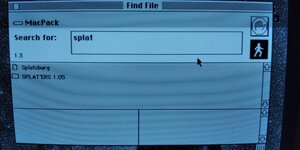
I've been unable to ascertain what exactly the Splat extension does or where to locate it. This is all that Find File turned up...
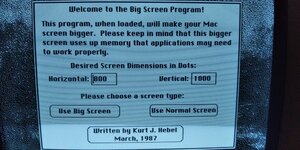
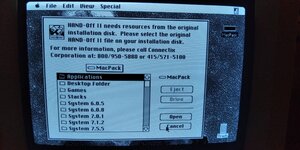
Every time the SE boots up, these programs immediately start...
...and I'm unable to find a way to uninstall them or at least stop them from starting up after every time the SE boots. It's really annoying because I'm sure that whoever created this image meant well but I don't need these programs and HAND-OFF II isn't even complete anyway.
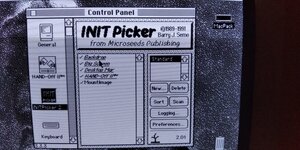
There's nothing in Control Panel that provides the option to remove or disable them.
Deleting the program folders hasn't made a difference because they still appear after the OS has booted.
The set-up is slightly different - the files were located inside the System 6.0.8 folder - it doesn't appear to have a startup one. I sent them to the trash, emptied it, rebooted and the annoyance was at an end.
Yes, control panels and extensions live in the System Folder in 6.0. They were moved into subfolders in 7.0 to help clean up the system folder, because it was getting extremely chaotic
Well, it's a good idea! Especially if you had a second "Rated R" version where your mouse splats against the edge too hard, it'll leave blood splats and start trailing blood after a while.
This site uses cookies to help personalise content, tailor your experience and to keep you logged in if you register.
By continuing to use this site, you are consenting to our use of cookies.