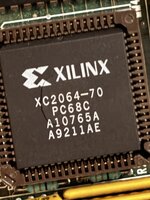
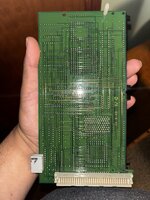
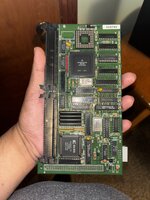
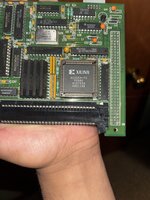
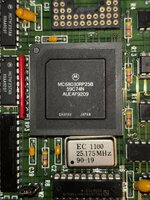
I've got a Mobius 030 Accelerator card that is preventing the computer from booting When it's installed and i power on the computer the disk drive head moves and i get a screen full of garbage.
Photo:
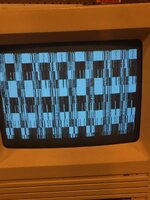
Photo:



check the RAM and see if the power supply is supplying the proper 5V and 12V, you can get access to both to probe through the floppy portI've got a Mobius 030 Accelerator card that is preventing the computer from booting When it's installed and i power on the computer the disk drive head moves and i get a screen full of garbage.
Photo:
View attachment 61703
The RAM is fine, the Mac boots fine without the accelerator but when I attach it the Mac still shows garbage.check the RAM and see if the power supply is supplying the proper 5V and 12V, you can get access to both to probe through the floppy port
then try recapping your analog board, it might not be able to handle the current of the accelerator if it hasn't been recappedThe RAM is fine, the Mac boots fine without the accelerator but when I attach it the Mac still shows garbage.
Noted, Will do.It's the PSU that produces the voltages on these, not the analogue board.
Test the voltages on the floppy port before recapping anything.
While flipping around in a scan of the manual it says that ram at 100ns or faster is required for the 25MHz and I've only got 70ns.
Whoops, bit of a dufus moment there.'ns' is 'nanoseconds' here, so lower numbers are faster - so you're already faster than 100ns. Should be fine.
Reseat as in remove and replace the chips themselves? If so I’ve done that too all the chips except the Xilinx, don’t have a tool for that one.Keeping it simple, I'd reseat and clean the sockets, and switch around RAM - a lot - to see if any of the garble is different. Can the Mac boot without RAM in the SE motherboard?
Can the Mac boot without RAM in the SE motherboard?
It doesn't look in the wrong position in the pic ... I'm sure you can find another part.