MiniVNC, permissions and the "GitHub Sponsors Edition"?

CTB

6502
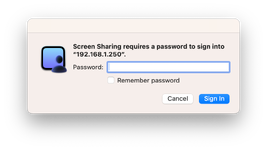
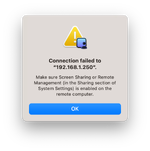
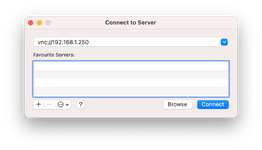
I am trying to setup MiniVNC on my LC475 that is acting as an Apple Internet Router for GlobalTalk access. I currently have screen sharing set up via Timbuktu but that requires another classic Mac. I want to access the LC475 from a modern machine so I have installed MiniVNC. I have the client running on the LC475 but when it comes to logging in from a modern Mac using builtin Screen Sharing I can't get past the login screen. I have tried the "Owner Password" that I have set in the Sharing Setup control panel on System 7.1 on the LC475 but that doesn't work. I can't find any permission settings for MiniVNC itself.

On another matter, how do I get the "GitHub Sponsors Edition" of MiniVNC as mention in the Read Me? I can't find any way of being a supporter.
 

Attachments

  • Screenshot 2026-03-18 at 6.55.26 am.png
    Screenshot 2026-03-18 at 6.55.26 am.png
    172.8 KB · Views: 1
  • Screenshot 2026-03-18 at 6.55.37 am.png
    Screenshot 2026-03-18 at 6.55.37 am.png
    173.7 KB · Views: 1
  • Screenshot 2026-03-18 at 6.55.49 am.png
    Screenshot 2026-03-18 at 6.55.49 am.png
    183.1 KB · Views: 1
I currently have screen sharing set up via Timbuktu but that requires another classic Mac.
Timbuktu works flawlessly on everything from a Mac Plus through to something that can run 32-bit Intel binaries -- so everything up to macOS 10.14. If you don't have a device in that range, it also functions flawlessly in an emulator.

If you want to go the MiniVNC direction, https://github.com/marciot/mac-minivnc seems to outline everything in the readme, including how to sponsor Macriot through the GitHub Sponsors program?

As for modern Macs and Screen Sharing, you'd do better to use the RealVNC client. RealVNC Viewer will still throw an error, but you can click through it.

If your problem is with the password, it's worth reading the instructions :) Use ResEdit to open MiniVNC and set the preferences in the MiniVNC Preferences resource.

Some more info is available here: https://tinkerdifferent.com/threads/new-remote-desktop-server-for-vintage-macs.936/ -- it's possible that in Tahoe, Apple's deprecated the DES encryption scheme that 10.12 and later required (and MiniVNC hacks past).
 
Got it. I got a bit lost on GitHub and missed the "Sponsor link" stuff however I can't find the "instructions" as you mentioned regarding the password and resedit. I can only find the Readme in the .sit archive of the installer and I can't find any mention of this.
 
Got it. I got a bit lost on GitHub and missed the "Sponsor link" stuff however I can't find the "instructions" as you mentioned regarding the password and resedit. I can only find the Readme in the .sit archive of the installer and I can't find any mention of this.
The instructions show up in MiniVNC when you run it.
 
I have the app running but can't see the instructions. Any idea how to view them? There is nothing in "About" or "Options".
 
I have the app running but can't see the instructions. Any idea how to view them? There is nothing in "About" or "Options".
It should be in the main window? But that doesn't matter so much as taking a copy of the program and opening it with ResEdit so you can edit the settings.
 
Back
Top