• Hello MLAers! We've re-enabled auto-approval for accounts. If you are still waiting on account approval, please check this thread for more information.

MinivMac, Hypercard and iPod Touch

I have a 1G iPod Touch here that hasn't been doing much, so I have started playing with it and have gotten interested in maybe jailbreaking it, installing MinivMac, and using it for HyperCard and/or FileMaker Pro.

I know more or less nothing about emulation, so this is probably a stupid question, but here goes: if I were to create HyperCard or FileMaker files in MinivMac on an iPod Touch, could I get them off of the iPod and onto a real Mac, or would the files be locked onto the device and not usable elsewhere?


 
I'm not sure if the iFile app is still available for iOS versions that old. You'd have to check Cydia -- 3.1.3 should have it. I don't recall having it on my former 2nd gen touch with 3.1.3 on it -- but I might have.

The default way I use to access the root directory of my iPad (and all my previous iPod touches) was to use openSSH and use Fugu to SSH into it. iFile does have a webserver feature.

 
That would indeed be possible — in fact it might be a rather elegant way to do it. The tools must be available via Cydia, I presume. No need to reply — with that lead, I will google.

I guess the thing to watch for if transferring via ssh would be loss of resource forks and such. But the files could be compressed and then expanded as usual.

Thanks. I think I am going to try this out.

 
And all the glory and misery of open source follows.

I have the thing booting from a disk image of the main System 6 installer, and this means that it works, but I want to pop System 7 on there. But do I install a system from disk images (no seem to workie, though seems to be what is described in the how-to), or do I need to install a system on an old machine, create a disk image, and install it on the iPod (which is not what is described in the how-to, but is, I think, what I am going to have to do)?

After several hours of frustration, it amazes me again how the very clever people who write the code that makes this kind of thing possible are seemingly not clever enough to write a dozen lines of clear explanation. The uninitiated are just supposed to know. Aaargh!

 
Success! There are probably several ways to do this, but I basically made a disk image of the hard drive of my Classic II with Disk Copy 6. You need to boot from another drive to do this successfully, and I found that making ANOTHER .img file from the mounted disk image on another old Mac (I used a beige G3 running 9.2.1), which rebuilt the desktop file of the disk image, worked. I had encountered a lot of trouble with the desktop file/folder of the disk image using other methods. You then copy the .img file to the jailbroken ipod using scp in the Terminal from a newer machine.

Boots, everything seems to work, within the limits of minivmac itself.

My emulator is using the Plus ROM, but I think I may stick a Mac II on there and test, mainly in order to have access to more memory.

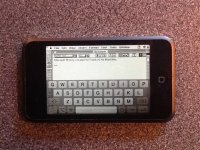
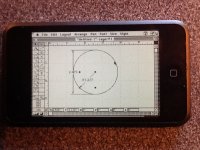
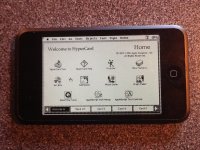
What I discover is that the ipod touch is well suited to "clickable," mouse-driven applications like Hypercard, assuming you are using something ready-made. The keyboard is a temperamental little beastie. Speed in HyperCard 2.4.1 is not blisteringly fast (not sure whether this is because of emulation of the Plus or something else), but it is very usable. Graphics applications also work well, being suited to the drawing metaphor. ClarisDraw was happy, but Claris CAD in particular is very, very nice to use on the thing, and is pleasantly fast (but then, it dates from the Plus era).

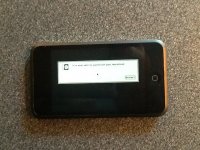
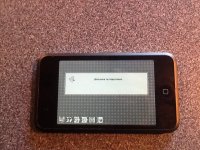
Screenshots follow (with apologies for iPad 2 camera quality).

EDIT: Not sure why my iPad inverted images on posting, but you'll cope, I am sure. On my MacBook, clicking on the image turns it up rightside.

image.jpg

image.jpg

image.jpg

image.jpg

image.jpg

 
After several hours of frustration, it amazes me again how the very clever people who write the code that makes this kind of thing possible are seemingly not clever enough to write a dozen lines of clear explanation. The uninitiated are just supposed to know. Aaargh!
I would like to introduce Linux...

"Just read the man pages"...yeah sure. The line in my signature about Linux is probably the truest statement about Linux I've seen. The most flexible OS around, but also gives a new meaning to "user involvement"...

You have 3.1.3 on it now? I haven't seen Cydia on 3.1.3 since my 2nd gen touch was lost/stolen & never returned.

Granted, at that point of its life, the 2nd gen was dreadful to use compared to the 4th gen. Safari would crash regularly if more than 3 or 4 "sessions" were open.

 
Back
Top