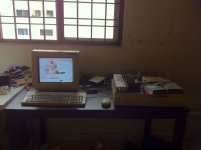
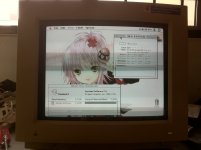
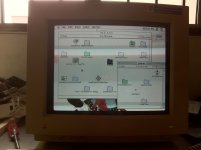
Mac II
Initial state (as acquired):
Something was rattling inside - turned out to be just one of the floppy slot blanks - now returned to its proper location
Does not power up from either the keyboard or the power switch
Does not appear to have leaky caps
Original factory batteries - not leaked
Original 40MB HDD - 5.25" half height Quantum
-------
Chimes when 3.6v applied to PSU sense line
Appears to be booting from its HDD
No video - tested the Toby card in my 7100, no output either. techfury90 on IRC mentioned that it could be an issue with the DB15-VGA dongle, but I don't have an Apple monitor to test it with.
Still a Sad Mac xx(
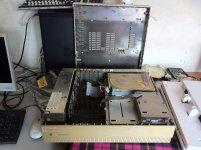
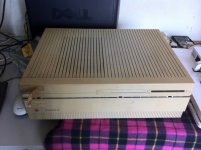

A little history...

Insidious creatures just biding their time to set up my logic board up the bomb, and send it on its way to destruction...

What's this? Seems to be a beverage cup warmer that doubles as a data-storage device!
Performa 6400
Initial state:
Boots with chime but no video, every other time
Original HDD - bad - click o' death
Original FDD - appeared to be bad (no motor activity whatsoever on insertion of disk, but see below)
Sonnet Crescendo G3/300 in cache slot - removed (what's the point of putting a G3 in everything?)
ixMicro TwinTurbo 128 M2
-------
Battery puke on mobo - refer to pics
Lots of blue deposit - looks like copper precipitate to me
Did some casual (read: I'm lazy!) swabbing with isopropyl alcohol on the bigger spots of deposits - it now boots every time and the floppy is also working perfectly! (Will do a more through rinse on the affected area of the board at a later date)
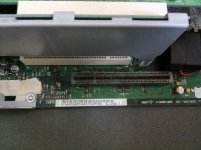
Is now a Happy Mac
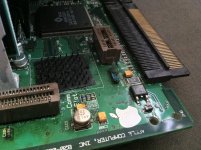
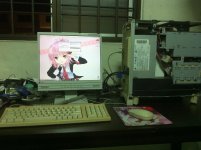
Initial state (as acquired):
Something was rattling inside - turned out to be just one of the floppy slot blanks - now returned to its proper location
Does not power up from either the keyboard or the power switch
Does not appear to have leaky caps
Original factory batteries - not leaked
Original 40MB HDD - 5.25" half height Quantum
-------
Chimes when 3.6v applied to PSU sense line
Appears to be booting from its HDD
No video - tested the Toby card in my 7100, no output either. techfury90 on IRC mentioned that it could be an issue with the DB15-VGA dongle, but I don't have an Apple monitor to test it with.
Still a Sad Mac xx(
A little history...
Insidious creatures just biding their time to set up my logic board up the bomb, and send it on its way to destruction...
What's this? Seems to be a beverage cup warmer that doubles as a data-storage device!
Performa 6400
Initial state:
Boots with chime but no video, every other time
Original HDD - bad - click o' death
Original FDD - appeared to be bad (no motor activity whatsoever on insertion of disk, but see below)
Sonnet Crescendo G3/300 in cache slot - removed (what's the point of putting a G3 in everything?)
ixMicro TwinTurbo 128 M2
-------
Battery puke on mobo - refer to pics
Lots of blue deposit - looks like copper precipitate to me
Did some casual (read: I'm lazy!) swabbing with isopropyl alcohol on the bigger spots of deposits - it now boots every time and the floppy is also working perfectly! (Will do a more through rinse on the affected area of the board at a later date)
Is now a Happy Mac