• Hello MLAers! We've re-enabled auto-approval for accounts. If you are still waiting on account approval, please check this thread for more information.

Mac classic help

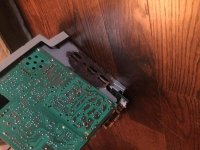
I got a new motherboard for my Mac classic it has no battery leakage

But I still get a checkerboard pattern on the screen

Please help

Thanks in advance

 
Are you sure the Analog Board is ok ?

Low voltages can produce a checkerboard pattern. 

Can you advise what outputs the AB is delivering (at the HD Molex cable), if those are lower than expected (around 9/10 volts for the 12 V and 3/4 volts for the 5 V one) you have got a problem there.

You can try to use an hair dryer to heat the board, probably boosting voltages a bit.

http://appletothecore.me/files/leaky_caps.php

Analog Boards are known for leaky caps also.

 
of course, but check before outputs.

If outputs are low, chances are heating the board on the lower right side will creep up voltages enough to get a working Classic... for a while.

IIRC 8 capacitors at least should been replaced (1100 uf/16v - 2200 uf/16v- 2200 uf 35v - 450 uf/16v) 

 
I'm not trying to be rude, but one thing I will say is if you're asking I'd strongly advise against it. Multimeters are cheap and the first thing I'd grab before making custom stuff.

 
That rust isn't a good sign, looks a lot like battery damage, it's even in the battery location on the Classic. Are you sure there's no battery damage either from a leaking battery or exploded battery? Can we get pics of both the front side of the analog board, logic board and rest of the chassis?

 
Back
Top