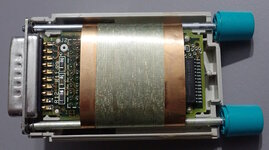
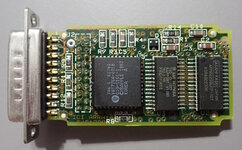
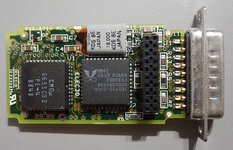
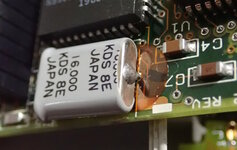
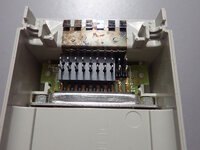
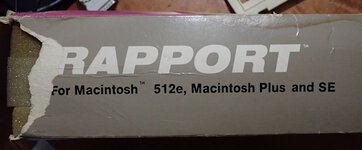
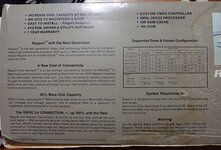
Attaching drivers for 1.0*, 1.0.1*, 1.0.2*, 1.2, 1.3.6, 1.7.1. Prior to version 1.2, the INIT and CDEV (control panel) are separate and Kennect did not make the numbers identical (so CDEV 1.0 might be on the same disk as INIT 1.0.1). The other note is that the CDEV is named "Rapport Prefs". It is not a preferences file. It is the control panel.
THANK YOU for purchasing Rapport !
Be sure to fill in and return your Warranty Registration card. As a registered owner you will receive product news and, in the event something can be improved, software driver updates - free of charge - for the duration of the warranty period.
Kennect Technology recommends using Rapport with Macintosh System (software) Version 4.2 (with Finder 5.0), or System Version 6.0.2 and above.
This diskette contains Apple File Exchange (System Version 6.0.4), a file translation utility for moving files to and from Macintosh HFS, MS-DOS, and ProDOS. For additional information about file translation, refer to your Rapport User's Manual.
If you haven't done so, please read your Rapport User's Manual for complete installation instructions. After the Rapport module has been connected to your Macintosh, the "Rapport " file should be placed in your startup disk's System Folder.
PLEASE NOTE: You are not required to update your System to use Rapport . You may want to obtain the complete System 6.0.4 (four diskettes) and documentation. If so, contact your Apple dealer.
We do, however, recommend using only the version of Apple File Exchange provided on this diskette.
New Rapport Driver Release - Version 1.3.4
A minor change was made to maintain compatablity with newer versions of SAM , an anti-viral cdev and INIT.
Diskettes formatted on the Drive 360 as MS-DOS disks would not be recognized by Apple File Exchange. This has been corrected.
Rapport Driver Release - Version 1.3.2
Version 1.3.2 is the first "Official" release since Version 1.2. Inter- mediate versions were given to some users who experienced unusual conflicts and incompatablities with other INITs and Hardware. We at Kennect wish to thank these brave souls for their help in the development of this much improved driver.
Changes since Version 1.2
1. The "Rapport " (an INIT driver) and "Rapport Prefs" (a control panel document) files have been combined into one file. If you are replacing your Rapport software, remove both old files from the System folder.
2. Support for Kennect's new disk drives, Drive 360 and Drive 1200, has been added. The Drive 360 can Read, Write, and Format 360K MS-DOS and 140K ProDOS diskettes. The Drive 1200 can Read, Write, and Format 1200K MS-DOS diskettes and supports reading 360K MS-DOS and 140K ProDOS diskettes.
3. Startup conflicts with other common INITs and cdevs have been worked out. We have worked with many manufacturers and publishers to correct conflicts. If you suspect a conflict between Rapport and another INIT or device, call our customer assistance folks at 1-800-552-1232. In many cases simply renaming "Rapport " to put it elsewhere in the startup order will resolve conflicts (INITs are loaded in alphabetical order).
4. All Kennect drives are compatable with Insignia Solutions' SoftPC and AccessPC software.
5. Version 1.3.2 will properly function with all brands of accelerators operating at 25Mhz or less... Some 33Mhz accelerators have been reported to as "may have a problem." In general, those that require "floppy fix" software are suspected to have minor problems with Rapport .
6. Users with the old HD20 (non-SCSI) may also use Version 1.3.2. Previously a special version was required. (NOTE: If you have an HD20 be sure to plug Rapport in behind the HD20... Do NOT plug the HD20 into Rapport!)
Problems Fixed in Version 1.2 (Historical Information)
1. Rapport will now function properly on Macintosh IIx, IIcx, IIci, and SE/30 computers. The driver will not interfere with the system's control of the internal FDHD. Please note that on these systems the Rapport Prefs setting for the internal drive operation is ignored.
2. Diskettes formatted for MSDOS are now compatable with Dayna's "DOS Mounter" external file system. Be aware, however, that when DOS Mounter is active in the system Apple File Exchange will "see" MS-DOS diskettes as Macintosh diskettes. If you wish to use translators with Apple File Exchange, it is necessary to remove DOS Mounter from the System Folder and restart your system. DOS Mounter also requires that a diskette be write "enabled" so that it may create a Desktop file - DOS diskettes read with Rapport on the internal drive are always write "protected," and cannot be accessed with DOS Mounter.
3. Minor changes have been made to provide compatability with more brands of accelerator cards. Timing variables are recalculated prior to each access to accomodate changes in system speed between accesses.
Problems Fixed in Version 1.1 (Historical Information)
1. The system would sometimes "Hang" in AFE when the internal drive is used for reading MS-DOS diskettes. This was due to a diskette being difficult to read and the Rapport and Driver were getting out of sync. Code was added/changed to properly retry when read errors encountered.
2. DaynaFile incompatablity: a blank diskette inserted in external drive when DaynaFile also active (sometimes) caused system crash. Version 1.1 can properly co-exist with DaynaFile and other SCSI devices that have RAM base drivers.
3. Internal drive "Status" call returned no information when no diskette was in the drive. Data left on stack from previous operations was interpreted as the internal drive status by the application or utility. (This was also a source of SCSI conflicts.) The code was changed so that the appropriate statuses are returned at all times.
4. SoftPC would not read MS-DOS diskettes on internal drive. In order to use the internal drive as a read-only DOS drive with SoftPC , it is necessary to insert an MS-DOS diskette in the internal drive during the launch of SoftPC . The internal drive will then become a selection item under the "Drives" menu.
5. Some accelerator equipped machines would not work with Rapport unless accelerator disabled.
6. Diskette name was garbled when formatting or erasing while using multi-finder. This was caused by a buffer conflict.
7. Internal drive operations were slow due to excessive seek step timing. This has been improved 25-30%.
PROBLEMS YOU MAY ENCOUNTER:
1. Apple File Exchange will not always report read errors, causing incomplete directory listings to be displayed without informing user. This problem has been experienced most often when using the internal drive on the Macintosh, due to bad "seating" of the diskette (you will notice that the diskette is noisy). The problem is in Apple File Exchange code and cannot be changed by us. If you experience this difficulty: (1) eject the diskette, (2) select "DRIVE" option to bring up another list, (3) re-insert the diskette. If you still have difficulties, give us a call - we're here to help.
2. Compatibility with "clone" Apple drives still does not appear to be viable. We recommend using Rapport only with our own Drive 2.4, or Apple's external 3.5" drives (including the FDHD).
_________________________________________________
The legal verbage:
"Rapport" and "Kennect Technology" are registered trademarks of The Engineering Department, Inc.
"MS-DOS" is a registered trademark of Microsoft Corporation.
"Apple", "Macintosh", "ProDOS", "FDHD", "HD20", and "Apple File Exchange" are registered trademarks of Apple Computer, Inc.
"SoftPC" and "AccessPC" are a registered trademark of Insignia Solutions, Inc.
"DaynaFile" and "DOS Mounter" are registered trademarks of Dayna Communications, Inc.
"SAM" is a trademark of Symantec Corporation.
APPLE COMPUTER, INC., MAKES NO WARRANTIES, EITHER EXPRESS OR IMPLIED, REGARDING THE ENCLOSED COMPUTER SOFTWARE PACKAGE, ITS MERCHANTABLITY OR ITS FITNESS FOR ANY PARTICULAR PURPOSE. THE EXCLUSION OF IMPLIED WARRANTIES IS NOT PREMITTED BY SOME STATES AND THE ABOVE EXCLUSION MAY NOT APPLY TO YOU. THIS WARRANTY PROVIDES YOU WITH SPECIFIC LEGAL RIGHTS. THERE MAY BE OTHER RIGHTS THAT YOU MAY HAVE WHICH VARY FROM STATE TO STATE.
"Macintosh System Tools", "Macintosh Printing Tools", "Macintosh Utilities 1", and "Macintosh Utilities 2" are copyrighted programs of Apple Computer, Inc., licensed to The Engineering Department, Inc., to distribute for use only in combination with Rapport . Apple software shall not be copied onto another diskette (except for archive purposes) or into memory unless as part of the execution of "Macintosh System Tools", "Macintosh Printing Tools", "Macintosh Utilities 1", and/or "Macintosh Utilities 2". When "Macintosh System Tools", "Macintosh Printing Tools", "Macintosh Utilities 1", and/or "Macintosh Utilities 2" has completed execution Apple Software shall not be used by any other program.