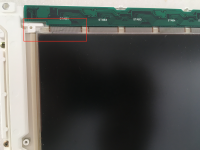
This is how my PowerBook 145B screen looks like:
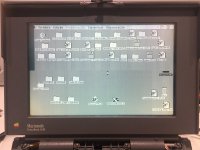
From what I've been reading about PowerBook screens I think that all those "weird" lines in the screens and faded parts are due to bad capacitors, am I right?
But what about that black part in the top-left side of the screen?? That doesn't look too good, does it? is that issue also the caps fault or maybe something else?
Thanks!
From what I've been reading about PowerBook screens I think that all those "weird" lines in the screens and faded parts are due to bad capacitors, am I right?
But what about that black part in the top-left side of the screen?? That doesn't look too good, does it? is that issue also the caps fault or maybe something else?
Thanks!