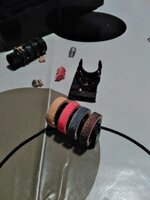
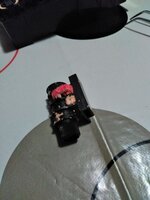
I have a few ImageWriter II's and I finally decided to get around to getting one of them up and running for a project I'm working on. The ImageWriter itself is in good shape, but of course, the cartridge that was in it didn't seem to be working. So I decided to swap it out for a new old stock one that I had sitting on my shelf.
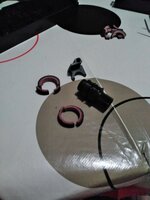
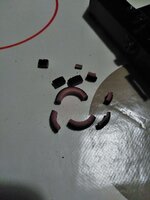
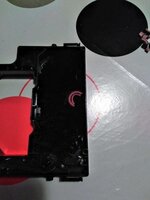
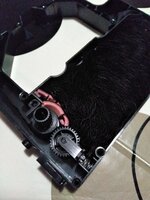
I popped it out of the box, take it out of the plastic protector bag, and put it in the printer. And.....it didn't work either! So I opened up the cartridge and quickly saw the problem: the foam covering on the rollers had disintegrated, much like a roller in an old 8-track tape.
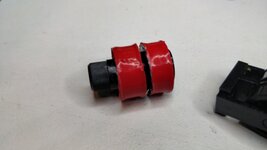
This of course means that their was no tension on the printer ribbon, which prevents it from advancing. Now, if I had a 3D printer, I think that my solution would be to print out bigger diameter rollers made of a material that would never disintegrate, but alas I don't have one (a 3D printer, that is). So for the moment, I am just going to try to build up the diameter of the rollers with some good old fashioned duck tape.
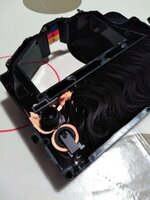
I am both picking out as many of the bits of the disintegrated foam roller as I can from the ribbon cable so that they do not impede the operation of the cartridge.
I know that Mac Effects had ribbon cartridges for sale, but it looks like they are out of stock for now. I also found these guys, but I'm not sure if their cartridges are
any good:
 www.printer-cartridges.com
For the moment I'm going to see if I can get this cartridge up and running again...nothing like a good challenge!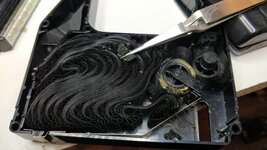
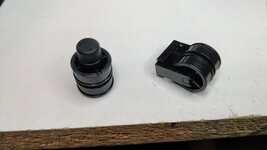
I popped it out of the box, take it out of the plastic protector bag, and put it in the printer. And.....it didn't work either! So I opened up the cartridge and quickly saw the problem: the foam covering on the rollers had disintegrated, much like a roller in an old 8-track tape.
This of course means that their was no tension on the printer ribbon, which prevents it from advancing. Now, if I had a 3D printer, I think that my solution would be to print out bigger diameter rollers made of a material that would never disintegrate, but alas I don't have one (a 3D printer, that is). So for the moment, I am just going to try to build up the diameter of the rollers with some good old fashioned duck tape.
I am both picking out as many of the bits of the disintegrated foam roller as I can from the ribbon cable so that they do not impede the operation of the cartridge.
I know that Mac Effects had ribbon cartridges for sale, but it looks like they are out of stock for now. I also found these guys, but I'm not sure if their cartridges are
any good:
Apple ImageWriter I Ribbon Cartridge
Apple ImageWriter I Ribbon Cartridge from Printer-Cartridges.com. 100% Satisfaction Guaranteed!
For the moment I'm going to see if I can get this cartridge up and running again...nothing like a good challenge!