• Hello MLAers! We've re-enabled auto-approval for accounts. If you are still waiting on account approval, please check this thread for more information.

iMac G4 700 display issue

indibil

6502
Hello everyone.

I recently found a very cheap iMac G4 700MHz because it wasn't working. When I checked, I saw that it was the PSU. The optocouplers were failing. I changed them and the power supply has come back to life.

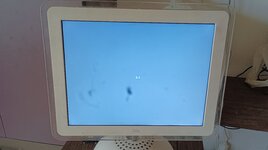
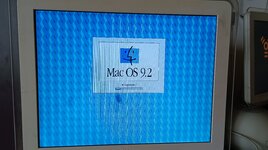
Now it turns on and makes a "chime" sound but the screen always does the same thing, i attach a video. Is it an inverter fault? I don't have any knowledge of repairing screens.

I have to tell you that the bottom of the iMac was not screwed down, I assembled it to test the PSU. Does the image reach the screen through the molex connector or through the mini-connector on the motherboard?

I hope for your help.


View attachment vid-20250207-134230-720p-25fps-6pts_1280p_25fps_10pts.webm
 
Hi Indibil,

For some reason your video didn’t work for me when I saw this thread yesterday. Can you still see an image (shine a torch at the flashing icon) when the backlighting turns off? If yes suggests a CCFL or possibly inverter issue.

Not sure what you mean for your last question, the wiring layout?
 
Thanks for your reply.

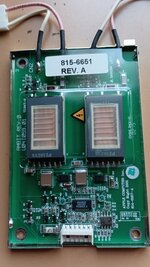
Can you find me a photo of those two components that may fail? so I can identify them, I'm not used to working with screens. The symptom repeats itself every time I start it, I don't really know how to diagnose it.

In my question about the wiring, I was wondering what each connector on the motherboard that goes to the screen does, one is fixed in the case and the other is a small, flat connector that is inserted into the motherboard, very delicate.
 
I'm bringing you some news.

I was investigating how LCD screens work and I consulted a friend who has repaired one.

I verified that once the image is turned off, focusing with a flashlight you can still see video, so the problem is in the lighting, either the inverter or the tubes that illuminate.

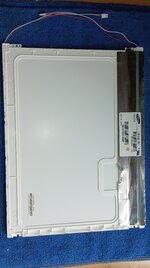
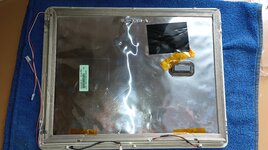
I disassembled the screen and checked the inverter, although I couldn't be 100% sure that it was fine, it didn't look bad at all, the readings with the polymer seemed fine, so I continued disassembling the LCD.

The first time is very scary.

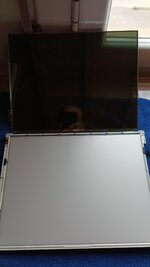
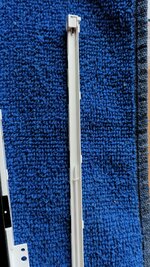
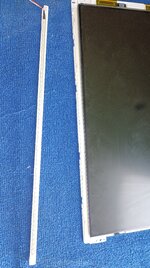
Once I got to the tubes, I found that the upper one was broken, and if you look at the video, you could see that it only illuminated from below. From what I discovered this morning, the inverters have a circuit that controls the voltage to the tubes, and also detects anomalies in the operation causing the inverter to deactivate. Apparently, this is what happens to me.

I am considering changing to an LED kit. I need to find out how it is connected, because apart from voltage, it seems that they have a cable for the power sense and another for the brightness. Can it be identified in the schematics of the iMac 700MHz?

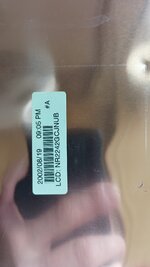
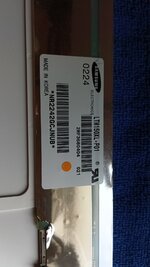
IMG-20250211-WA0003.jpegIMG-20250211-WA0006.jpegIMG-20250211-WA0010.jpegIMG-20250211-WA0012.jpegIMG-20250211-WA0014.jpegIMG-20250211-WA0016.jpeg
 
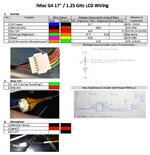
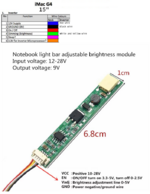
I don't know if the inverter pinout will be the same as for a 17", but it seems that to install an LED kit I must use the 4 upper cables.
pinout inverter.jpg
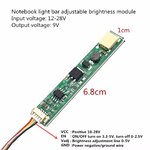
kit led.jpg
inverter 15_.jpg
 
Hello, I received the LED kit yesterday and installed it today. Everything seems to be working, you just have to be careful when opening and closing the display.

I made the connection as in the diagram in the previous post, information I found here:

Schematic

Although I have first checked the voltages, to verify that they match.

I have used this kit, two units:

15.1 inch kit

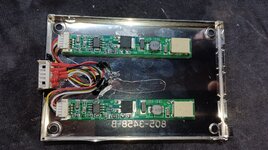
I have mounted the new "inverters" where the original one was, taking advantage of its connector, in order to make the conversion reversible, in case I find an original screen. Everything is well insulated.

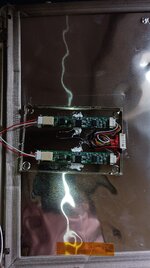
I leave you a photo report, because there is little to explain, you only have to connect 4 cables. The screen works well, it looks better than an original one, the pity is the black spots, irreversible damage...

I hope it helps you.


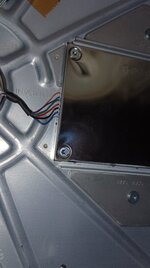
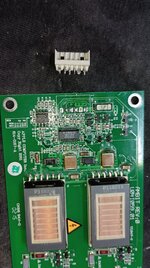
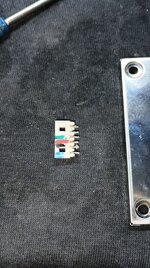
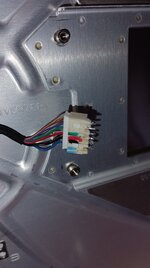
IMG_20250221_093255.jpgIMG_20250221_093601.jpgIMG_20250221_094204.jpgIMG_20250221_100240.jpgIMG_20250221_102028.jpgIMG_20250221_103753.jpgIMG_20250221_105224.jpgIMG_20250221_112441.jpgIMG_20250221_112822.jpgIMG_20250221_115230.jpgIMG_20250221_120647.jpg
 
I have been doing some tests, and the assembly as per the initial scheme had two problems, when the computer was put into sleep mode, or the screen was put into sleep mode, the image turned off but the LEDs remained on. Also, while it was working, the brightness oscillated.

The problem is solved by avoiding the original ON/OFF cable of the iMac, and connecting both the yellow and the white to the green brightness cable of the iMac. I am updating the schematic.


conexió LED_.png
 
Back
Top