Follow along with the video below to see how to install our site as a web app on your home screen.
Note: This feature may not be available in some browsers.
Hello MLAers! We've re-enabled auto-approval for accounts. If you are still waiting on account approval, please check this thread for more information.
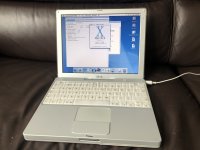
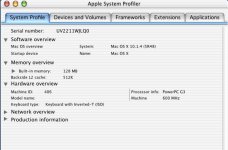
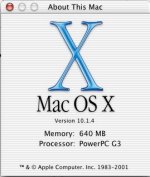
Basically I got jealous of other user's iBooks, and wanted my own one. Got it reasonably cheap and it's in pretty good condition. Currently loaded with 10.1 but am planning on making it 9.2.2 only. Has 128MB RAM but I have a 512MB stick ready to go in.
Nice score! Now's the time to get good examples of the iceBooks, as well as spare parts, since they're still dirt cheap compared to other models of the time. The 2002 600MHz version is a great choice because you get a 100MHz bus and the 16MB video card.
I put 10.1 on my iBook G3, but when I plug in a USB drive, when I click on anything on that drive the icons disappear! I know the files are definitely there, as everything shows up in the Terminal...
I used 10.2.8 on my PowerBook G4 12" back in the day for quite a few years, I don't remember having any problems with it, it was always reliable, I really liked that version of OS X.
These make great (IMO) bridge machines as they can run 10.2, which supports both AFP over AppleTalk and AFP over TCP, so you can connect to them from both classic and modern Macs. I have a 900 MHz which is serving as a bridge between my Centris 650 (via Ethernet), my Duo 230 (LocalTalk to the Centris which is running LocalTalk Bridge, then Ethernet to the iBook), and my Catalina machines. They can also natively boot and run 9.2.
I got on board starting with the Public Beta. Yes, the first few versions were rough and I used Classic more than OS X. With 10.2, it finally became my primary go-to.
This site uses cookies to help personalise content, tailor your experience and to keep you logged in if you register.
By continuing to use this site, you are consenting to our use of cookies.