


I am new to the Newton, so I am a bit stuck here. I was messing around with the Extras folder, and I accidentally got stuck. Usually, when you click on it, it shows you the icons of installed packages. I accidentally did something, and now I cannot view those icons anymore; everything is just text, and in a list. How do I revert back to the icon view? Thanks in advance.
This is what I have right now, a list, not icons, of all my installed packages: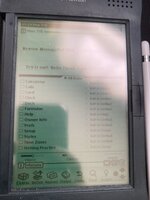
And this is what I would like to go back to: (Image taken from Google)

This is what I have right now, a list, not icons, of all my installed packages:
And this is what I would like to go back to: (Image taken from Google)




