• Hello MLAers! We've re-enabled auto-approval for accounts. If you are still waiting on account approval, please check this thread for more information.

How to install system 6.0.8 AZERTY/french version on Mac Plus with ZuluSCSI

Hi!

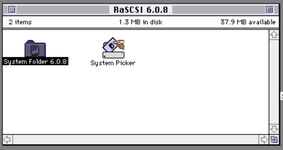
I have a Mac Plus booting on system 6.0.8 using a mini ZuluSCSI card.
I'm currently using RaSCSI-Boot-6.0.8.hda disk image containing the system 6.0.8 found here
The problem is that this system use QWERTY keyboard, and there is no way to change it to AZERTY in system configuration.

I'm looking for a french and/or AZERTY 6.0.8 system or an utility software doing this.

I found here some international OS 6 version but I can't boot on this images.

How to boot on a custom .img file?

I rename them FD0.img and load them on the ZuluSCSI SD card, then power up the mac, but unfortunatly I have the question mark disk picture on the screen...
 
Last edited:
simply renaming the UK/US System and folder to "old" and moving away to another file and replacing both with the french one at the same place should work.

I should have a copy anyway if that is not suitable.
 
Hi,

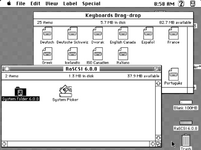
Read this for keyboard layout installation :


Regards.
Philippe
 
Hi,

Read this for keyboard layout installation :


Regards.
Philippe
Hi Philippe,
Thank your for this information!

It is possible to drag and drop a keyboard layout onto a non working system FILE. After that in the control panel this layout is selectable.

Where should I put this file in the System 6.0.8 folder ?
 
You must boot from another system that the one where you want add azerty layout (use a copy or something like that).
Then drag and drop the layout file to this non working system FILE, not the system folder. This file is inside the system folder.

Philippe
 
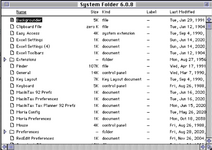
So I just have to drag and drop the "France" keyboard file at the root of the "System Folder 6.0.8" (booting from another volume) ?

1667635157245.png
 
Last edited:
No.
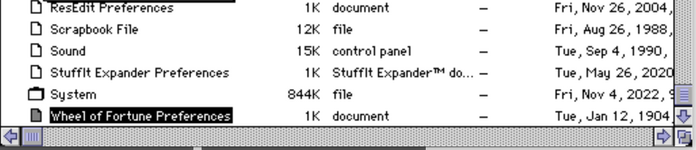
Open your system folder, then you will see a FILE named "System", not a folder, a FILE.
It is visible on your previous post just over the "Wheel of Fortunes Preferences" file.
Then drag and drop the keyboard layout file on this FILE named "System". You have not to drag and drop in a folder.
Then after reboot with this system, in the control panel, you can choose azerty keyboard.
 
No.
Open your system folder, then you will see a FILE named "System", not a folder, a FILE.
It is visible on your previous post just over the "Wheel of Fortunes Preferences" file.
Then drag and drop the keyboard layout file on this FILE named "System". You have not to drag and drop in a folder.
Then after reboot with this system, in the control panel, you can choose azerty keyboard.
I'm tryingg to do the same on my mac SE with 6.0.8, but it's impossible to drag something onto the system (suitcase) file/folder. Strange because (if i well remember) I already did it in my portable and i could set another keyboard layout that way, in the mac SE I cannot. weird.
 
Back
Top