• Hello MLAers! We've re-enabled auto-approval for accounts. If you are still waiting on account approval, please check this thread for more information.

How to bless a System Folder in mini vMac

JDW

68020
How do I bless a System Folder (6.0.8) in mini vMac (Macintosh Plus version app)?

I booted mini vMac from a 100MB System 6.0.8 *.dsk (originally was on my FloppyEMU) and then I mounted a larger 200MB blank in mini vMac and subsequently did a Finder copy of all the contents of my bootable to the blank. (I did this because I wanted to make bigger disk than 100MB for later copying back to my FloppyEMU's SD card.) But there's no icon on the System Folder of the copy I made (the 200MB disk), and when I try to boot from that 200MB disk, it won't boot. Restarting mini vMac from my 100MB boot disk and opening my 200MB disk shows all files there; but again, the System File on that 200MB disk isn't blessed. How do I bless that System Folder in mini vMac?

Thanks.

 
Hmmm...  I seem to have you all stumped, as per the fact no one has yet replied.  Well, maybe providing you with the actual disks I am using in mini vMac will help, as you can then try them out yourselves in your own copy of mini vMac:

100MB dsk (originally came on my FloppyEMU's SD card)

224MB dsk (originally a blank I opened in mini vMac and then Finder-copied the contents of the 100MB dsk onto, resulting in a non-blessed System Folder)

mini vMac (Mac Plus version app, for any modern Mac 2012 or newer -- what I am using)

Now Google for "Disk Images Mini vMac" and atop the search results will be a link to the rest of what you need to get mini vMac running, if you don't have that already.

I look forward to hearing your thoughts on how to bless that copied-over System Folder.  Thanks.

 
Hi James,

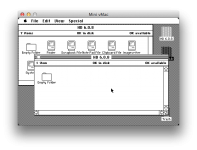
This is interesting. If I remove the system folder in your 224mb image and replace it with the one on the 100mb disk, it boots all right... BUT it's actually booting System 1!? How is it even reading the HFS file structure?? 

Screen Shot 2019-04-21 at 00.46.50.png

Something is definitely screwed up on your 224mb disk...

The good news is that I took a new 224mb disk from the 'blanks-1.0.0' archive, booted up HD20.dsk (the 100mb disk), mounted the new disk, and finally dragged the whole disk over to the blank one. And it created a copy that works. Yay! 

That's what you wanted in the end right? Someone else with more Boot blocks expertise (Dogcow?) might be able to explain what happened here if you really want to know. 

Here's a link to your new 224mb file: https://www.dropbox.com/s/dv1ebahe7am28vp/224M-new.dsk.zip?dl=0

Works on my machine...

 
Last edited by a moderator:
Oh my!  That  extremely helpful information. Thank you, @BadGoldEagle!

 So basically you’re saying that the 224MB blank that I used was probably corrupted and therefore the system folder I copied to it could not be blessed, right?

Regarding mini vMac booting into System 1.0, I agree that it is odd. I guess it’s the fallback OS in mini vMac in case your primary disk fails to boot?  Not sure where that System 1.0 disk is though unless it’s built into the mini vMac app.

 
vMac doesn't have any kind of fallback system. That system file must be hidden somewhere on your disk. At first I tried removing every other folder but the finder wouldn't let me remove anything inside "Apps" because "an item" was locked. Nothing was locked though.

There must be an app residing inside the 'Apps' folder that comes with its own system files (that was pretty common back in the early days...). When you copied the contents (not the disk), it must have changed some attribute (don't quote me on that) and blessed that old system folder instead of the one you were interested in. That could be one explanation... idk

Anyway, most important thing is that you got what you wanted in the first place.

 
Last edited by a moderator:
You're a shining star of helpfulness, @BadGoldEagle!  Your 224M disk works great.  I did find an "empty folder" on it with system files, but that folder wasn't blessed so I through it out and of course it still works fine.  Thank you for your help!  I guess my 224M blank somehow got corrupted and then I did the copy which resulted in my problems.  Anyway, thank you!

 
This is interesting. If I remove the system folder in your 224mb image and replace it with the one on the 100mb disk, it boots all right... BUT it's actually booting System 1!? How is it even reading the HFS file structure?? 
In this case, the Finder doesn't read HFS file structures; it makes calls to the File Manager like most other well-behaved applications. Therefore, if you have an HFS File Manager loaded in ROM or RAM, then you can mount HFS volumes on pre-HFS Finder versions (4.1 and earlier) and access files (but not folders!) in the root directory of the volume. If you have a 512Ke, Plus, or SE, then you always have the HFS File Manager in ROM, so you can mount HFS volumes in old Finder versions.

HFS is a superset of MFS and several data structures are similar.

That's what you wanted in the end right? Someone else with more Boot blocks expertise (Dogcow?) might be able to explain what happened here if you really want to know. 
The Finder is supposed to copy the boot blocks from the source disk when the System file is copied from source to target. If the boot blocks on the source volume are empty or invalid, then the target disk will receive these empty or invalid boot blocks, and subsequently will not serve as a startup disk.

There may also be a bug in mini vMac, but probably more likely is there is some trouble with the boot blocks on the source disk.

By the way, the Finder blesses a System folder when the System file is moved into a folder which contains a Finder file. So if you ever want to bless a folder, first make sure it has a Finder file in it, then move the System file out of the folder first (if it was already there), then back into the folder with Finder.

Folder-blessing is an HFS concept necessary to prevent having to walk the entire directory tree to find the System file. Under MFS with a flat directory, it was simple to locate the System file by name at boot time. If you run System 6 on an MFS disk, there is no blessed folder, and if you do make a System "Folder," it won't have the little Mac icon on it.

 
Last edited by a moderator:
Back
Top