How do I bless a System Folder (6.0.8) in mini vMac (Macintosh Plus version app)?
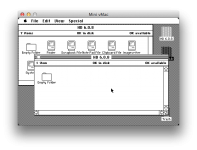
I booted mini vMac from a 100MB System 6.0.8 *.dsk (originally was on my FloppyEMU) and then I mounted a larger 200MB blank in mini vMac and subsequently did a Finder copy of all the contents of my bootable to the blank. (I did this because I wanted to make bigger disk than 100MB for later copying back to my FloppyEMU's SD card.) But there's no icon on the System Folder of the copy I made (the 200MB disk), and when I try to boot from that 200MB disk, it won't boot. Restarting mini vMac from my 100MB boot disk and opening my 200MB disk shows all files there; but again, the System File on that 200MB disk isn't blessed. How do I bless that System Folder in mini vMac?
Thanks.
I booted mini vMac from a 100MB System 6.0.8 *.dsk (originally was on my FloppyEMU) and then I mounted a larger 200MB blank in mini vMac and subsequently did a Finder copy of all the contents of my bootable to the blank. (I did this because I wanted to make bigger disk than 100MB for later copying back to my FloppyEMU's SD card.) But there's no icon on the System Folder of the copy I made (the 200MB disk), and when I try to boot from that 200MB disk, it won't boot. Restarting mini vMac from my 100MB boot disk and opening my 200MB disk shows all files there; but again, the System File on that 200MB disk isn't blessed. How do I bless that System Folder in mini vMac?
Thanks.