How do I install Mac OS X Server 10.4 on a Mac mini 1,1 (Early 2006)?

Hey everyone,

I hope this is the correct section for this question.

I recently picked up a Mac mini 1,1 (Early 2006) and would like to use it as a retro server for my vintage Macs using AppleTalk / AFP.
I already have another 2006 Mac mini running Mac OS X Tiger, so the hardware itself should be fine?

I’ve tried multiple OS X Server 10.4.7 Universal install ISOs since those are the only versions I could find, but on this machine they all fail to boot and immediately show the prohibited symbol. Booting with verbose mode always ends with "Still waiting for root device", so the installer never actually loads.

I’ve already patched OSInstall.mpkg to bypass model checks, but since the failure happens before the installer starts, that obviously doesn’t help.

I came across a forum thread where someone successfully ran Mac OS X Server 10.4.11 on a Mac mini 2,1, stating they had a 10.4.11 Server install disc. However, all publicly available Server ISOs I can find seem to be 10.4.7 only, and I haven’t been able to locate any later Server install media.

So my questions are:

- Did Apple ever release a later Tiger Server install disc (10.4.10 / 10.4.11) that properly supports early Intel Mac minis?
- Has anyone here successfully installed Tiger Server on a Mac mini 1,1, and if so, which install media/build did you use? I´m not asking for any links since I dont want to break any rules.

I’m specifically trying to avoid Leopard, as this machine is intended to act as a classic AppleTalk/AFP server for older systems.

Any insight from people who’ve done this would be greatly appreciated.

Thanks!
 
OSX Server 10.4.7 should install and run OK on a MacMini1,1 since it has the same kernel as non-server. But check EFI is up to date.

But why use Server? IMHO, it's a nuisance to configure and you have file services with regular Tiger.

If you absolutely must have Server, a tactic might be to try to install it on the Mini via Target Disk Mode from another machine. Or to install it on a QEMU VM and then dd the image via Target Disk.
 
What does it think is the root device? If you're booting from an ISO that is burned to a DVD, then the root device should be a partition on the DVD drive.

A root device may work from EFI and be able to load the boot loader (as you are experiencing).

The boot loader then loads the kernel and OS drivers (kexts). The OS drivers must create a node for the root device. In your case, that is not happening. There are boot args that can enable logging of IOServices so you can see which nodes get created. This enables all the flags (might be overkill): io=0xffffffff

boot-args notes:
Code:
dart=0 // not needed when DisableIoMapper is true

agdpmod=vit9696 // for not Navi GPUs if screen goes black during boot
agdpmod=pikera // use this only for Navi GPUs so the screen doesn't turn black


ipc_control_port_options=0 // ?
iogdebug=-1 iogt=-1 iogtl=4096 // graphics stuff
debug=0x10e serial=3 serialbaud=115200 // debug serial / firewire stuff
	fwkdp=0x8000 fwkpf=0xf kdp_match_name=firewire logtokprintf=2

igfxmaxwidth=16384 // to allow width > 4096 with Coffee Lake and Kaby Lake


debug=
	DB_HALT                    0x01            Halt at boot-time and wait for debugger attach (gdb).
	DB_PRT                     0x02  obsolete  Send kernel debugging printf output to console.
	DB_NMI                     0x04            Drop into debugger on NMI (Command–Power, Command-Option-Control-Shift-Escape, or interrupt switch).
	DB_KPRT                    0x08            Send kernel debugging kprintf output to serial port.
	DB_KDB                     0x10            Make ddb (kdb) the default debugger (requires a custom kernel).
	DB_SLOG                    0x20            Output certain diagnostic info to the system log.
	DB_ARP                     0x40            Allow debugger to ARP and route (allows debugging across routers and removes the need for a permanent ARP entry, but is a potential security hole) — not available in all kernels.
	DB_KDP_BP_DIS              0x80            Support old versions of gdb on newer systems.
	DB_LOG_PI_SCRN            0x100  obsolete  Disable graphical panic dialog.
	DB_KDP_GETC_ENA           0x200
	DB_KERN_DUMP_ON_PANIC     0x400            Trigger core dump on panic
	DB_KERN_DUMP_ON_NMI       0x800            Trigger core dump on NMI
	DB_DBG_POST_CORE         0x1000            Wait in debugger after NMI core
	DB_PANICLOG_DUMP         0x2000            Send paniclog on panic, not core
	DB_REBOOT_POST_CORE      0x4000            Attempt to reboot after post-panic crashdump/paniclog dump.
	DB_NMI_BTN_ENA           0x8000            Enable button to directly trigger NMI
	DB_PRT_KDEBUG           0x10000  removed   kprintf kdebug events
	DB_DISABLE_LOCAL_CORE   0x20000            ignore local kernel core dump support
	DB_DISABLE_GZIP_CORE    0x40000            don't gzip kernel core dumps
	DB_DISABLE_CROSS_PANIC  0x80000  x86 only  don't trigger cross panics. Only necessary to enable x86 kernel debugging on configs with a dev-fused co-processor running release bridgeOS.
	DB_REBOOT_ALWAYS       0x100000            Don't wait for debugger connection
	DB_DISABLE_STACKSHOT_TO_DISK 0x200000      Disable writing stackshot to local disk

io=     
	// loggage     
	kIOLogAttach            0x00000001      
	kIOLogProbe             0x00000002      
	kIOLogStart             0x00000004      
	kIOLogRegister          0x00000008      
	kIOLogMatch             0x00000010      
	kIOLogConfig            0x00000020 
	kIOLogYield             0x00000040  
	kIOLogPower             0x00000080  
	kIOLogMapping           0x00000100  
	kIOLogCatalogue         0x00000200  
	kIOLogTracePower        0x00000400  Obsolete: Use iotrace=0x00000400ULL to enable now
	kIOLogDebugPower        0x00000800  
	kIOLogServiceTree       0x00001000  
	kIOLogDTree             0x00002000  
	kIOLogMemory            0x00004000  
	kIOLogKextMemory        0x00008000  
	kOSLogRegistryMods      0x00010000  Log attempts to modify registry collections
	kIOLogPMRootDomain      0x00020000  
	kOSRegistryModsMode     0x00040000  Change default registry modification handling - panic vs. log
	kIOTraceIOService       0x00080000  Obsolete: Use iotrace=0x00080000ULL to enable now
	kIOLogHibernate         0x00100000  
	kIOStatistics           0x04000000  
	kIOSleepWakeWdogOff     0x40000000  
	kIOKextSpinDump         0x80000000  

	// debug aids - change behaviour        
	kIOLogSynchronous       0x00200000  IOLog completes synchronously  obsolete
	kIOTracking             0x00400000      
	kIOWaitQuietPanics      0x00800000      
	kIOWaitQuietBeforeRoot  0x01000000      
	kIOTrackingBoot         0x02000000      

serial=
	SERIALMODE_OUTPUT    0x01
	SERIALMODE_INPUT     0x02
	SERIALMODE_SYNCDRAIN 0x04
	SERIALMODE_BASE_TTY  0x08 Load Base/Recovery/FVUnlock TTY
	SERIALMODE_NO_IOLOG  0x10 prevent IOLogs writing to serial

fwkpf=
	   0x0      Converted FW Cycle Time Units (c) - Classic time format shown as "Seconds.Microseconds". The Second unit rolls over every 128 seconds. Driven by the FireWire clock.
	   0x1      Absolute Time Units (a) - "Absolute" time units derived directly from the kernel's uptime clock.
	   0x2      FireWire Time Units (w) - Shown as "Seconds:Cycles:Offset". Driven by the FireWire clock. Seconds rollover every 128 seconds. 8000 cycles per second. 3072 offset counts per cycle. Equivalent to FireBug's time format.
	   0x3      Nanoseconds Time Units (n) - The kernel's uptime clock converted to nanoseconds.
	   0x4      Microseconds Time Units (u) - The kernel's uptime clock converted to microseconds.
	   0x5      Milliseconds Time Units (m) - The kernel's uptime clock converted to milliseconds.
	   0x6      Seconds Time Units (s) - Shown as "Seconds:Milliseconds:Microseconds". Converted from kernel's uptime clock.
	   0x7      Day Time Units (d) - "Days:Hours:Minutes:Seconds:Milliseconds:Microseconds". Converted from kernel's uptime clock.
	   0xF      No Time Units (-) - No time units, displayed as "-".
	 Additive Options:
	  0x10      Append output logging to /Library/Logs/FireWireKPrintf.log.
	 0x100      Open log file with Console.app. Only valid with "-o".
	 0x800      Create a new log file, rather than append. Only valid with "-o".
	0x8000      Prefix logger machine's ID to each log.

nv_spanmodepolicy=1	enable 5K on Dell UP2715K
 
OSX Server 10.4.7 should install and run OK on a MacMini1,1 since it has the same kernel as non-server. But check EFI is up to date.

But why use Server? IMHO, it's a nuisance to configure and you have file services with regular Tiger.

If you absolutely must have Server, a tactic might be to try to install it on the Mini via Target Disk Mode from another machine. Or to install it on a QEMU VM and then dd the image via Target Disk.
Thanks! I checked my EFI version and it’s up to date.

I have a modern server that I need to mount on this retro server in order to forward it to my Mac OS 9 devices. I’m no expert in OS X Server, but I’ve read that only the Server version has that specific functionality.

I will try it via QEMU, since my other 2006 Intel Macs are all MacBooks, which can’t install OS X Server. My other Mac mini 1,1 (Early 2006) also can’t boot any of the install discs, that would be my only 2006 desktop Mac.
 
What does it think is the root device? If you're booting from an ISO that is burned to a DVD, then the root device should be a partition on the DVD drive.

A root device may work from EFI and be able to load the boot loader (as you are experiencing).

The boot loader then loads the kernel and OS drivers (kexts). The OS drivers must create a node for the root device. In your case, that is not happening. There are boot args that can enable logging of IOServices so you can see which nodes get created. This enables all the flags (might be overkill): io=0xffffffff

boot-args notes:
Code:
dart=0 // not needed when DisableIoMapper is true

agdpmod=vit9696 // for not Navi GPUs if screen goes black during boot
agdpmod=pikera // use this only for Navi GPUs so the screen doesn't turn black


ipc_control_port_options=0 // ?
iogdebug=-1 iogt=-1 iogtl=4096 // graphics stuff
debug=0x10e serial=3 serialbaud=115200 // debug serial / firewire stuff
    fwkdp=0x8000 fwkpf=0xf kdp_match_name=firewire logtokprintf=2

igfxmaxwidth=16384 // to allow width > 4096 with Coffee Lake and Kaby Lake


debug=
    DB_HALT                    0x01            Halt at boot-time and wait for debugger attach (gdb).
    DB_PRT                     0x02  obsolete  Send kernel debugging printf output to console.
    DB_NMI                     0x04            Drop into debugger on NMI (Command–Power, Command-Option-Control-Shift-Escape, or interrupt switch).
    DB_KPRT                    0x08            Send kernel debugging kprintf output to serial port.
    DB_KDB                     0x10            Make ddb (kdb) the default debugger (requires a custom kernel).
    DB_SLOG                    0x20            Output certain diagnostic info to the system log.
    DB_ARP                     0x40            Allow debugger to ARP and route (allows debugging across routers and removes the need for a permanent ARP entry, but is a potential security hole) — not available in all kernels.
    DB_KDP_BP_DIS              0x80            Support old versions of gdb on newer systems.
    DB_LOG_PI_SCRN            0x100  obsolete  Disable graphical panic dialog.
    DB_KDP_GETC_ENA           0x200
    DB_KERN_DUMP_ON_PANIC     0x400            Trigger core dump on panic
    DB_KERN_DUMP_ON_NMI       0x800            Trigger core dump on NMI
    DB_DBG_POST_CORE         0x1000            Wait in debugger after NMI core
    DB_PANICLOG_DUMP         0x2000            Send paniclog on panic, not core
    DB_REBOOT_POST_CORE      0x4000            Attempt to reboot after post-panic crashdump/paniclog dump.
    DB_NMI_BTN_ENA           0x8000            Enable button to directly trigger NMI
    DB_PRT_KDEBUG           0x10000  removed   kprintf kdebug events
    DB_DISABLE_LOCAL_CORE   0x20000            ignore local kernel core dump support
    DB_DISABLE_GZIP_CORE    0x40000            don't gzip kernel core dumps
    DB_DISABLE_CROSS_PANIC  0x80000  x86 only  don't trigger cross panics. Only necessary to enable x86 kernel debugging on configs with a dev-fused co-processor running release bridgeOS.
    DB_REBOOT_ALWAYS       0x100000            Don't wait for debugger connection
    DB_DISABLE_STACKSHOT_TO_DISK 0x200000      Disable writing stackshot to local disk

io=    
    // loggage    
    kIOLogAttach            0x00000001     
    kIOLogProbe             0x00000002     
    kIOLogStart             0x00000004     
    kIOLogRegister          0x00000008     
    kIOLogMatch             0x00000010     
    kIOLogConfig            0x00000020
    kIOLogYield             0x00000040 
    kIOLogPower             0x00000080 
    kIOLogMapping           0x00000100 
    kIOLogCatalogue         0x00000200 
    kIOLogTracePower        0x00000400  Obsolete: Use iotrace=0x00000400ULL to enable now
    kIOLogDebugPower        0x00000800 
    kIOLogServiceTree       0x00001000 
    kIOLogDTree             0x00002000 
    kIOLogMemory            0x00004000 
    kIOLogKextMemory        0x00008000 
    kOSLogRegistryMods      0x00010000  Log attempts to modify registry collections
    kIOLogPMRootDomain      0x00020000 
    kOSRegistryModsMode     0x00040000  Change default registry modification handling - panic vs. log
    kIOTraceIOService       0x00080000  Obsolete: Use iotrace=0x00080000ULL to enable now
    kIOLogHibernate         0x00100000 
    kIOStatistics           0x04000000 
    kIOSleepWakeWdogOff     0x40000000 
    kIOKextSpinDump         0x80000000 

    // debug aids - change behaviour       
    kIOLogSynchronous       0x00200000  IOLog completes synchronously  obsolete
    kIOTracking             0x00400000     
    kIOWaitQuietPanics      0x00800000     
    kIOWaitQuietBeforeRoot  0x01000000     
    kIOTrackingBoot         0x02000000     

serial=
    SERIALMODE_OUTPUT    0x01
    SERIALMODE_INPUT     0x02
    SERIALMODE_SYNCDRAIN 0x04
    SERIALMODE_BASE_TTY  0x08 Load Base/Recovery/FVUnlock TTY
    SERIALMODE_NO_IOLOG  0x10 prevent IOLogs writing to serial

fwkpf=
       0x0      Converted FW Cycle Time Units (c) - Classic time format shown as "Seconds.Microseconds". The Second unit rolls over every 128 seconds. Driven by the FireWire clock.
       0x1      Absolute Time Units (a) - "Absolute" time units derived directly from the kernel's uptime clock.
       0x2      FireWire Time Units (w) - Shown as "Seconds:Cycles:Offset". Driven by the FireWire clock. Seconds rollover every 128 seconds. 8000 cycles per second. 3072 offset counts per cycle. Equivalent to FireBug's time format.
       0x3      Nanoseconds Time Units (n) - The kernel's uptime clock converted to nanoseconds.
       0x4      Microseconds Time Units (u) - The kernel's uptime clock converted to microseconds.
       0x5      Milliseconds Time Units (m) - The kernel's uptime clock converted to milliseconds.
       0x6      Seconds Time Units (s) - Shown as "Seconds:Milliseconds:Microseconds". Converted from kernel's uptime clock.
       0x7      Day Time Units (d) - "Days:Hours:Minutes:Seconds:Milliseconds:Microseconds". Converted from kernel's uptime clock.
       0xF      No Time Units (-) - No time units, displayed as "-".
     Additive Options:
      0x10      Append output logging to /Library/Logs/FireWireKPrintf.log.
     0x100      Open log file with Console.app. Only valid with "-o".
     0x800      Create a new log file, rather than append. Only valid with "-o".
    0x8000      Prefix logger machine's ID to each log.

nv_spanmodepolicy=1    enable 5K on Dell UP2715K
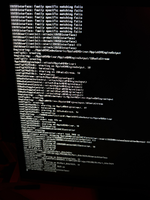
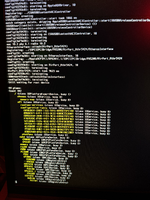
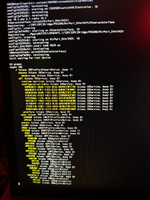
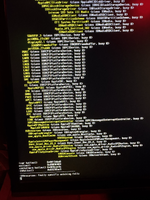
Thank you! I enabled the flag and I saw a bunch of errors like "IOUSBInterface: family specific matching fails" and at the end it loops "Still waiting for root device" and "IOResources: family specific matching fails".

So it seems like it won't event find the Kexts for my device which makes no sense since the Early 2006 Mac mini shipped with 10.4.5 and this is 10.4.7.

I´ll attach a few pictures from the output.
 

Attachments

  • IMG_2756.png
    IMG_2756.png
    27.5 MB · Views: 0
  • IMG_2759.png
    IMG_2759.png
    37.5 MB · Views: 0
  • IMG_2760.png
    IMG_2760.png
    37.2 MB · Views: 0
  • IMG_2764.png
    IMG_2764.png
    16.9 MB · Views: 0
Back
Top