Folks...
I have a powerbook G4. It is this model:
http://www.everymac.com/systems/apple/powerbook_g4/specs/powerbook_g4_1.5_15.html
I am running tiger - 10.4.11
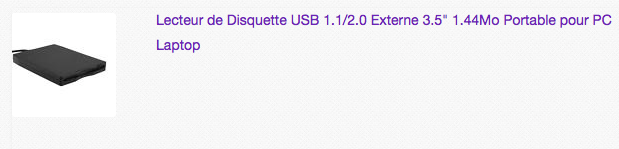
I bought a modern USB Mac/Windows USB floppy drive. The drive said it needed no software for a Mac or a windows box. Just plug and play.
I plugged in the USB floppy drive. stuck in a floppy. The light on the floppy drive lights up and I hear it running, but nothing on my desktop. I have Toast 6 titanium installed. When I look at the system profile, it will see my USB floppy drive. It IDs it as TEACV 2.0.
Do I need to do some magic so that tiger can see this drive? I install a floppy and nothing appears on my desktop. I have used floppies that are good - they work in my Color Classic. I have installed new floppies and working floppies but nothing shows up on my desktop.
I must be doing something wrong, but I am not sure what...
Any suggestions?
Thanks
mraroid
I have a powerbook G4. It is this model:
http://www.everymac.com/systems/apple/powerbook_g4/specs/powerbook_g4_1.5_15.html
I am running tiger - 10.4.11
I bought a modern USB Mac/Windows USB floppy drive. The drive said it needed no software for a Mac or a windows box. Just plug and play.
I plugged in the USB floppy drive. stuck in a floppy. The light on the floppy drive lights up and I hear it running, but nothing on my desktop. I have Toast 6 titanium installed. When I look at the system profile, it will see my USB floppy drive. It IDs it as TEACV 2.0.
Do I need to do some magic so that tiger can see this drive? I install a floppy and nothing appears on my desktop. I have used floppies that are good - they work in my Color Classic. I have installed new floppies and working floppies but nothing shows up on my desktop.
I must be doing something wrong, but I am not sure what...
Any suggestions?
Thanks
mraroid