


Hi folks,
It happened again. Our Apple TV HD switched to a Zoom mode. It's the Apple TV HD, not the actual Samsung TV doing this. Stupidly, all the online help says useless things like triple-clicking the remote to deactivate Zoom, which never seems to work.
However, the last time it happened I somehow managed to access the Zoom menu and deactivate it. The problem is, I can't see the menu, because it's zoomed in! And I can't connect via USB, because the only option I have is to restore it and I shouldn't need to do that. But I could navigate by sound if I knew what menu option it's on. So, here's what I can do:
I can double-click on the TV button to the right of the (Menu) button:
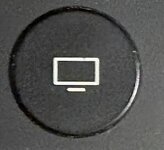
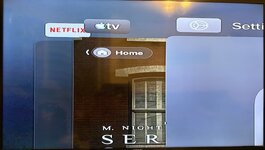
Then I can see apps I can swipe through, so I can swipe through until I get to Settings:
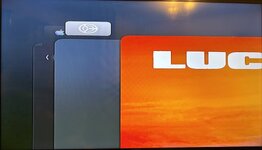 ••••••
where I can click the main button to select it:
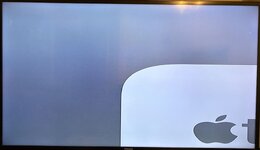
I can't pan the view, none of the help I've found online appears to make that happen. However, I can select different items audibly using the main pad and choose them by clicking. Apparently, I need to go to: Accessibility > Zoom > Maximum Zoom Level. If I could see the menu hierarchy I'd be able to do that, but I can't find any images online that appear to show it.
So, if someone else has an Apple TV HD (it might be different on other models), and they're willing to screenshot the menus so I can find that menu option, I'd be grateful. FYI: If I just click on this page it says. I got to one section of it where I could go down 23 times and on the 6th down, it show a picture of part of a wireframe globe. If I click on that there are 2 options, down=high tone, up=low tone. I just backed out there.
Mind you, now I seem to be at the top level of settings and I can only go down 11 times (so there's 10 options) and the 6th down (==7th option) isn't a wire frame globe. FYI it's AppleTV 5,3 running tvOS 26.5 (23L471).
It happened again. Our Apple TV HD switched to a Zoom mode. It's the Apple TV HD, not the actual Samsung TV doing this. Stupidly, all the online help says useless things like triple-clicking the remote to deactivate Zoom, which never seems to work.
However, the last time it happened I somehow managed to access the Zoom menu and deactivate it. The problem is, I can't see the menu, because it's zoomed in! And I can't connect via USB, because the only option I have is to restore it and I shouldn't need to do that. But I could navigate by sound if I knew what menu option it's on. So, here's what I can do:
I can double-click on the TV button to the right of the (Menu) button:
Then I can see apps I can swipe through, so I can swipe through until I get to Settings:
•••••• where I can click the main button to select it:
I can't pan the view, none of the help I've found online appears to make that happen. However, I can select different items audibly using the main pad and choose them by clicking. Apparently, I need to go to: Accessibility > Zoom > Maximum Zoom Level. If I could see the menu hierarchy I'd be able to do that, but I can't find any images online that appear to show it.
So, if someone else has an Apple TV HD (it might be different on other models), and they're willing to screenshot the menus so I can find that menu option, I'd be grateful. FYI: If I just click on this page it says. I got to one section of it where I could go down 23 times and on the 6th down, it show a picture of part of a wireframe globe. If I click on that there are 2 options, down=high tone, up=low tone. I just backed out there.
Mind you, now I seem to be at the top level of settings and I can only go down 11 times (so there's 10 options) and the 6th down (==7th option) isn't a wire frame globe. FYI it's AppleTV 5,3 running tvOS 26.5 (23L471).
Last edited:


