Hi everyone,
After opening my SE/30 to mount my SCSI2SD and reclosing the case I noticed that the image displayed on the screen was a little bit rotated compared to before opening the case. You case see attached picture to see. (Both images were taken after the rotation).
What could be the cause ? Did I hit something when opening ? Did I alter an adjustment ?
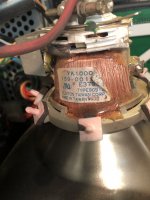
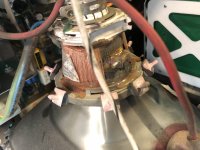
Of course I read the Classic Mac Repair Notes and I saw that I could rotate the yoke itself. That's what I tried but there is a lot of glue and it won't move. And I don't want to give it too much torque, I'm a bit afraid to break it.
Is there anything I should know to revert the display back to normal ?
Thanks a lot.
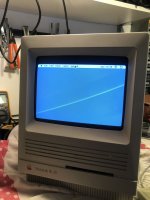
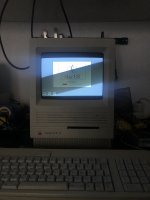
After opening my SE/30 to mount my SCSI2SD and reclosing the case I noticed that the image displayed on the screen was a little bit rotated compared to before opening the case. You case see attached picture to see. (Both images were taken after the rotation).
What could be the cause ? Did I hit something when opening ? Did I alter an adjustment ?
Of course I read the Classic Mac Repair Notes and I saw that I could rotate the yoke itself. That's what I tried but there is a lot of glue and it won't move. And I don't want to give it too much torque, I'm a bit afraid to break it.
Is there anything I should know to revert the display back to normal ?
Thanks a lot.