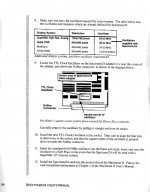
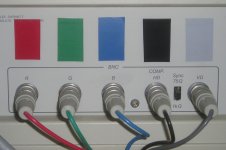
My guess it that the single wire between card and neck board carries the grayscale intensity and the rest is for timing?
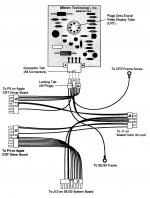
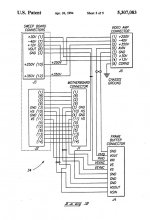
Yes. As I believe has been thoroughly explored in previous threads, the substitute neckbeard, er, neck board from Micron substitutes its own analog-proportional intensity feed for the digital only amplification stage on the native analog board, and for that it only needs to override a single line. This was their alternative to having to replace the analog board.
My guess as to how the card actually operates, given that according to the wiring harness it's taking *in* the Hsync and Vsync signals from the Mac motherboard and *then* feeding them into the connector on the analog board is it essentially "genlocks" to the timing signals output from the mac instead of generating its own Hsync and Vsync signals when it's operating in parasitic mode. That's not a sure thing, it *could* just have the inputs from the motherboard pass through a MUX so they can be switched in and out, but if I had to put money on it I'd go with the genlock theory if for no other reason then I doubt that those outputs can be shut off (IE, the internal video timing chain definitively disabled) on the motherboard and it might create noise/interference problems to have two separate clocks running at the same frequency but out of phase inside such a small box. Presumably there *is* a MUX onboard the card that allows it to either feed through the motherboard video (via a suitable amplifier) to the modified neckboard or to switch it out and sub its own.
On the driver side I'm guessing that when the Micron is running in internal mode it commits some sort of rudeness to delete the internal video from the list of available video devices when it's in control so the original B&W framebuffer doesn't show up a phantom headless viewport. This override of course does not happen when the card is configured to run an external display.
Remember the important takeaway from the DOS/MP3 build: The "Hsync" signal from the Mac motherboard isn't actually a sync signal, it's a drive signal. The monitor actually cannot "sync" to anything because it doesn't have an internal oscillator. The guy doing the build admitted his solution of tacking in some oneshots was kind of a hack. This is *another* reason to think that the Micron card is actually using the hsync/h-drive from the Mac motherboard instead of generating it on its own.
Dunno, that's above my pay grade. I'm just hoping this early, programmable Mac board can sync at lower frequencies than later cards.
Toby and friends can actually sync lower than this because they support NTSC interlaced output.
The board's selection of PLLs would torque a standard frequency into something that works at whatever oddball frequency would be needed to drive a custom monitor? Dunno, still above my pay grade.
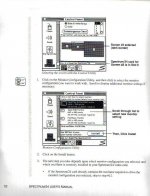
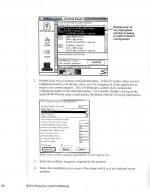
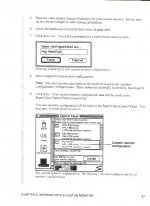
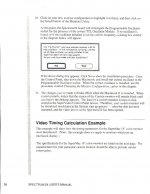
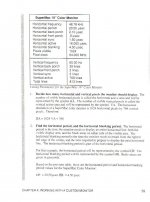
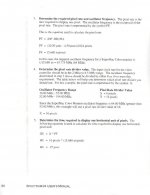
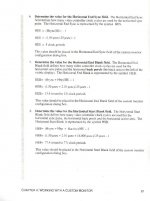
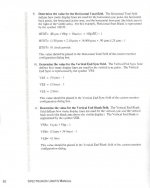
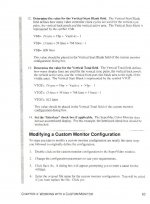
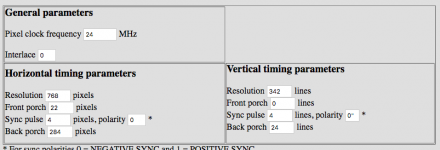
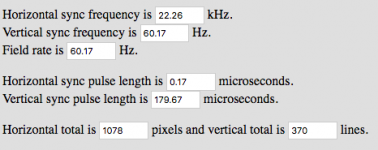
This is another reason why it's bad to myopically concentrate on this one video card, because it's a proprietary beast that you apparently don't have full documentation for. You keep sticking the same screenshot of it up on the screen, do you even have the card plugged into something so you can *play* with putting different numbers in it and see how it affects the output? I honestly do not know how to interpret what it needs for a crystal. The 24mhz it shows in that screen shot is a little bit low for the pixel clock of standard 640x480@60hz VGA, which is 25.175 mhz, so it's probably *not* the pixel clock, at least not exactly? You *can* put together a 640x480 mode with a 24mhz pixel clock by tweaking the margins smaller than usual, but it's going to be a little bit out of spec for a normal VGA monitor and might need some tweaking of the h/v size knobs.
Maybe what that control panel does is when you give it a resolution and a crystal speed it tries to fudge the rest of the numbers to come up with something that works? Again, I certainly have never played with it so I have *no idea* how it works, if it autofills any of the fields based on what you input on other fields, etc.
Would that be analogous to the more flexible timing setups of the cards you're suggesting for driving the internal display from a Linux PC? :mellow:
Basically all VGA cards made since the mid-1990s have *extremely* flexible timing PLLs that can be adjusted to essentially arbitrary frequencies from NTSC on up. This happened because it became pretty clear pretty fast that slapping on a separate crystal for every pixel clock was not going to be scaleable. (Original 1987 VGA cards have two crystals on them, a 25.175mhz and a 28.something one, and all the video modes from 320x200 up to 640x480 (and the 720x400 text mode) are derived from simple divisions of those crystals. (And the original VGA always used the same horizontal sync value; it managed this by running at either 60 or 70hz depending on the number of lines in the video mode; semi-interesting trivia: the only mode at which the original VGA runs at 60hz is the 640x480 graphics mode, in text and CGA/EGA backwards compatibility modes it's 70hz.)
Your SuperMac card apparently both has PLLs *and* swappable crystals, which makes it weird. Unless you have complete documentation as to how it works and how much "fudge" the PLLs give you in selecting crystals I don't know really know how to even guess what the right value would be other than maybe it's in the ballpark of 15.6 mhz. Another worry might be that the software simply won't accept lower values than 640x480 even if the hardware is capable. Have you tried it?
At this point I would almost suggest your best course of action is to go find a really old Multisync monitor, like an NEC Multisync 3D or similar, if you can find one that works, so you can experiment at will with sub-VGA signal timings. One of those ancient multisyncs that can handle CGA/EGA/VGA/etc. should sync up with a simulated "I'm driving a Macintosh monitor" timing set and would let you tweak a modeline you're confident produces a picture before you hack the hardware.




 ]
] 

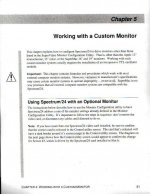
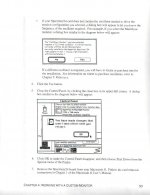
 ] I do have the complete docs and am in the process of sharing them with all. With any luck I'll have it scanned into a really ugly PDF from the printer at work and it will be able to email to me tonight without dropping dead in its tracks.