• Hello MLAers! We've re-enabled auto-approval for accounts. If you are still waiting on account approval, please check this thread for more information.

Color classic will not power on

Stu M

6502
Color Classic will not power on.

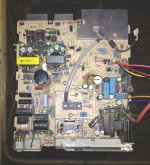
First, I need to isolate whether the problem is the analog board or the motherboard. I've read where someone was able to turn on the power without a motherboard. This would make sense, as the macintosh II series power supplies could be turned on by applying 3.6v to the white power-on wire. I can't find any information as to the pinout of the wiring harness from the analog board to the motherboard. A schematic of the analog board would definitely make this a bit easier. I did replace the capacitor at CP16, as it was split in half. Mouser 80-PME271Y510MR30.

I have about 4v at the ADB connector, and have no result using the power on button on a couple different keyboards.

Thanks!

-Stu

 
Last edited by a moderator:
Hi Stu...
 
With everything hooked up,  you turn the switch on, on the back of the Color Classic.  Then you hit the key on your keyboard to boot the system.  What happens?
 
Do you hear any clicking? Do you hear any sound at all?  Do you hear your fan power up?  Is your screen totally black and unchanged? You hear nothing from your hard drive? 
 
Is it as if you have no power at all to the Color Classic?
 
mraroid

 
So the power supply is not switching to the on state, so no power to the drives, etc.. no the flyback and crt isn't powering up either. No relays clicking, nothing. Since replacing the cracked capacitor, I now hear a high pitched charge up on connecting the power cord, for about 250ms. There is power to the ADB, but the power soft switch does nothing.

 
Hi Stu....
 
I don't think the Apple service manual for the Color Classic is very helpful.  It is a real disappointment to me.  But I will post it here in case you do not have it. Also, another photo of the logic board....
 
Keep us updated.
 
mraroid
color_classic.pdfCC_Analog_Checklist.jpg
 

Attachments

sorry - I ment the analog board....

You did pull the case off, and double check to make sur everythig is plugged back in?

It happens to the best of us.

mraroid

 
Thanks! While unfortunately that service manual's most common advice is to just replace the analog board, they're not so readily available. So fixing the one I have is what I plan to do. That aside, the advice on how to adjust the CRT is wonderful and will definitely come in handy once it is up and running.

I remembered that I have a 575 in storage, so I went and got it. I stuck the CC motherboard in the 575 and it would not turn on. I have two CC motherboards and apparently neither are any good. Then I decided to risk it, and put the 575 motherboard into the CC. It turned on! So now I've at least isolated the problem.

Well, it's not perfect. There's definitely issues with the analog board, but it's much easier to figure that out alive than dead. Somewhere in the HV circuit there was a bit of crackling, then a high pitched hum that seemed to go higher in pitch as it ran. I let it run a total of about a minute and a half and shut it off when the crackling and humming got "concerning". But it did run, and boot the OS even. (Some message about the version of the OS not being compatible with the 575 board I shoved in there). Picture looked fine too.

As far as the dead motherboards, I cleaned and recapped one of them. Still doesn't work. Looks like I'll be poking around that later. For now, my priority is to fix the analog board, and for that I have the 575 motherboard to fire things up with.

Once the analog board is happy, I'll take another look at the two bad motherboards, and perhaps one of those upgrade options. I do intend to put the 575 motherboard back into the 575, so some other arrangements will have to be made for the CC.

 
Its the motherboards,  look for eaten traces.  The caps by the keyboard plug have always seem to need to be redone as even alcohol cleaning and washing in the dishwasher and the board still had residue on them.  The capacitor goo is conductive and will cause issues still so whole board cleaning is a good idea.

 
Back
Top