• Hello Guest! We're hosting a challenge to welcome vintage Intel macs to the MLA during the month of July! See this thread for more information.
  • We've made some quality of life improvements to the Trading Post. More info here.

Broken rheostat on Mac SE

Ttpilot

6502
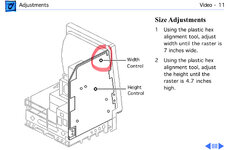
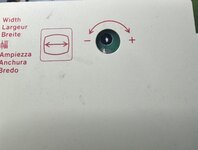
The display on my SE sits at the right edge of the screen. I was going to shift it left and discovered the little adjusting screw in the rheostat is missing. Is there a way to fix that short of replacing it? The display is completely usable as is, but it looks off center
 
Shifting image on the CRT for SE is done by adjusting/rotating the metal tab on the neck of the tube. Width adjusting is by core of an inductor coil. None of them is a rheostat.
 
So it is. Thanks. In any case the little adjustment screw is gone on the [checks notes] width inductor coil
 
IMG_1072.jpegIMG_1074.jpeg
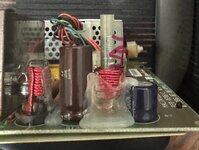
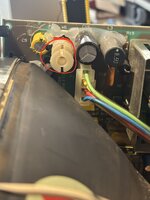
As you can see in the photo. There is no “screw” in the coil. You can just use a hex tool (you must not use metal tool when powered on otherwise the tool will get hot and burn your hand). I normally use a trimmed q-tip for this adjustment. You will notice the black part I marked in the photo to extent in and out the red wire coil. Hope this helps
 
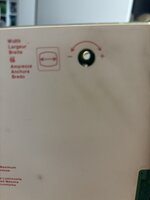
Hi. Did this ever get resolved? I seem to be facing the same problem. I have just recapped my SE/30 and the picture is a bit too wide. I went for the width adjustment, but it seems its just an empty hole. I would expect to see a screw or something in there for me to turn with a plastic tool and adjust the width.
IMG_3656.jpg
 

Attachments

  • IMG_3655.jpg
    IMG_3655.jpg
    3.2 MB · Views: 1
Back
Top