


• Hello MLAers! We've re-enabled auto-approval for accounts. If you are still waiting on account approval, please check this thread for more information.

black screen when booting from 9.2.2 to 10.4

feltel

6502
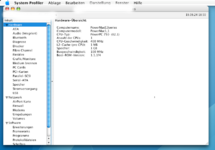
My "new" B&W tower is getting shape. I upgraded it to 1 GB RAM, found a working USB2 card and replaced the hard drive with an SSD. Also a "new" Radeon 7000 is on order. One issue I noticed is a little bit strange. I reinstalled both OS 9.2.2 and 10.4.11 in a dual boot configuration. OS9 on the first partition and OSX on the second. If I boot from 9.2.2 to 10.4.11 via the startup volume control panel I end up in a black screen. I see the HDD LED on the motherboard blinking like normal. If I power off the machine and start again using verbose boot (Apple + V keys pressed) I end up in a booted OSX desktop. If I boot with my OS9.1 install CD I can boot the same way without this problem. Also the opposite way from 10.4 to 9.2.2 works without any issue. The problem must exist in the 9.1 to 9.22 upgrade process. Is this a known issue? Maybe some sort of firmware related issue? One thing I noticed is that on OS9.1 the startup volume lists the OSX partion without any version number. On 9.22 the partiton is detected as OSX 10.4.11 with its build number.
Unbenannt.png

The machine is stock apart from upgraded RAM and the USB2 card. I reverted the RAM upgrade and removed the USB2 card, but the "problem" remains. Back in the day I worked with some G4 Mac Minis and I can remember that there were some sort of boot selector menu while pressing the Alt key. But this does not seem to work on G3 machines.
 
Last edited:

On G3 machines, the boot selector is done from Open Firmware. Hold Command-Option-O-F during boot. Then at the Open Firmware prompt, type multi-boot.
It will take a while to list all the options. Press the option of the one you want to boot. It might only show partition number. In that case, you'll want to view the partition numbers in OS X and write them down before trying multi-boot.

Google:
B&W G3 "multi-boot"

Maybe try comparing the output of printenv and print-aapl,pci in Open Firmware from 9.1 and 9.2 to see what's different.
 
Unfortunately access to the open firmware does not work when the G3 is in the "black screen" state. Only Command+v works to bring it "back to life". Today I switched the graphics card to an Radeon 7000. It should be from an G4 but it wasn't working at all in the G3. Probably this was an unmodified PC card or the previous owner messed up with flashing the correct firmware. On a PC motherboard the card also does not produce a picture. Before switching the card I installed the latest ATI driver to play safe. But it did not help. I flashed the BIOS of the card with the file by gotoh from http://themacelite.wikidot.com/wikidownloads2. It now works like a charm. I can switch between OS9 and X without special key commands. My card has the smaller 64KB flash chip, so I had to use an "reduced" ROM image. I dont miss anything. On startup it shows the grey screen with the apple logo or the happy Mac depending on the OS. Also the ATI tools report a Radeon 7000 and offer different settings to adjust. Whats the deal with the larger 128KB ROM?
 
Using the built-in Startup Disk control panel should work regardless; you shouldn't have to use OF or any such thing if things are working properly. My guess was the video card...which you summarily found to be the issue as I can see. Happy it worked!
 
Whats the deal with the larger 128KB ROM?
I think it includes a ndrv driver in case the OS doesn't include it.
Even if the Mac ROM, the graphics card ROM, and the OS don't include the ndrv, the OS may be able to use the Open Firmware frame buffer for the graphics card - there just won't be any 2D acceleration (moving a window will be slow).

For example, the Nvidia 7800GT from my Quad G5 is usable by my B&W G3 in Mac OS 9 even though the graphics card and the OS do not have an ndrv for that graphics card. 2D and 3D acceleration only work in OS X for that card.
 
Thanks a lot for the clarification. I'll keep the card as it is for the time being. Maybe I'll switch the flash chip in future to have a complete ROM.
 
Unfortunately access to the open firmware does not work when the G3 is in the "black screen" state. Only Command+v works to bring it "back to life". Today I switched the graphics card to an Radeon 7000. It should be from an G4 but it wasn't working at all in the G3. Probably this was an unmodified PC card or the previous owner messed up with flashing the correct firmware. On a PC motherboard the card also does not produce a picture. Before switching the card I installed the latest ATI driver to play safe. But it did not help. I flashed the BIOS of the card with the file by gotoh from http://themacelite.wikidot.com/wikidownloads2. It now works like a charm. I can switch between OS9 and X without special key commands. My card has the smaller 64KB flash chip, so I had to use an "reduced" ROM image. I dont miss anything. On startup it shows the grey screen with the apple logo or the happy Mac depending on the OS. Also the ATI tools report a Radeon 7000 and offer different settings to adjust. Whats the deal with the larger 128KB ROM?
I have a similar issue and I would like to try this.

How were you able to download the flash? Attempting to download any flash from there on any device gives a 500 error in French.
 
Thats odd. The day I flashed my card the site did work. I have the file on my disk. I'll try to sent it to you via PM.
 
Back
Top
