

My "new" B&W tower is getting shape. I upgraded it to 1 GB RAM, found a working USB2 card and replaced the hard drive with an SSD. Also a "new" Radeon 7000 is on order. One issue I noticed is a little bit strange. I reinstalled both OS 9.2.2 and 10.4.11 in a dual boot configuration. OS9 on the first partition and OSX on the second. If I boot from 9.2.2 to 10.4.11 via the startup volume control panel I end up in a black screen. I see the HDD LED on the motherboard blinking like normal. If I power off the machine and start again using verbose boot (Apple + V keys pressed) I end up in a booted OSX desktop. If I boot with my OS9.1 install CD I can boot the same way without this problem. Also the opposite way from 10.4 to 9.2.2 works without any issue. The problem must exist in the 9.1 to 9.22 upgrade process. Is this a known issue? Maybe some sort of firmware related issue? One thing I noticed is that on OS9.1 the startup volume lists the OSX partion without any version number. On 9.22 the partiton is detected as OSX 10.4.11 with its build number.
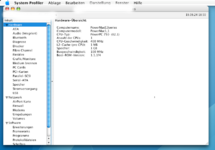
The machine is stock apart from upgraded RAM and the USB2 card. I reverted the RAM upgrade and removed the USB2 card, but the "problem" remains. Back in the day I worked with some G4 Mac Minis and I can remember that there were some sort of boot selector menu while pressing the Alt key. But this does not seem to work on G3 machines.
The machine is stock apart from upgraded RAM and the USB2 card. I reverted the RAM upgrade and removed the USB2 card, but the "problem" remains. Back in the day I worked with some G4 Mac Minis and I can remember that there were some sort of boot selector menu while pressing the Alt key. But this does not seem to work on G3 machines.
Last edited:




