
-
 Hello Guest! We're hosting a challenge to welcome vintage Intel macs to the MLA during the month of July! See this thread for more information.
 -
We've made some quality of life improvements to the Trading Post. More info here.
You are using an out of date browser. It may not display this or other websites correctly.
You should upgrade or use an alternative browser.
You should upgrade or use an alternative browser.
Apple II+ Question
- Thread starter khannonnd
- Start date



Since the language card is mostly 74xxx chips, I would look at the card and note them down and start buying a few chips to swap out and test. They should be less than $1 a chip, so...
And you don't have too since the card seem to boot the machine, except for a couple PROM chips and a 4XXXX Chip, do the came on the Disk Drive Card - only replacing the 74xxx chips there too.
Gorgonops, you've been spot-on on the advice thus far.
- - - -
Edit - this is with or without the Language card?
It's normal if it is without the Language card.
Type (hope I got it right):
PRINT FRE (0)
If it's right, it should tell you how much RAM the Apple II is seeing - whether 16K, 32K or 48K.
(Even with the language card, it will not report the added 16K as the CPU thinks its ROM)
And you don't have too since the card seem to boot the machine, except for a couple PROM chips and a 4XXXX Chip, do the came on the Disk Drive Card - only replacing the 74xxx chips there too.
Gorgonops, you've been spot-on on the advice thus far.
- - - -
Edit - this is with or without the Language card?
It's normal if it is without the Language card.
Type (hope I got it right):
PRINT FRE (0)
If it's right, it should tell you how much RAM the Apple II is seeing - whether 16K, 32K or 48K.
(Even with the language card, it will not report the added 16K as the CPU thinks its ROM)
Last edited by a moderator:

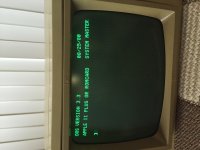
That would be normal, again, for a machine with no language card installed.Typing "INT" (for Integer, as you recommended above) yields "Language not available." Typing "FP" does nothing, just gives me a new prompt.
(History lesson:
As I mentioned earlier, there are two mostly incompatible BASICs for Apple IIs; the original "Integer BASIC" as written by Steve Wozniak and descended from the BASIC he wrote for the Apple I, which is fast but syntactically limited, and "AppleSoft Basic", a highly customized version of Microsoft's 6502 BASIC. (IE, it's a cousin of, say, Commodore BASIC, in that it's descended from the same codebase.) The motherboard of an Apple II (pre-IIe and later) has sockets that can hold *one* of them; to run programs written for the other BASIC the original solution Apple offered was a ROM card that stuck in the slot the language card goes in and actually had the ROMs for the other BASIC on it. However, around the time the IIplus became a separate "model" (rather than just a "II with AppleSoft installed) Apple also begin offering the language PASCAL for the II and since PASCAL wanted as much RAM as possible *and* running Pascal the memory space occupied by the BASIC ROMs was wasted anyway Apple came up with the "Language Card" with RAM instead of ROM on it. The advantage of having one over the ROM card is it lets PASCAL or machine language programs use almost 64K of RAM instead of 48K, *and* it can also double for the ROM card by loading the desired BASIC into it, so it quickly became the STANDARD configuration for a ][plus...
But, still, as you can see by the prompt you got when you booted DOS 3.3 it is still technically a valid configuration to *not* have one. It just means that, again, since you have "FP", aka, Applesoft, installed on your motherboard and no ROM card plugged in in place of the language card "INT" is indeed UNAVAILABLE.)
I think we're *pretty* convinced at this point that your system and disk drive basically work minus the language card; if you wanted to you could dig through the disk archives and look for some disks of AppleSoft programs or machine-language programs compatible with a 48k Plus and exercise it, but since it passes diagnostics I'm inclined to think you're good. So... the question is what's wrong with the card. I assume that if you move the chip back over to it and reinstall it you're again not able to boot; that is of course a pity because it would be great if we could run that diagnostic on it. Lacking that...
The *simplest* problem to diagnose would be the language card having some bad RAM on it. If you are feeling adventurous you could *very carefully* remove all the 4116s from the language card, assuming they're socketed, substitute them for one row of RAM chips on the motherboard, and see if you can still boot the diagnostic disk and run the memory test. If the test fails then you've found your culprit.
Before doing that, though, I would suggest *very* carefully cleaning the contacts for the cable that goes from the language card to the IC socket using some alcohol or contact cleaner, examining the socket the cable jumpers into to make sure it doesn't look corroded or worn, and maybe gently polishing up the card edge contacts with an eraser. I *think* the refresh and CAS/RAS signals for the RAM on the card are carried over to it by that cable and a bad connection could be making them "noisy" enough to cause errors. Worth a try, anyway.

Fascinating! Thanks for the info!
I am not sure i trust myself to remove things directly from the board without breaking them. Since you have mentioned that the RAM in question is available from a local store relatively cheaply, I think I may just pick up a number of chips and replace all the RAM chips on the language card to see if that does anything. I may also keep my eyes open for a cheap language card replacement. I assume (?) things like that come up relatively frequently on eBay?
Thanks for all of your patience! I am a true Apple II newbie, but I wanted to pick one up to start to learn some of this early technical stuff that formed the basis of the computer revolution.
I am not sure i trust myself to remove things directly from the board without breaking them. Since you have mentioned that the RAM in question is available from a local store relatively cheaply, I think I may just pick up a number of chips and replace all the RAM chips on the language card to see if that does anything. I may also keep my eyes open for a cheap language card replacement. I assume (?) things like that come up relatively frequently on eBay?
Thanks for all of your patience! I am a true Apple II newbie, but I wanted to pick one up to start to learn some of this early technical stuff that formed the basis of the computer revolution.
A simple ebay search I found several Language cards from $10 to $500 - go figure. There were a couple ROM Cards too. I figure the average is around $50, so start saving those pennies.
But there were "Apple II" Language Cards and "MicroSoft's Language Card" for the Apple II. They are basically the same 16K Ram Card but Microsoft made the other one. I would recommend the Apple one over the Microsoft one.
RAM would not cost that much, a couple dollars a chip depending on where you go.
But there were "Apple II" Language Cards and "MicroSoft's Language Card" for the Apple II. They are basically the same 16K Ram Card but Microsoft made the other one. I would recommend the Apple one over the Microsoft one.
RAM would not cost that much, a couple dollars a chip depending on where you go.

I use a pencil and a flathead jeweler's screwdriver. I lay the pencil by the front and back of the socket and use it as a fulcrum for the jeweler's screwdriver to pry up against. Just take your time and pry up a tiny bit then switch to the other side and pry up a tiny bit and repeat until the chip comes off the socket. Basically you are wiggling the chip up tiny bit with each pry. If you pry it up all at once on one side, you will bend and even possibly break the pins off the chip.

Is there a useful tool for removing socketed chips? Using my hands and/or a pair of tweezers has caused me to bend some of the pins. I have bent them back but heavens knows if they work now...

That is a stainless steel chip puller made in Taiwan, which I bought about 30 years ago I remember not where.
You can find similar gadgets on ebay by searching for chip puller or chip extractor. There are also tools for inserting chips in sockets, some of these come with moulded ribs on the handle for straightening bent legs. I suspect different formats of chip packages require (or can be handled better with) different designs of tools.
The one pictured here is about 3 inches long and suitable for DIP 16K - 256K DRAMs.

I have that same chip puller. But when it comes down to it... I just use a screwdriver as Elfen suggests. The problem with the chip puller is you can accidentally yank out one side without the other, leaving you with bent pins. With a lot of pressure, you can squeeze it hard and rock back and forth to simulate the screwdriver action. But in the end, I've found it best just to use the screwdriver in the first place.


By way of update: I went to Anchor Electronics and bought 8 new 4116, 150ns chips (as well as one of each logic chips on the language card for backup purposes). I replaced all the RAM chips on the language card and then ran the A.P.P.L.E test program. The language card RAM passed all the tests. The Integer ROM test, however, still yields ERR$D000. Could this mean there is still something wrong with the EPROM chip on the language card? Or should I replace all the logic chips on the language card now, too?
Last edited by a moderator:
Sweet. I'm glad the pointer to Anchor paid off.
Unless you have some sort of issues going forward I wouldn't worry about it. It's very possible that this test is specifically to test Integer BASIC ROMs plugged into the motherboard, which of course you don't have with a language card. (IE, it passes the language card test so this result is irrelevant.) If you want to test it out there are some disk images out there of Integer Basic programs (like Woz's version of Breakout, etc.), just boot up a DOS master to load Integer into the card and try some of that stuff out.The Integer ROM test, however, still yields ERR$D000. Could this mean there is still something wrong with the EPROM chip on the language card?
Good deal. Anchor was really a neat place -- the workers were very helpful. It kind of makes me want to start learning how to replace capacitors and solder stuff.Sweet. I'm glad the pointer to Anchor paid off.
Unless you have some sort of issues going forward I wouldn't worry about it. It's very possible that this test is specifically to test Integer BASIC ROMs plugged into the motherboard, which of course you don't have with a language card. (IE, it passes the language card test so this result is irrelevant.) If you want to test it out there are some disk images out there of Integer Basic programs (like Woz's version of Breakout, etc.), just boot up a DOS master to load Integer into the card and try some of that stuff out.
One thing the Anchor worker brought up that I hadn't thought of -- do I need to worry about the capacitors on the language card going bad any time soon? What about on the Apple II board itself?

They seemed to have just about everything. Here is their catalogue-- it is pretty comprehensive:Does this Anchor have capacitors in most values needed for Mac A/B boards and PSUs?
I need some, and I'm not sure I want to wait for stuff in the mail.
c
http://anchor-electronics.com/price-list.pdf
There aren't many (*Google for pictures*... any?) electrolytic capacitors on the ][ motherboard, looks like there are a couple on the language card, but you probably don't need to worry a lot about them. You can give them a visual inspection to see if they look like they're swelling up or leaking (look for some corrosion around the leads), but they're generally less prone to failure than the surface-mount types found in later Mac motherboards. The ones in the power supply are probably more likely to be a problem, so if you feel like cracking the supply open and inspecting them it wouldn't hurt.
Capacitors other than electrolytics usually don't fail but, well, I did have a ceramic disc go bad on a Commodore PET that screwed up the RESET timer so it wouldn't start so your mileage may vary. But generally speaking you don't go preemptively replacing them.
Capacitors other than electrolytics usually don't fail but, well, I did have a ceramic disc go bad on a Commodore PET that screwed up the RESET timer so it wouldn't start so your mileage may vary. But generally speaking you don't go preemptively replacing them.
With the Apple II/II+ the boards are 2 layered though I seen a few 4 layer II+ boards and IIe boards are 4 layered, so soldering and desoldering caps is simple and the damage is from Cap Goo is less extensive. Also the caps on the these Apples are solid state ceramics, so they should be good for 50 years or so; though some fail in 30 but they mostly fail by opening and not shorting out. Electrolytic caps fail by either/or opening or shorting out and when they short they cause the majority of the problems. An IC would fail before a cap fails on the Apple II... LOL!Good deal. Anchor was really a neat place -- the workers were very helpful. It kind of makes me want to start learning how to replace capacitors and solder stuff.
One thing the Anchor worker brought up that I hadn't thought of -- do I need to worry about the capacitors on the language card going bad any time soon? What about on the Apple II board itself?
Like Gorgonops stated, the electrolytic caps in the PSU would be a more of a problem than any on the mother board. As it stand where things are for you CONGRATS!!! You Got It Working!!!
Last edited by a moderator:
Similar threads
- Replies
- 8
- Views
- 579

- Replies
- 4
- Views
- 470


- Replies
- 14
- Views
- 2K


