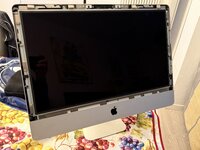
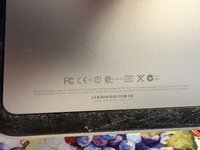
A1311

All the cables were unplugged, and the hard drive and SIMMs were removed.
I managed to get it to boot; it’s now (as expected) stuck at the “?”.

Next, I’ll install a new glass panel and an SSD.

However, as with many older iMacs, I’m having trouble creating a bootable macOS USB installer from my Apple Silicon M1.

I’ll try using an Intel Mac instead. If anyone has a solution they’ve personally tested, I’d appreciate a suggestion.
 
I just went through this with the same model. I eventually bought a copy of the DVD that came with it.
 
I really don’t know. I kind of took the easy way out. Like you, I only had an Apple silicon machine available to me and wasn’t sure how to create a thumb drive.
 
Did you try it yourself? When I attempted the same procedure on a 2011 MacBook, Internet Recovery failed with a “server not available” error. I also tried the commonly suggested workaround of changing the system date via Terminal (e.g., using date before starting the recovery), but it didn’t resolve the issue—still a dead end.

In practice, for older machines, Internet Recovery is often unreliable ... actually, it never worked for me.
 
for the records:

I used a Mac mini 2011 running High Sierra to install macOS onto an external SSD via USB. I then moved that SSD inside the iMac using a 3d printed frame.

Everything works correctly.
The only minor issue is that:
- The system identifies the Mac as a Mac mini (the icon shows a “mini”).
- The fan runs at 100%, but it can be kept quiet using a fan control app
- Lots of missing screws
- Missing SIMM access panel.
- Missing glass panel, there are some on eBay/AliExpress
- front camera not identified, I need to dig into it a bit more

It's ok since I got it for free.
 
Back
Top