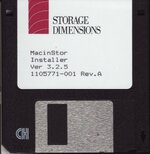
(this thread is a followon of a kind from @jeremywork's sixty eight thousand thread, which got diverted into discussion of different PDS SCSI cards. To enable that thread to keep talking about sixty eight thousand stuff when anyone has more to say, and to help people who might find this card, I've started a new thread here.)
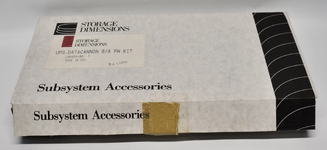
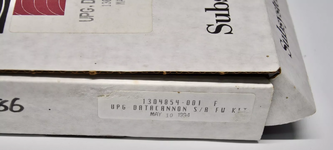
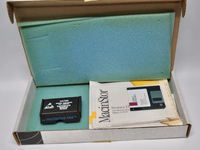
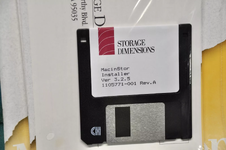
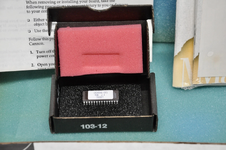
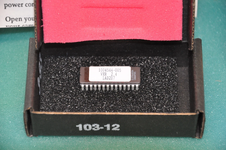
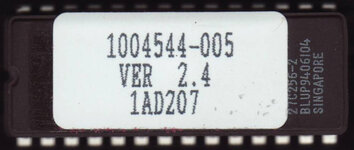
The Storage Dimensions DataCannon/PDS is an 040 PDS SCSI card. Mine has the version 1.1 ROM (attached below). Mine also had the Storage Dimensions stickers torn off (before I had it) revealing the name of the presumed actual manufacturer of the board, "Tech Noir". Because the forum search isn't very smart, I'm going to also say TechNoir here without the space to assist people in finding it.
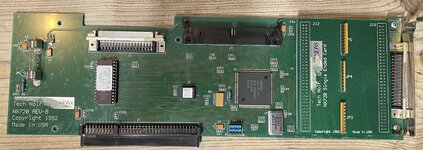
I know some people have had trouble getting this to work, but for me this was relatively easy to get going. The trick is:
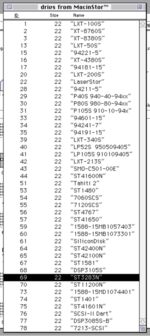
I chose the Seagate ST3283N totally at random and told a ZuluSCSI to present itself as that. You probably want to resist the urge to click 'Initialise' - when I did that it froze - and instead use the Auto Setup function to set up partitions.
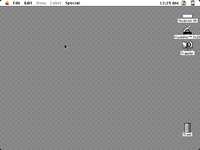
After I did this, the drive appeared on the desktop with a cannon icon, and this now mounts every startup.
The Storage Dimensions DataCannon/PDS is an 040 PDS SCSI card. Mine has the version 1.1 ROM (attached below). Mine also had the Storage Dimensions stickers torn off (before I had it) revealing the name of the presumed actual manufacturer of the board, "Tech Noir". Because the forum search isn't very smart, I'm going to also say TechNoir here without the space to assist people in finding it.
I know some people have had trouble getting this to work, but for me this was relatively easy to get going. The trick is:
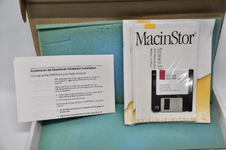
- You must use MacinStor to set the disk up.
- MacInStor is extremely picky about what disks it will talk to so you need to lie to it.
I chose the Seagate ST3283N totally at random and told a ZuluSCSI to present itself as that. You probably want to resist the urge to click 'Initialise' - when I did that it froze - and instead use the Auto Setup function to set up partitions.
After I did this, the drive appeared on the desktop with a cannon icon, and this now mounts every startup.