• Hello MLAers! We've re-enabled auto-approval for accounts. If you are still waiting on account approval, please check this thread for more information.

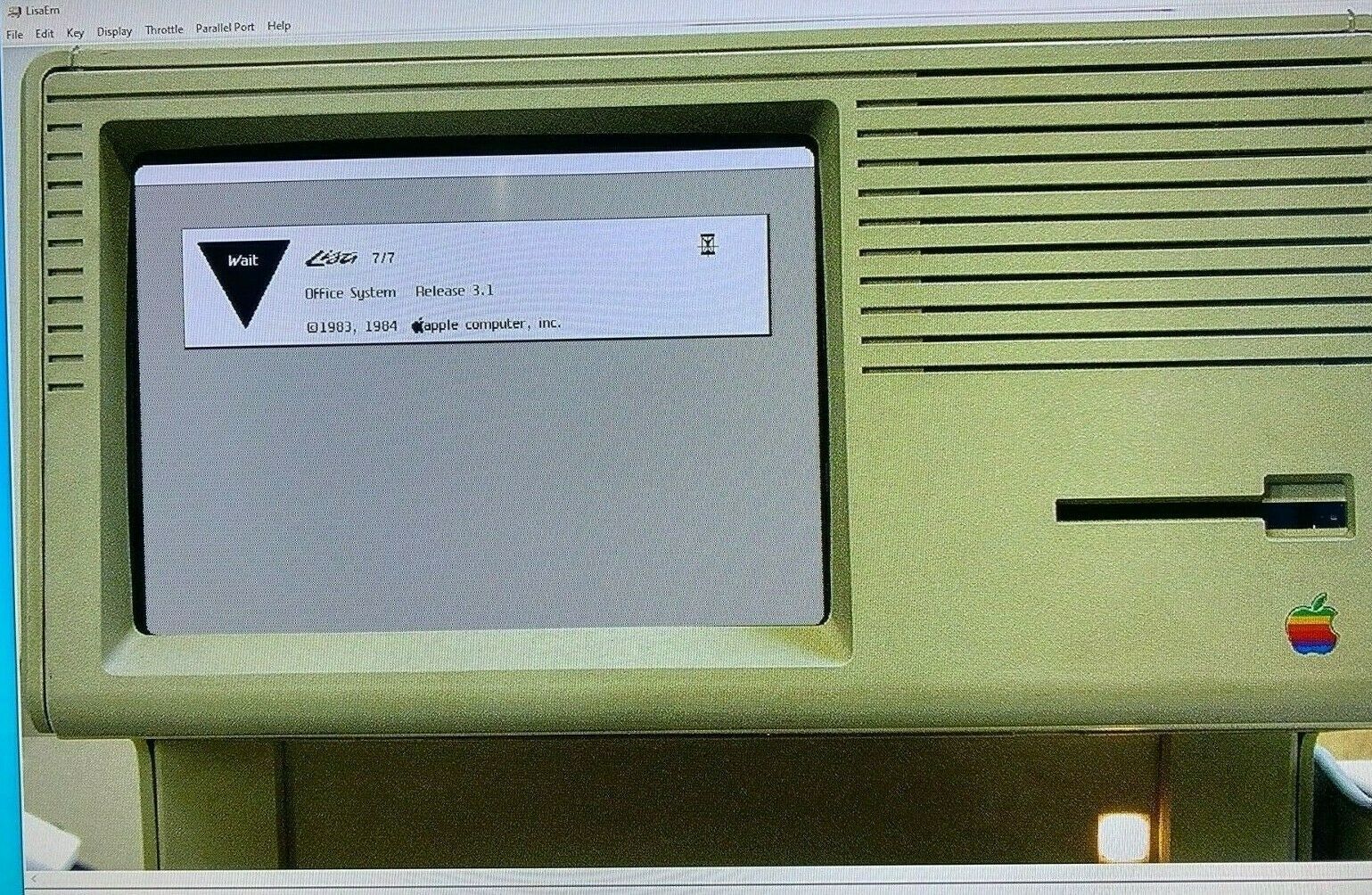
Is anyone successfully emulating a Lisa?

eharmon

6502
I've tried LisaEm but it's been a struggle:

- 1.2.7 RC4 and RC3 seem totally broken as they crash when the Lisa boots. That seems to be confirmed by posts on the LisaList2 forums.
- But I haven't had luck with earlier 1.2.7 RCs either, on macOS or Windows.
- I gave 1.2.6 a try, and it's a total bust on modern macOS as the signing isn't right and it uses a cute script to launch which breaks on arm64. Fixable, but I didn't bother with the effort.
- ...because I did get 1.2.6 to work on Windows....except the emulated system crashes a few seconds into boot. It reports being "ROMLESS" in the error even when I try to configure it with a boot ROM...which does "something" but it seems to ignore.

Is anyone successfully emulating a Lisa on Windows 10/11 or macOS 14? Curious to know how you're doing it. I'd love to play with some Lisa software.
 
Last edited:
Alright, I gave up and tried compiling IDLE and that worked for me instead. Here's some instructions if you'd like to do the same (for macOS, but probably works for other platforms with some modifications):

  1. Check out the repo from SourceForge: https://sourceforge.net/p/idle-lisa-emu/code/HEAD/tree/
  2. Apply this patch:
    Code:
    diff --git a/Makefile.macosx b/Makefile.macosx
    index 6c9f784..a03801e 100644
    --- a/Makefile.macosx
    +++ b/Makefile.macosx
    @@ -1,10 +1,13 @@
    -CPP  = g++ -D__DEBUG__ -I/Library/Frameworks/SDL.framework/Headers -framework SDL -framework Cocoa
    -CC   = gcc -D__DEBUG__ -I/Library/Frameworks/SDL.framework/Headers -framework SDL -framework Cocoa
    +SDL_HEADERS = $(shell sdl-config --cflags)
    +SDL_LIBS = $(shell sdl-config --libs)
    +
    +CPP  = g++ -D__DEBUG__ ${SDL_HEADERS}
    +CC   = gcc -D__DEBUG__ ${SDL_HEADERS}
     OBJ  = SDLMain.o main_sdl.o sdlgui.o dlgFileSelect.o scandir.o file.o cpu/debug.o mmu/mmu.o io/via_keyb.o io/via_hdd.o disk/disk_image.o disk/disk_ctrl.o debug/trace.o cpu/m68kcpu.o cpu/m68kops.o cpu/m68kopnz.o cpu/m68kopdm.o cpu/m68kopac.o io/via.o time/timer.o irq/irq.o io/8530scc.o
     LINKOBJ  = SDLMain.o main_sdl.o sdlgui.o dlgFileSelect.o scandir.o file.o cpu/debug.o mmu/mmu.o io/via_keyb.o io/via_hdd.o disk/disk_image.o disk/disk_ctrl.o debug/trace.o cpu/m68kcpu.o cpu/m68kops.o cpu/m68kopnz.o cpu/m68kopdm.o cpu/m68kopac.o io/via.o time/timer.o irq/irq.o io/8530scc.o
    
    
    -LIBS =
    +LIBS = ${SDL_LIBS}
  3. Install SDL2 and sdl12-compat with homebrew:
    Code:
    brew install sdl2 sdl12-compat
  4. Build for macOS: `make -f Makefile.macosx all`
  5. Copy your BIOS files into the `bios` directory. They need to use the same naming format as MAME.
  6. Run the emulator with `./idle`
  7. Press F12 (Fn+F12 on a Mac keyboard) to open the menu to attach disks, release your mouse, etc.
 
1.2.7 RC4 works for me on macOS (M1, using the arm64 build.)
There were some hiccups:
1. I found that I definitely needed a boot ROM file. Without it, attempting to boot from the floppy image would give me this error: "cpu68k_makeipclist: But! ipc is null!" Eventually I found a thread at https://www.applefritter.com/node/20185 which was helpful in getting past this point and successfully booting the emulator to start the installation of LOS.
2. I had already created a ProFile image without the ROM file specified. That made it unusable for some reason. Trying to install LOS appeared to work, but then booting up into the ProFile drive afterward always failed with error "Doh odd PC value (ffffffff) on vector (3) fetch in reg68k_internal_vector - BYE BYE" and would exit the emulator. After creating a new ProFile and reinstalling, I was in business.
 
You could try the Raspberry Pi option at the link below:
Attached are the instructions for flashing a downloaded image file from the link above to a memory card.
I got a similar one for the Apple 1, but haven't tried it yet as my technical knowledge isnt that great and it looks a bit complicated to me.
 

Attachments

1.2.7 RC4 works for me on macOS (M1, using the arm64 build.)
There were some hiccups:
1. I found that I definitely needed a boot ROM file. Without it, attempting to boot from the floppy image would give me this error: "cpu68k_makeipclist: But! ipc is null!" Eventually I found a thread at https://www.applefritter.com/node/20185 which was helpful in getting past this point and successfully booting the emulator to start the installation of LOS.
2. I had already created a ProFile image without the ROM file specified. That made it unusable for some reason. Trying to install LOS appeared to work, but then booting up into the ProFile drive afterward always failed with error "Doh odd PC value (ffffffff) on vector (3) fetch in reg68k_internal_vector - BYE BYE" and would exit the emulator. After creating a new ProFile and reinstalling, I was in business.
Screenshot 2024-08-19 at 10.54.03 AM.png
I own a little 3D-printed Lisa 1 & 2 from about ten years ago or so. They both use a Raspberry Pi 2 B running (I think) Raspbian, and LisaEM. This is a screenshot of the micro-SD card contents, seen on my Mac. One card corrupted and this one crashes now, so I need to refresh it. I don't have any experience with that.

I want to try making some new ones, scale-up the case to about one-third size and maybe use a Pi 3? Keep the cost down, etc. Can you possibly give me some guidance? Thanks.
 
Alright, I gave up and tried compiling IDLE and that worked for me instead. Here's some instructions if you'd like to do the same (for macOS, but probably works for other platforms with some modifications):

  1. Check out the repo from SourceForge: https://sourceforge.net/p/idle-lisa-emu/code/HEAD/tree/
  2. Apply this patch:
    Code:
    diff --git a/Makefile.macosx b/Makefile.macosx
    index 6c9f784..a03801e 100644
    --- a/Makefile.macosx
    +++ b/Makefile.macosx
    @@ -1,10 +1,13 @@
    -CPP  = g++ -D__DEBUG__ -I/Library/Frameworks/SDL.framework/Headers -framework SDL -framework Cocoa
    -CC   = gcc -D__DEBUG__ -I/Library/Frameworks/SDL.framework/Headers -framework SDL -framework Cocoa
    +SDL_HEADERS = $(shell sdl-config --cflags)
    +SDL_LIBS = $(shell sdl-config --libs)
    +
    +CPP  = g++ -D__DEBUG__ ${SDL_HEADERS}
    +CC   = gcc -D__DEBUG__ ${SDL_HEADERS}
    OBJ  = SDLMain.o main_sdl.o sdlgui.o dlgFileSelect.o scandir.o file.o cpu/debug.o mmu/mmu.o io/via_keyb.o io/via_hdd.o disk/disk_image.o disk/disk_ctrl.o debug/trace.o cpu/m68kcpu.o cpu/m68kops.o cpu/m68kopnz.o cpu/m68kopdm.o cpu/m68kopac.o io/via.o time/timer.o irq/irq.o io/8530scc.o
    LINKOBJ  = SDLMain.o main_sdl.o sdlgui.o dlgFileSelect.o scandir.o file.o cpu/debug.o mmu/mmu.o io/via_keyb.o io/via_hdd.o disk/disk_image.o disk/disk_ctrl.o debug/trace.o cpu/m68kcpu.o cpu/m68kops.o cpu/m68kopnz.o cpu/m68kopdm.o cpu/m68kopac.o io/via.o time/timer.o irq/irq.o io/8530scc.o
    
    
    -LIBS =
    +LIBS = ${SDL_LIBS}
  3. Install SDL2 and sdl12-compat with homebrew:
    Code:
    brew install sdl2 sdl12-compat
  4. Build for macOS: `make -f Makefile.macosx all`
  5. Copy your BIOS files into the `bios` directory. They need to use the same naming format as MAME.
  6. Run the emulator with `./idle`
  7. Press F12 (Fn+F12 on a Mac keyboard) to open the menu to attach disks, release your mouse, etc.
Hi @eharmon you mention Apply this patch. Where do you put that code? in Makefile.macosx? At the top of the file?
 
hi, yes LisaEm is working ok for me. Had not used it for a while, but was doing all the right stuff last time i used it. you need both Roms for sure.
 
Hi @eharmon you mention Apply this patch. Where do you put that code? in Makefile.macosx? At the top of the file?
Run `git apply` in the repo, paste the patch, and press ctrl-d.

This is assuming you're on macOS (you can also patch this way on Linux, but the patch here only fixes compatibility for macOS).
 
Back
Top